Creating an Advanced Policy from an Event
1 min
You create an advanced application policy directly from an event, without opening the Advanced Policy page. Kron PAM fills the application name and the agent of the policy with the values of the event.
To create a policy from an event:
- On the Application Event Inbox page, click the actions button of the application.
- In the Event Details window, click the policy button of the row that you want to create the policy for.
- Enter a name in the Policy Name field.
- Select User Group or User, and then select the user groups or the users that the policy applies to.
- Select Allow, Block, or Elevate as the policy action, and then click NEXT.
6. Select Allow or Block for Child Group Process to define whether the application runs child processes.
7. Click SAVE.
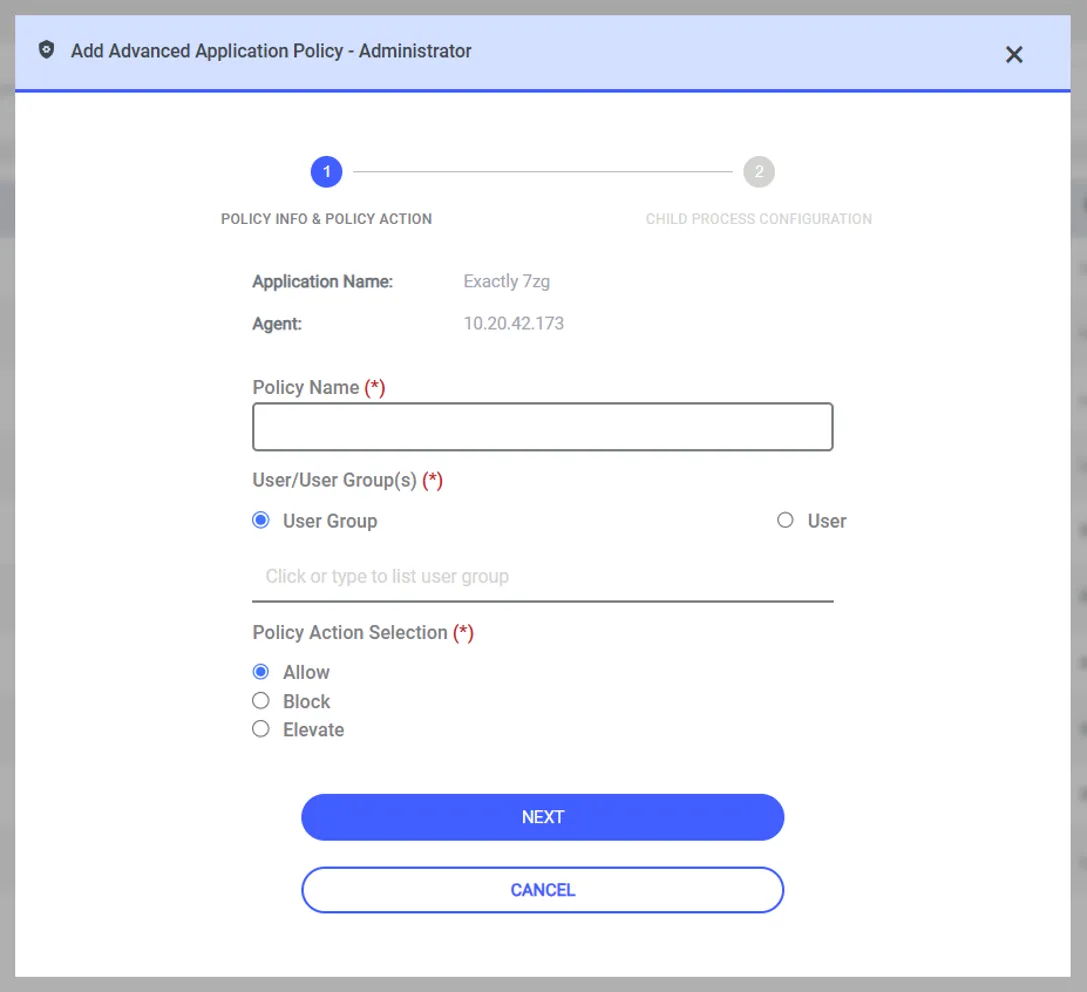
Figure – Policy information and policy action of a new advanced policy
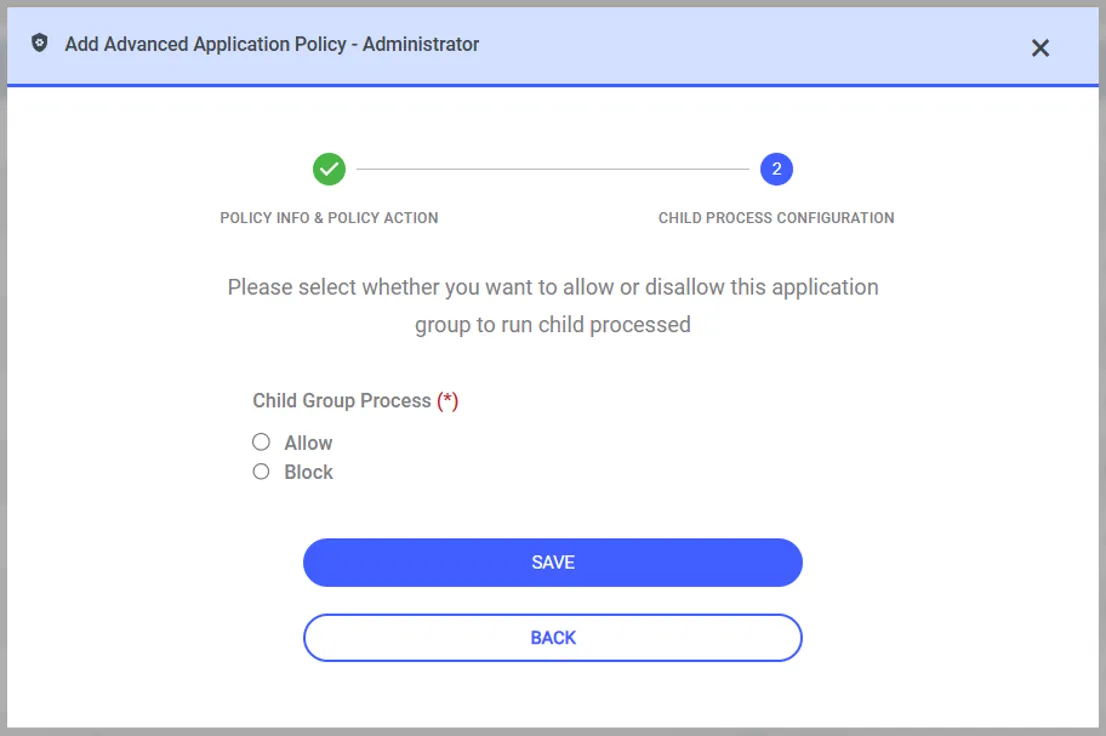
Figure – Child process configuration of a new advanced policy
When the event is produced by an existing advanced policy, Kron PAM opens that policy for editing instead of creating a new one.