Remote Operations of Agent
Remote Update
The agent can be updated remotely. To perform the update, follow these steps:
1. Obtain the update package (a .cab file) from the support team.
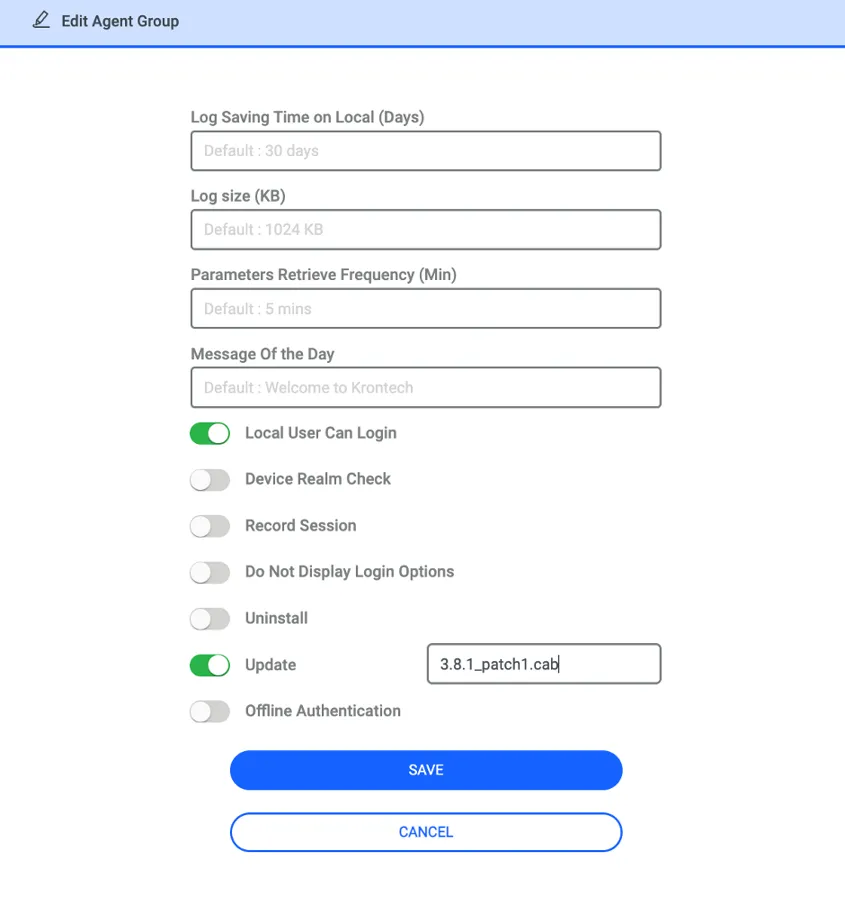
2. In the Agent Dashboard, enable the update option for the relevant Agent Group and enter the name of the .cab file in the designated field.
3. Place the .cab file under /pam/gui/webapps/repo/windows-agent on the PAM server for the registered instance. The file name must match exactly in both locations—on the GUI and on the PAM server.
4. After that, the agents in this agent group will automatically update themselves and report the new version to Kron PAM.
The example screenshot below illustrates this configuration.
Remote Stop, Start and Uninstall of Agent
Under Windows Agent > Agent Dashboard, when you click the “All Agents” tab, all registered agents are listed.
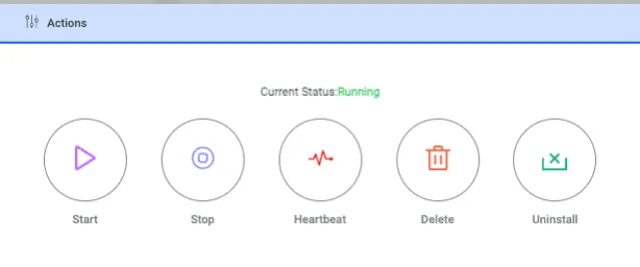
Using the Edit button on each agent, you can perform agent-specific actions such as stopping or restarting agent services and uninstalling the agent.
The workflow starts when the agent retrieves the action from PAM. In other words, the action is not pushed from Kron PAM; the agent periodically checks in and pulls it. This process typically takes around 1 minute.
You can determine the agent’s status by the color of the Windows icon:
· Green → All agent services are running and functioning properly
· Black → The agent has been uninstalled from the endpoint
· Red → The service responsible for enforcing policies is stopped
The Online / Offline label indicates whether the agent is sending heartbeats to PAM (i.e., whether it is up and reachable). When the agent is uninstalled, its status changes to Offline and the icon turns black.