Elevated Applications Policy Group
If you want an application or command to run based on an approval mechanism, you should add it to this policy group. You can link the elevation request to a manager's approval or require the end user to verify themselves via OTP as a condition for the application to execute.
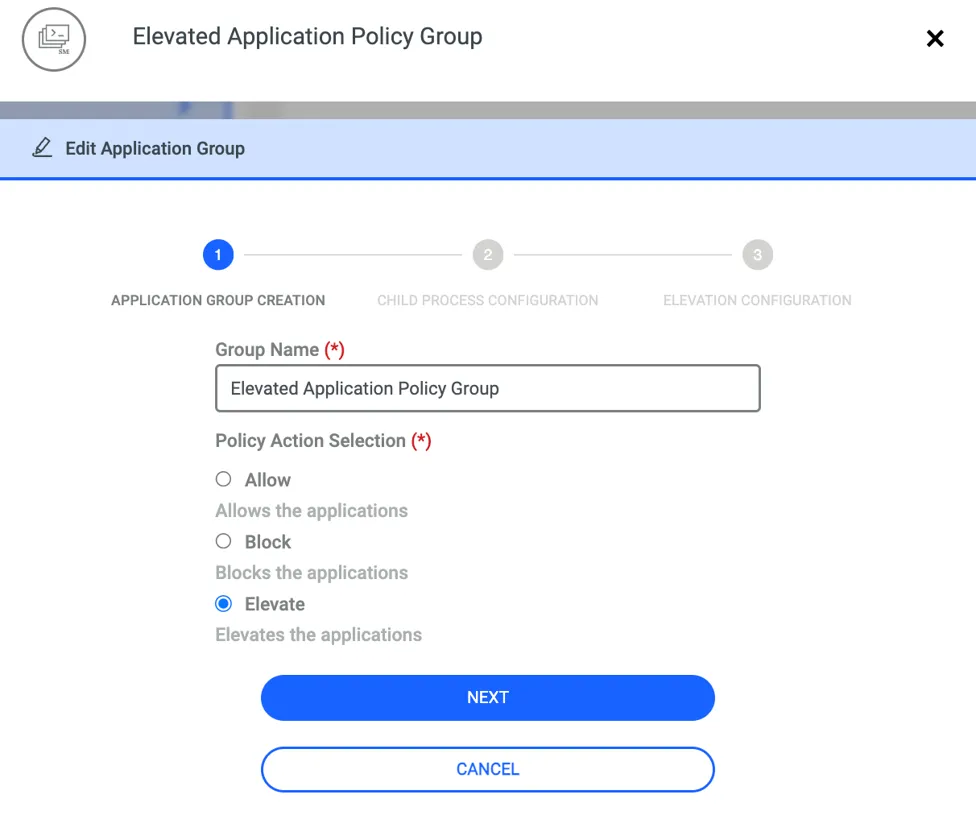
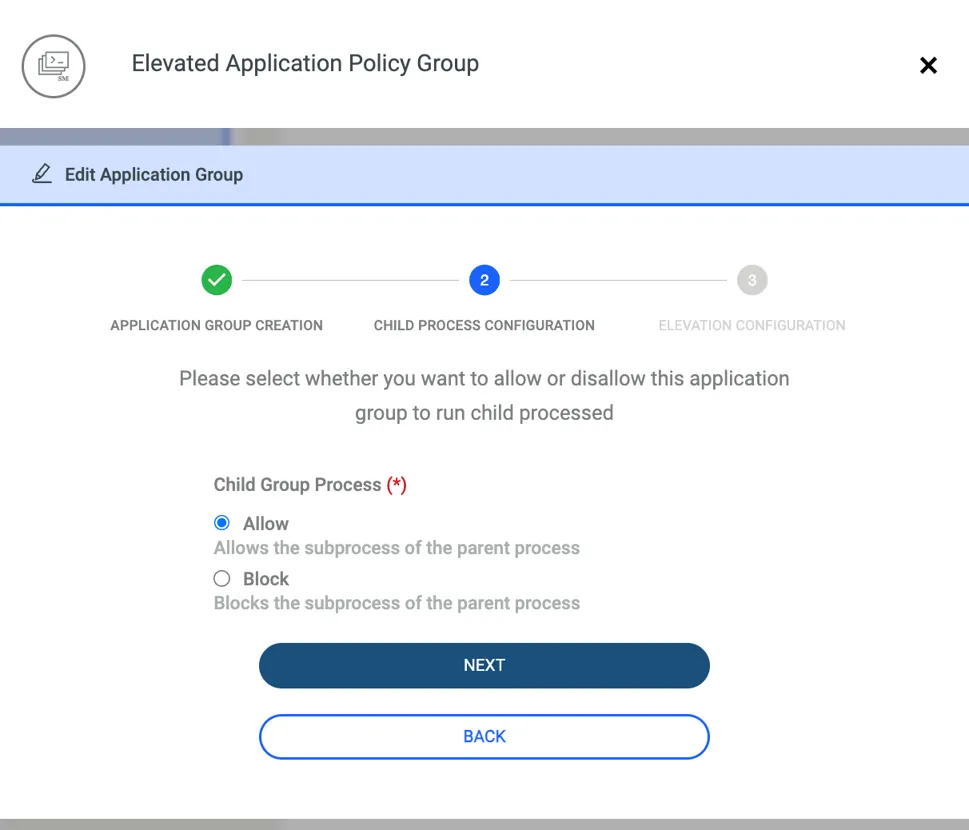
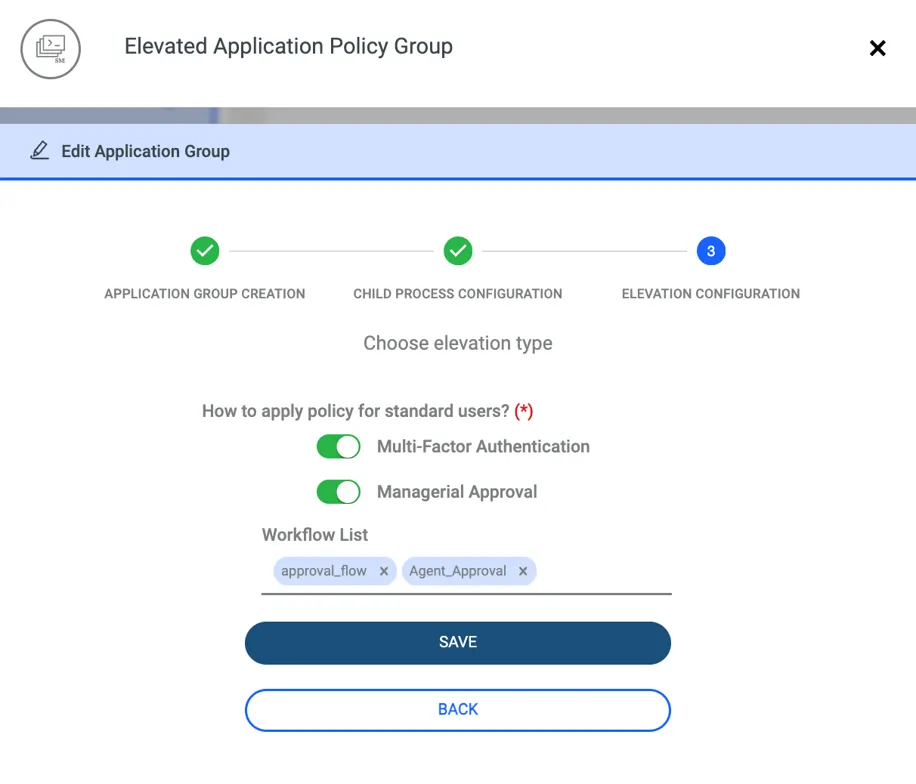
For managerial approval, an approval workflow must be defined beforehand to select it within the Elevation settings. You can find detailed instructions on how to define an approval workflow in the relevant section of the Reference Guide.
When there are multiple commands with Managerial Approval set as the elevation method, and an end user needs to run several of them, each command is sent individually to the manager for approval. The user can determine which requests were approved and which were rejected by monitoring the prompts provided by the agent. The screen below provides an example of this interaction.
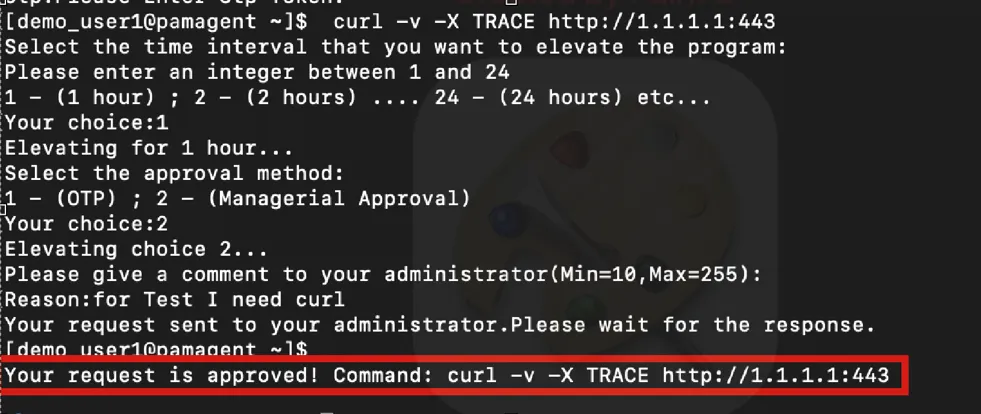
For the Linux agent, an approval granted through Managerial Elevation is valid only for that specific active session. If the terminal is closed and a new session is started, the user must request and obtain the same approval again to execute the command.