Adding a Command to Policy Group
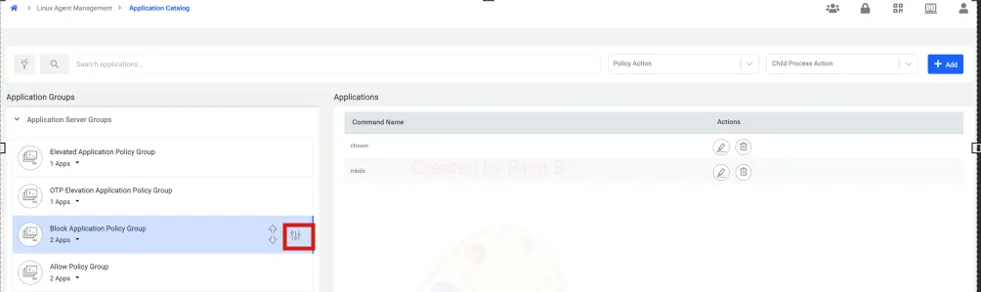
Once the Application Policy Group is created, it will become visible in the Application Catalog. Using the button highlighted in red below, you can modify the group's settings, add new commands, or delete the policy group entirely.
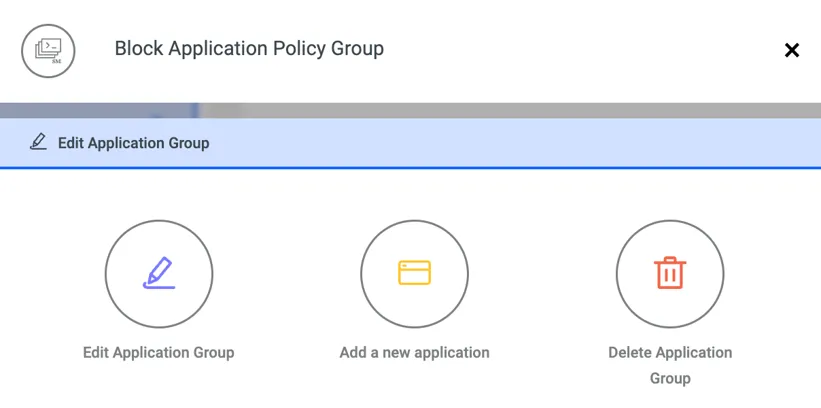
When Add a New Application is clicked on the screen shown above, the following information must be completed in the pop-up window to add the command to the policy group:
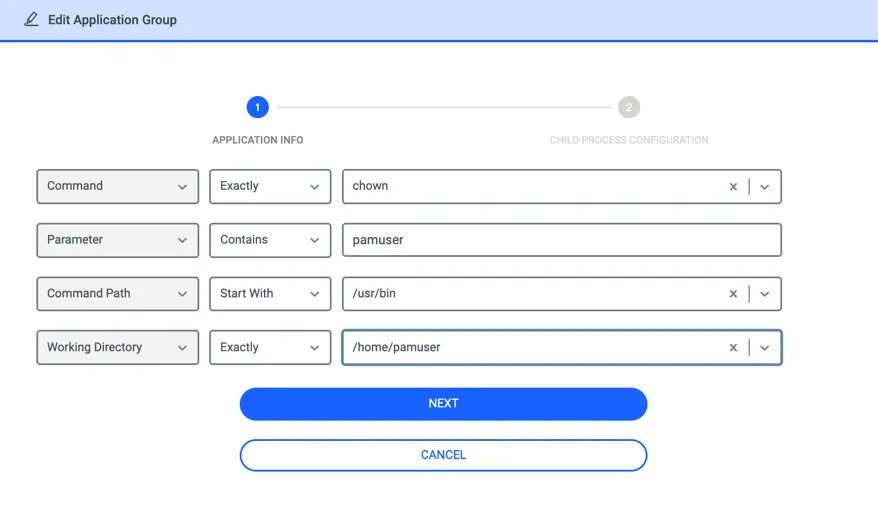
In this example, the chown command is designated as the target for the policy. The Command Matcher Type can be set to either Exactly or StartsWith. In this instance, "Exactly" is selected, meaning the policy will trigger only if the executed command matches "chown" precisely. If "StartsWith" were chosen, the policy would apply to any command beginning with "chown."
For the Parameter field, the value "pamuser" is provided with the Contains matcher type. This ensures the policy is applied if the string "pamuser" appears anywhere within the full command string (command plus its parameters). Matcher type can also be Exactly.
Regarding the Command Path, both Exactly and StartsWith matcher types are available. This setting verifies the directory from which the command is executed. In this example, the policy triggers if the “chown” command originates from a directory within /usr/bin/. Alternatively, the full path to the command could be specified using the "Exactly" matcher type.
The Working Directory refers to the directory where the end user is currently located when executing the command. Available matcher types include Exactly and StartsWith. In this example, the policy will only be enforced if the user runs the chown command while working inside /home/pamuser.
Note that only the Command entry (along with its matcher type) is mandatory; the other configurations are optional. These fields function with AND logic; if any of the specified rules do not match the executed command, the policy will not be applied.
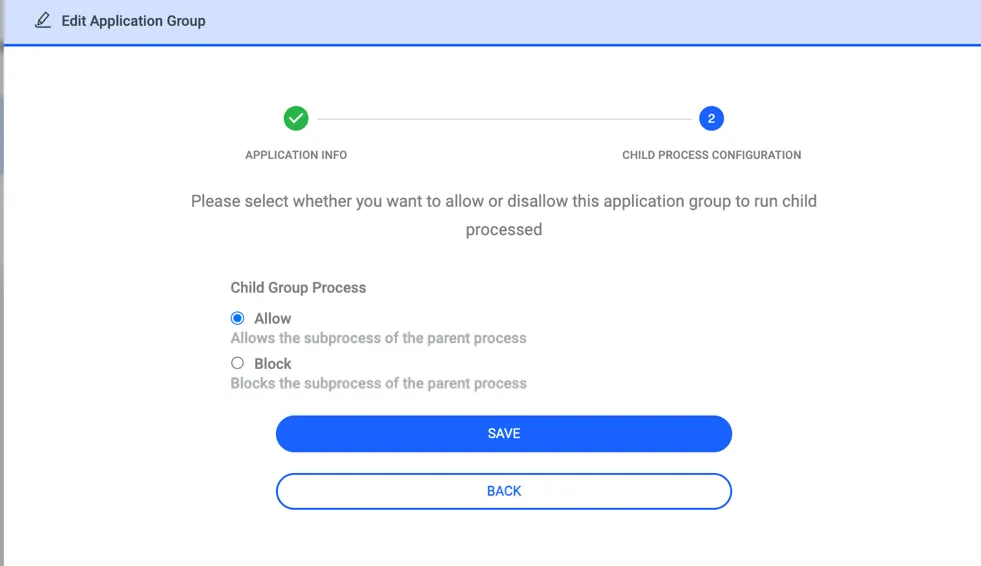
After adding the details for the command, you must also specify how any potential subprocesses should be handled in the second step. If the chown command in our example has a subprocess, the policy selected here—either block or allow—will be applied.
Initially, a general policy for handling subprocesses is defined when creating the Policy Group. This general policy applies to all commands within the group by default. However, if a specific subprocess policy is defined during the individual command addition (Step 2), it will override the group-level policy and take precedence.
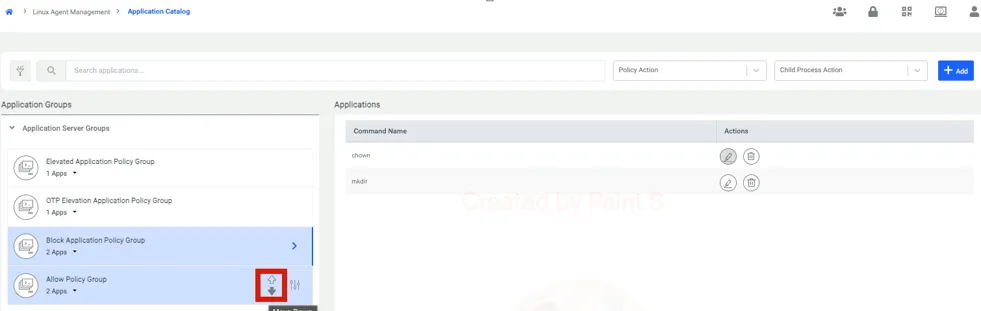
The priority of Policy Groups is managed using the up and down arrows located within the red box shown in the screen below.
A specific command may exist in multiple Policy Groups simultaneously. In such cases, the agent determines which policy to enforce based on the priority order of the groups. The command itself is the primary factor in this comparison; the parameters, command path, or working directory do not influence the priority determination.
If the same command is found in different groups, the agent applies the policy from the group with the highest priority (the one positioned further up the list). You can easily adjust these priority levels by moving the Policy Groups up or down using the arrow buttons.