Authentication
Kron PAM EPM Agent also supervises authentication processes. Every successful or failed authentication attempt made to a server with the agent installed is captured and logged. These logs are available for auditing on the Authentication Log page within Kron PAM.
· AD Bridging: Through the AD Bridging feature, Kron PAM allows its own users to log in to an agent-installed server with basic privileges, even if those users do not exist locally on that server.
· Realm Check: If the user attempting to log in is a Kron PAM user, the agent verifies the Realm Check setting via the Agent Group:
o Disabled: The agent does not check for a realm relationship between the user and the server.
o Enabled: A realm must exist for the login to proceed.
Configuring Two-Factor Authentication (2FA/OTP)
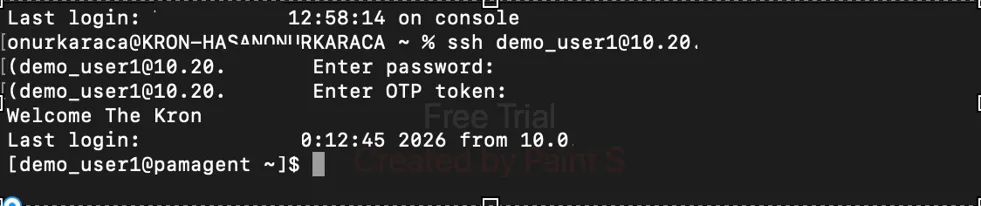
To require a second factor for user verification, follow these two steps (similar to other proxies). If the agent and Kron PAM is communicating, this means that agent is online. Hence OTP will be verified by Kron PAM.
1. Enable OTP for the User Group: Navigate to Administration > Multi-Factor Authentication > User Group Management and enable OTP for the relevant group.
2. Linux Agent Configuration: Set the following parameter to true in Sys Config Man
sc.linux.agent.connection.otp.enabled = true
Once these steps are completed, any PAM user attempting to log in to a server with the Linux agent installed will be prompted for an OTP. End users can obtain their OTP via the Kron PAM web interface or the Kron PAM Mobile Application.
For more detailed information, please refer to the relevant section of the Reference Guide.
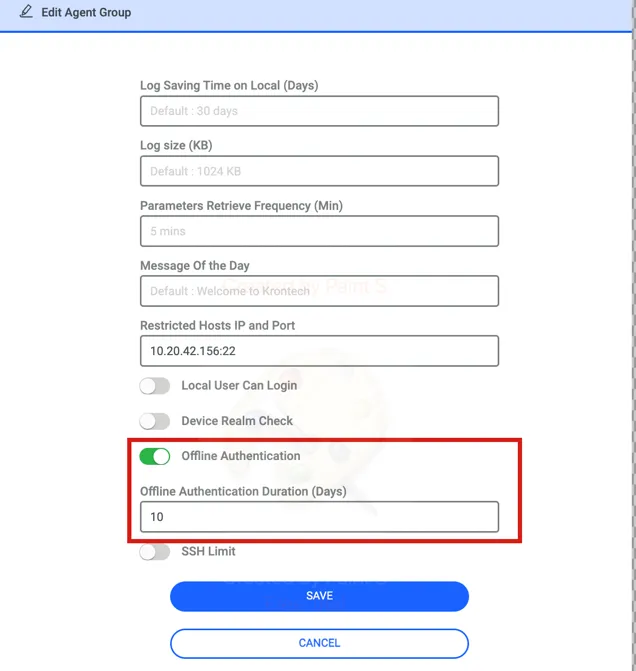
The Kron PAM EPM Agent supports login capabilities for Kron PAM users even when there is no communication between the agent and the server—meaning the agent is in offline mode.
Offline Authentication and Authorization (AA)
To enable this functionality:
1. The Offline AA toggle button must be enabled on the Agent Group.
2. The end user must log in to the endpoint at least once while the agent is online to receive this policy.
Once these steps are completed, the user can continue to log in even if the connection to Kron PAM is lost. This access is valid for the duration (in days) specified in the configuration parameters when enabling the feature.
Security and Logging in Offline Mode
· OTP Verification: If OTP is required, the agent performs the verification locally during the offline period.
· Audit Logs: Authentication logs are stored locally by the agent while it is offline. As soon as the agent regains its connection to Kron PAM, all cached logs are automatically forwarded to the system for auditing.
Managerial Approval Workflow for Sudo Commands
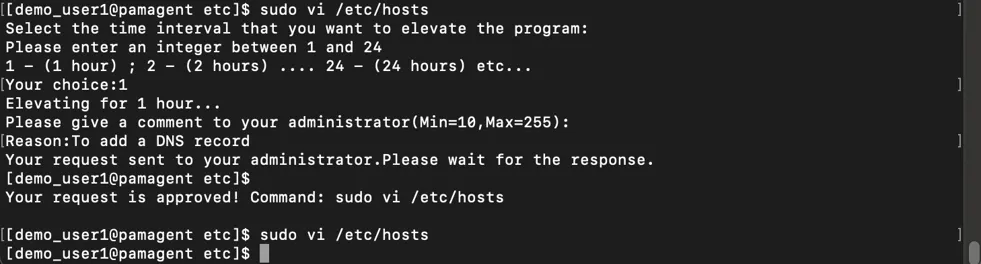
Sudo is a utility used to execute commands with root privileges. In this architecture, when a command is executed with sudo, the agent does not run the command immediately. Instead, by default, it requires managerial approval.
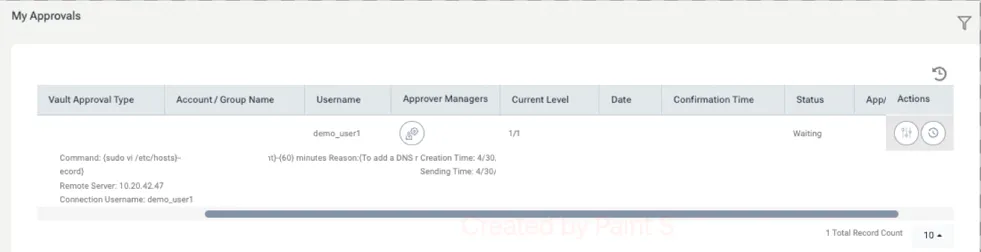
1. The Request Process: Once a command is initiated, the end-user is prompted to specify the duration for which they need this elevated privilege. Following this, an approval request is automatically routed to the user’s manager. Additionally, the manager receives an email notification informing them that a command execution request has been initiated.
2. Integration with Kron PAM: The agent leverages the Kron PAM (Privileged Access Management) managerial approval infrastructure to handle this workflow. The manager has the authority to either Approve or Reject the request based on the provided context.
3. Execution and Feedback: The result of the manager's decision is sent back to the end-user as a prompt.
· If Approved: The user can then re-run the same command and will successfully receive the output this time.
· If Rejected: The command remains unauthorized.
4. Expiration and Re-elevation: The elevated privilege is temporary. Once the duration specified by the user expires, the elevation cycle resets. Any further high-privilege commands will once again require the managerial approval process to begin from the start.
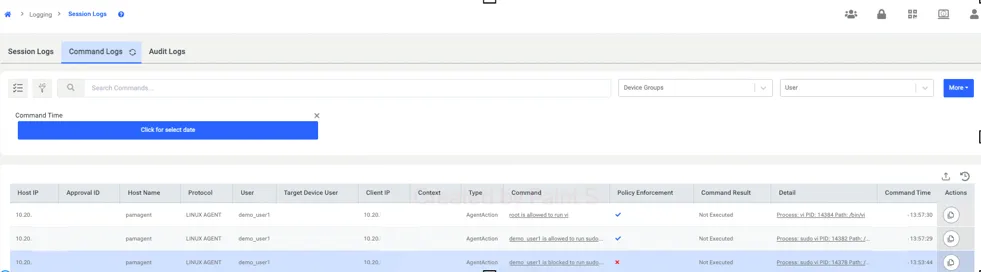
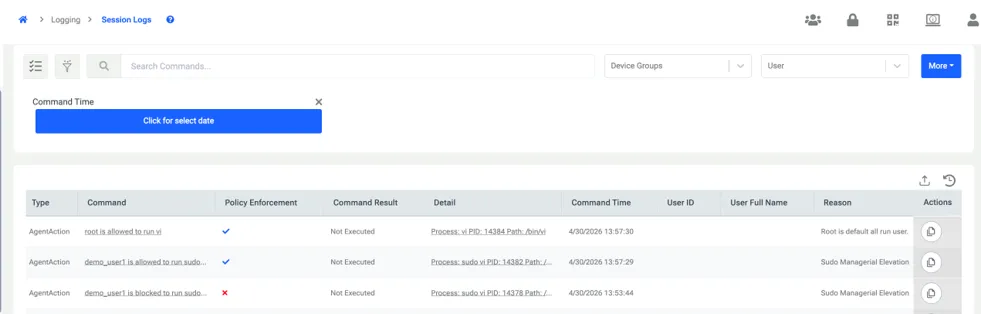
All these executions on endpoint will be logged to Kron PAM in Session log and Command logs.