Creating White/Black Policy Keys
2 min
The execution of commands can be prevented or allowed. The Kron PAM Linux Agent connects to the system calls and subprocess calls to capture the executed commands. All commands executed are captured, even if they are in scripts or defined as an alias, and the policy is applied. Since the Kron PAM Agent has its own OpenSSH server and OpenSSH client, all SSH connections to the agent-installed server and all SSH connections from the agent-installed server are monitored indisputably.
To add command policy:
Black Key: Restricted commands.
White Key: Allowed commands
Log in to the Kron PAM GUI.
- Navigate to Policy
- Click the Add button for Policy Keys.
- Choose Type then click Next.
- Enter the query (or regex)
- Select the policy Element Type.
- Click Save.
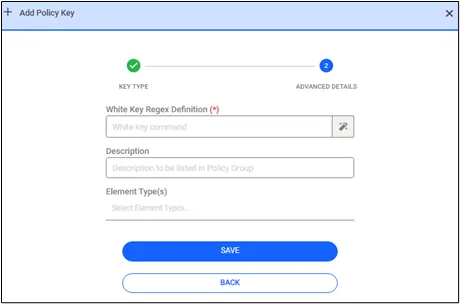
Policy Key