Application Discovery
Application on the endpoints can be discovered by the Windows Agent, and its metadata can be reported back to Kron PAM. This feature allows system administrators to detect all the processes running on the endpoint and set new policies accordingly. Application discovery can be configured once or periodically.
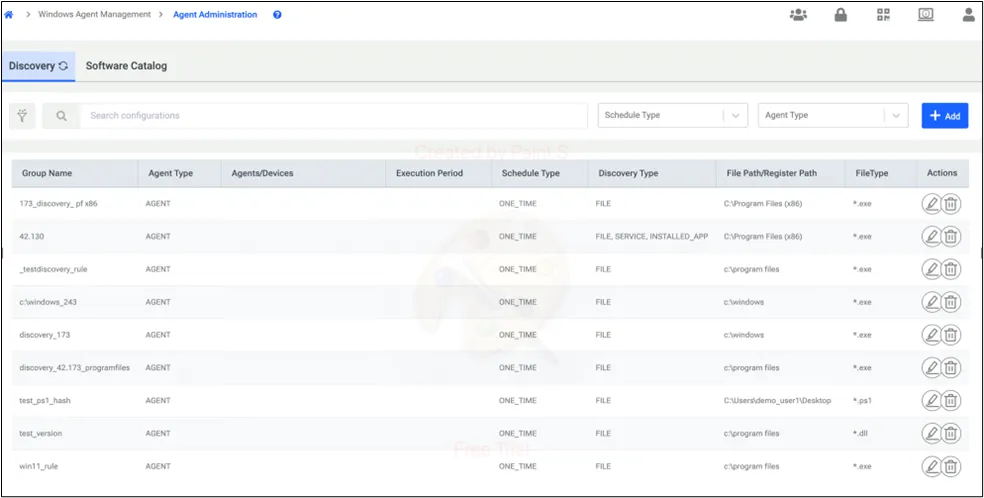
To add a discovery configuration user clicks on the add button in the top right corner. After this, Kron PAM directs the user to a 3-step flow.
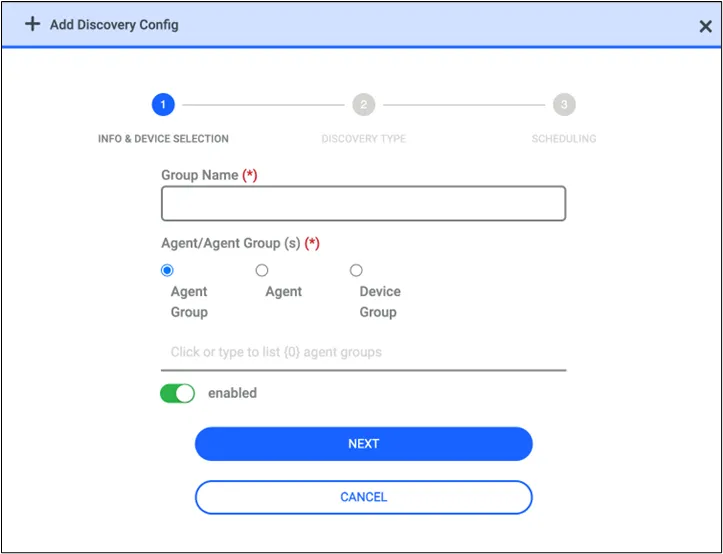
In the first step user is expected to give a name to the discovery config and then select the agents or the agent groups that this discovery will be applied to.
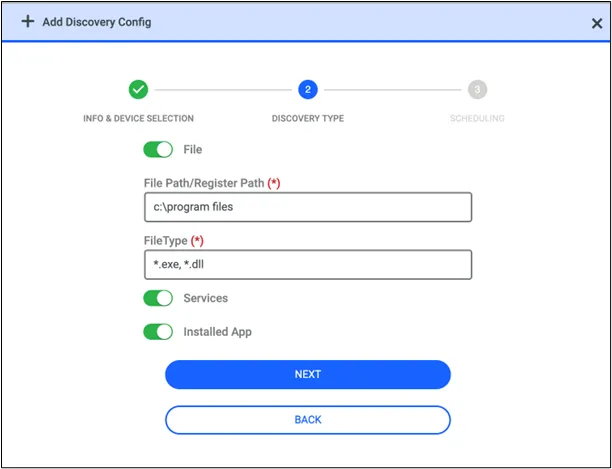
In the next screen, the user is expected to specify the file path and file type. The file path will specify the directory that selected file type will be discovered. In the file type user can select a file type extension to be discovered. It could be .msi .exe etc. Also, in the same discovery job, we can request the Windows Services and Installed App. When we enable these options agent will send the Windows Services and applications to the Control Panel.
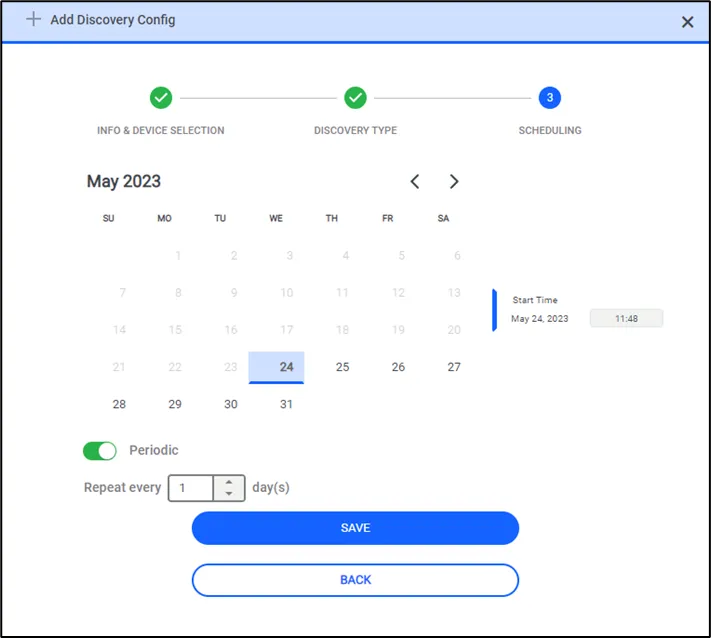
Finally, the user is expected to select a date for the agent to scan specified directories. If the periodic scan is not toggled on discovery will run once for the desired date. When it's a toggled-on agent will be scanning the endpoint for the specified configurations in the selected interval.
* To identify applications run by the user, a discovery job is not required. When the end user opens an application on the endpoint, we automatically report this application and its metadata to Kron PAM.