Using MFA for SSH Connections
3 min
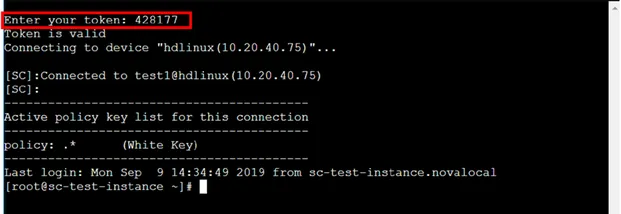
MFA can be used for making SSH connections with any method. Only enabled User Group users can use MFA for SSH connections. To enable the user groups for MFA.
To set MFA usage for SSH connections:
- Make an SSH connection to Kron PAM from the SSH client as a root.
- Run the following commands to set the required parameters in the config file. cd /u01/nssoapp/conf/ vi nsso.properties
To type or add anything in the vi editor, first press the Insert button on the keyboard, then type in the necessary line. Press Esc to exit typing mode.
- Check the configuration file to see if the parameters below are already configured. If not, add the lines below.
Parameters
nsso.connection.otp.enabled=true
nsso.otp.cache.enabled=true
nsso.otp.cache.seconds=300
Description
The first command sets the OTP usage as enabled.
The first command sets the OTP usage as enabled.
The second command sets OTP caching, and the third sets cache value to 300 seconds.
It means that if users log in with OTP, they will not be asked for any token for the next 300 seconds even if the user disconnects and connects again.
- If there is a hash ( # ) sign in front of the parameters, delete the hash ( # ) to activate the parameter. If the parameter value is false, change it to true.
- To save the file, press Esc, then colon ( : ), and then type in wq! and press enter. If you don’t want to save the changes on the file, press Esc, then colon ( : ), and type in q! and press enter.
- After setting the parameters, restart nssoapp by running the following command: systemctl restart nssoapp