SSH Connection via Kron PAM Web GUI
1 min
Privileged users can connect to Linux servers via the Web GUI.
Prerequisite: Before you log in to Single Connect with a privileged user, refer to the Creating Local Users Manually and User Menu Management (Portal Functions) topics.
To establish the connection:
- Log in to Kron PAM with a privileged user.
- Navigate to Device Management > Device Inventory.
- Right-click Linux Server Device from the device group containing Linux Server and select Open Terminal.
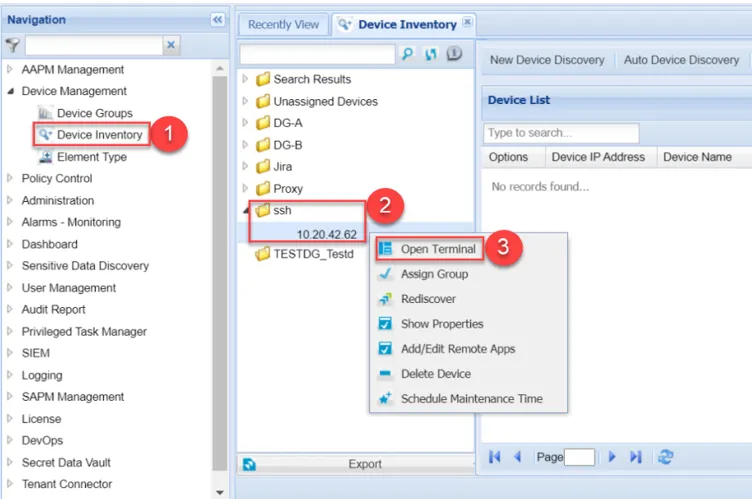
Open Terminal