Creating Device Groups
1 min
Similar devices with the same access methods should be in the same device group. It is better to create device groups before devices, so when adding a device, you can choose to include it in a device group.
To create Device Groups:
- Navigate to Device Management > Device Groups.
- Open the Device Groups tab.
- Fill out the Device Group Name and Description field.
- Click Save.
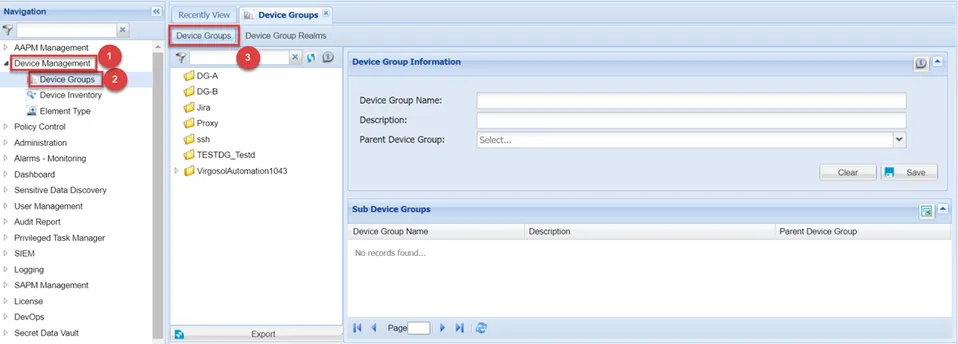
Device Groups