Creating Device Groups
2 min
Similar devices with the same access methods should be part of the same device group. It is best to create device groups before devices so that when a device is created it can immediately be included in a device group.
To create Device Groups:
- Navigate to Device Management > Device Groups.
- Open the Device Groups tab.
- Fill out the Device Group Name and Description fields and click Save.
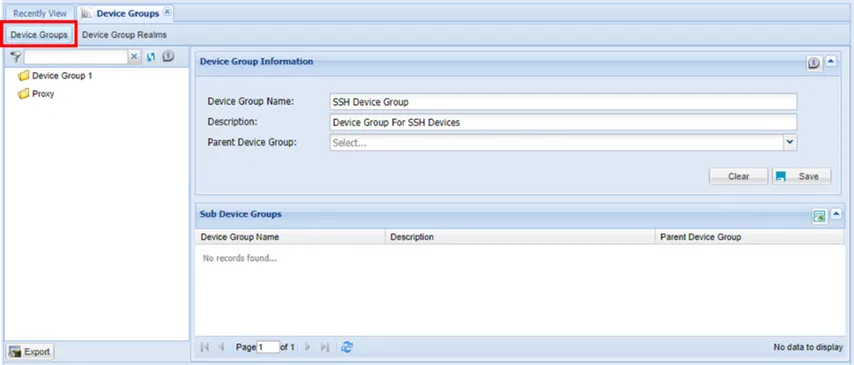
Creating Device Groups
A new device group can be created as a sub-device group as well. Sub-device Groups can only be created after a parent group has been created.
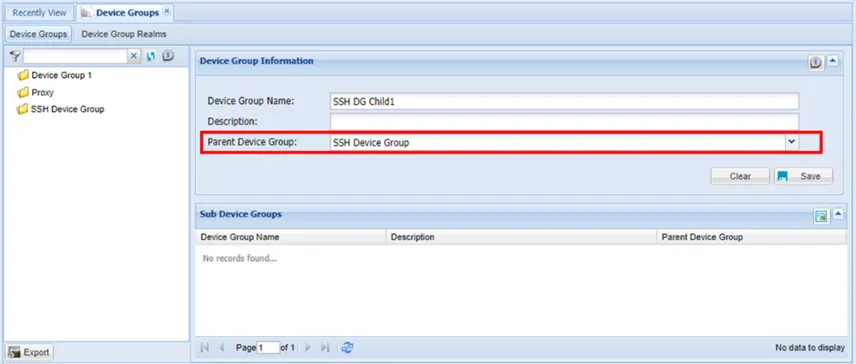
Creating Sub-device Groups
A device group, can only have devices or only device groups. It cannot have both device groups and devices at the same time.