Configuring Element Types
Define the Element Type properties shown below, so that Single Connect can identify the OS of the discovered instances:
- Navigate to Device Management > Element Type.
- Click the Options button of the related element type and click Show Properties.
- Set the device.import.gcp.element.type.pattern, device.import.azure.gcp.protocol, and device.import.gcp.ssh.username properties.
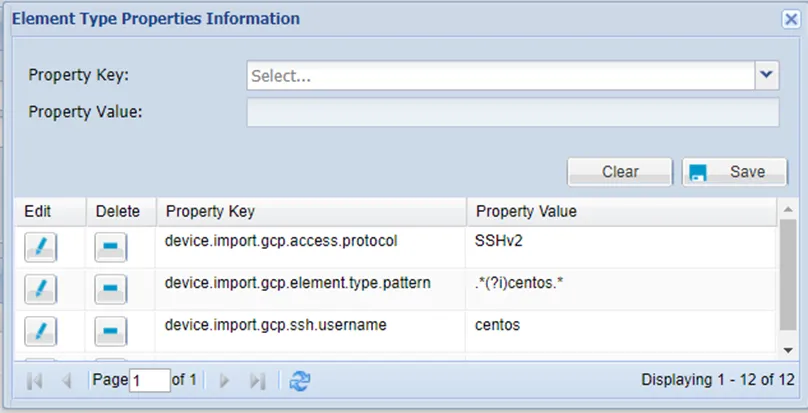
Parameter Name | Parameter Value |
|---|---|
device.import.azure.gcp.protocol | Mandatory. This property is used to determine the default access method for the discovered instances. |
device.import.gcp.element.type.pattern | Mandatory. The pattern can be defined as multiple in one element. This pattern is checked against the “Image” description of the instance in order to determine the OS type. |
device.import.gcp.ssh.username | Mandatory for log in. Not required for device import. This username is used as the default log in credential. |
device.import.gcp.port.number | Optional. Devices are imported with the defined port number value. If this value is not set, a default port number is used, such as 22 for SSH. |
Defining a new Element Type for each OS type is required, in order for Single Connect to autodetect devices. Ex: CentOS Linux, Ubuntu Linux, etc.