Quick LDAP/AD Definition
- Navigate to Administrator > Ldap Manager.
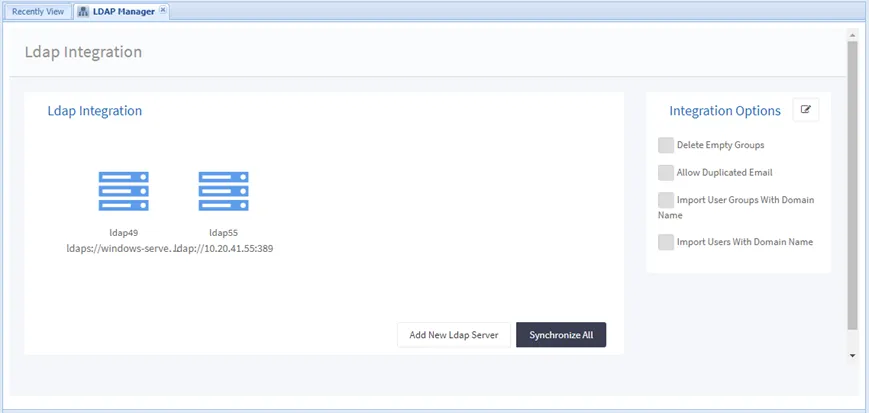
- Click Add New Ldap Server.
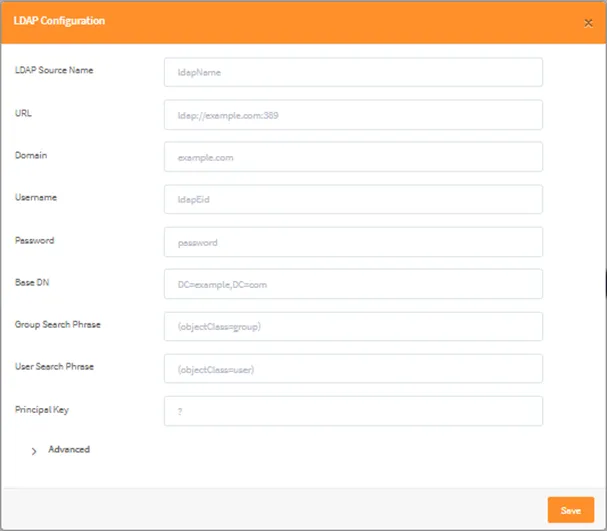
- Enter the related configuration parameters: a. LDAP Source Name: a different name must be defined for each LDAP, like ldap1, ldap2, etc. b. URL: LDAP IP address and port number c. Domain: LDAP domain d. Username: read-only user credentials to get the user list information e. Password: the username’s password f. Base DN: LDAP group area or organization unit g. Group Search Phase: The search phase of the imported user groups; must be provided as (objectClass=group). h. User Search Phase: The search phase of the imported users; must be provided as (objectClass=user) i. Principal Key: Represents user information which sends to AD for authentication. For instance, if we use only the question mark(?), the username is only sent to AD for authentication but if we use the domain after the question mark (?domain.com) query sends the username with the domain. j. Follow these steps for each LDAP definition.
- Click the Save button.
Advanced Settings:
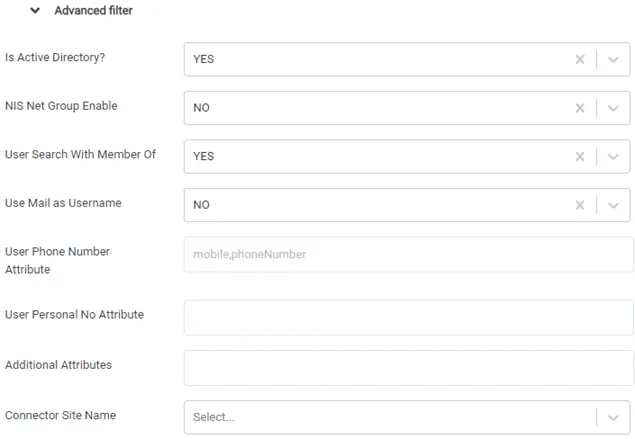
Is Active Directory: If the LDAP account is a Windows Active Directory, it should be set as YES.
NIS Net Group Enable: This parameter only applies to an Oracle 11g LDAP. The value can be set as YES or NO. The default value is NO. In an Oracle LDAP, there may be a netrgoup entry defined by objectClass with the value nisNetGroup. If the value is TRUE, it enables import of users with the netgroup property.
User Search With Member Of: If the users have the MemberOf attribute in the LDAP Server, this parameter can be set Yes to import users. By default, the Members attribute in the User Group is used to import users.
User Phone Number Attribute: Single Connect can send SMS to users by using the phoneNumber property of users. When adding users from AD/LDAP, the attributes to be looked at first should be included in this advanced parameter to fill out the users phoneNumber property. Multiple attributes can be defined. Starting from the first defined attribute, the phoneNumber user property is filled with the first attribute that is full.
User Personal No Attribute: When adding users from AD/LDAP, the attributes to be looked at first should be included in this advanced parameter to fill out the users Personal No property . Multiple attributes can be defined. Starting from the first defined attribute, the Personal No (personal_id in database) user property is filled with the first attribute that is full.
Additional Attributes: Additional attributes can be added with a comma (,) separator without space. For ex: userPrincipalName,objectClass,ubaThreshold.
Connector Site Name:If you are using the Tenant Connector feature, you should select the remote site name.
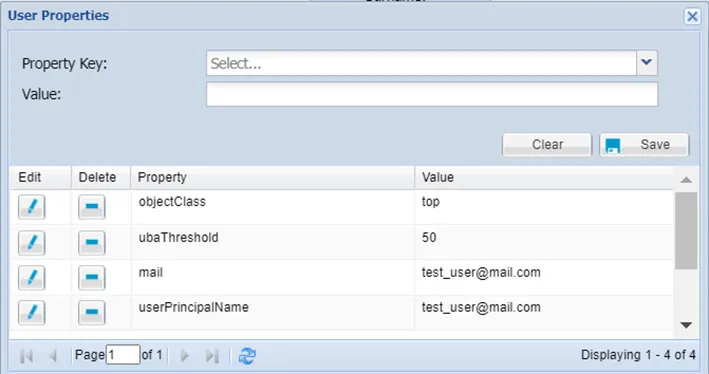
Usually, LDAP user attributes are taken from AD and filled accordingly for a user, but the email attribute is an exception. If the email attribute is needed for an LDAP user with no email value on AD, this attribute can be filled on the User Properties screen. If the email attribute is filled on AD, the LDAP sync job overwrites this email property.
The attributes are shown on the User Properties window in the following figure.