Policy Groups Definition
Policy groups consist of multiple policies. If black and white keys are defined in the same policy group, then black keys have higher priority, i.e., the system restricts the black key commands first, then allows white key commands.
If there are specific commands defined as white key, the system will allow these commands and restrict all other commands.
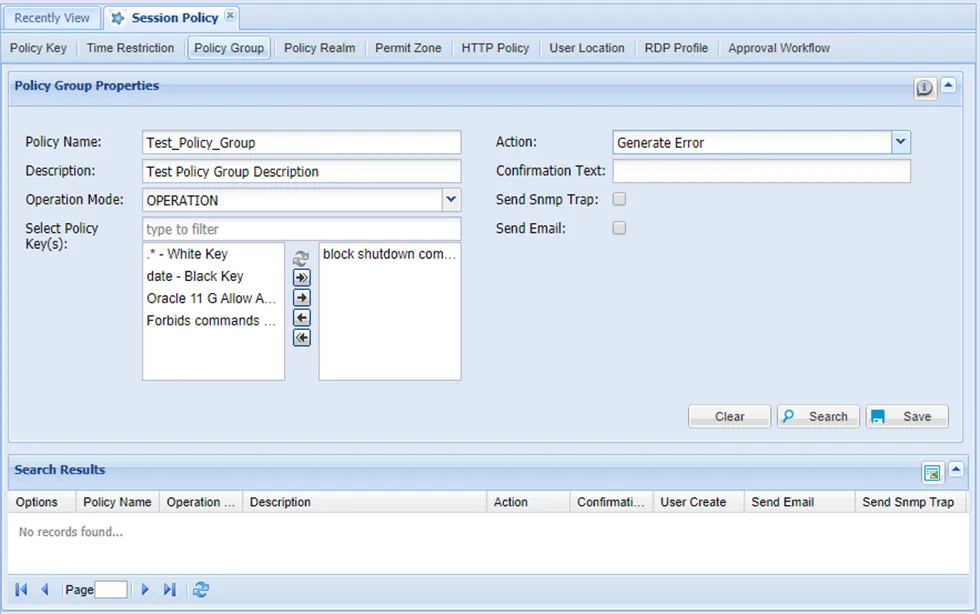
To create policy groups
- Navigate to Policy Control > Session Policy.
- Open the Policy Group tab.
- Fill in the mandatory fields (Policy Name, Operation Mode, Select Policy Key(s), Action) under Policy Group Properties and set the Action field as Generate Error and click Save.
Operation Mode | Definition |
|---|---|
Operation | Policy groups are available when devices are in operation mode. |
Maintenance | Policy groups are available when devices are in maintenance mode. Maintenance mode is set on devices. Check the Device Inventory – Devices. Right-click the Menu section for more information. |
Single Connect can send information about executed black key commands to a Simple Network Management Protocol (SNMP) server.
SNMP Trap: If the checkbox is selected, an SNMP Trap is sent to the desired target when a user tries to execute a black key command. The target the SNMP trap will be sent to can be configured as a property in the System Config Manager.
The following parameters should be defined in the System Config Manager:
Parameter Name | Parameter Value |
|---|---|
snmp.target.ip | Target IP to send the SNMP trap to. If not defined, localhost is used as the default target IP to send the traps. |
snmp.target.port | Target port of the target IP to send the SNMP trap to. If not defined, 162 is used as the default port. |
snmp.community.string | The preferred community string should be defined. If not defined, public” is used as the default value. |
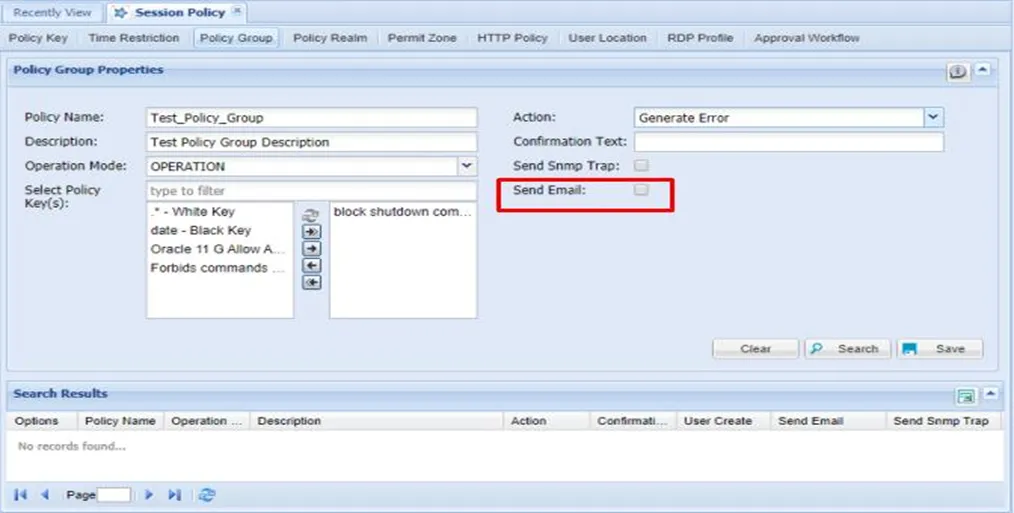
Send Email: When the command is run in SSH Proxy, an e-mail is sent to the user group to inform them.
If sc.policy.notification.sendApproval.useOnlyDeviceRealmManagers value is false in System Config Manager (default value is false), notification is sent to all managers in the user groups were in the session user.
If it set as true for this property, a notification e-mail is sent to the group managers on the device realms to which the session user is connected to.
Time Restriction Policy Definition
Time-based restrictions are used to regulate the CLI connections to network elements via Single Connect in a timely manner. Time and command-based restrictions can be used together to best fit your security needs. The example below reflects a scenario that a service provider may experience often.
Time Interval | Authorization | Explanation |
|---|---|---|
Weekdays 06:00-22:00 | Only monitoring commands. | Configuration commands are restricted due to potential effects on service. |
Weekdays 22:00 -02:00 | All configuration commands but the service affecting commands may be run. | Operators may run all configuration commands but commands such as “reboot”, “restart”, or “BGP shutdown” |
Weekdays 02:00-06:00 | All commands. | No restrictions on running commands |
Weekend | Only monitoring commands. | Configuration commands are restricted due to potential effect on service. |
There must be four time-based policies and three command-based policies covering all the alternatives from the table above. Time Based Policies: TBP 1: 06:00 – 22:00, Mon, Tue, Wed, Thu, Fri TBP 2: 22:00 – 02:00, Mon, Tue, Wed, Thu, Fri TBP 3: 02:00 – 06:00, Mon, Tue, Wed, Thu, Fri TBP 4: Sat, Sun Command Based Policies Whitelist 1: .*sh.* Blacklist 1: .*rebo.* , .*resta.* , .*bgp.*/s.*shut.* Whitelist 2: .* The Regular Expression, “.*” covers all of the command subsets. By using command and time-based policies together the scenario above would look like this:
- Weekdays 06:00 – 22:00: TBP 1 & Whitelist 1
- Weekdays 22:00 – 02:00: TBP 2 & Blacklist 1
- Weekdays 02:00 – 06:00: TBP 3 & Whitelist 2
- Weekend TBP 4 & Whitelist 1
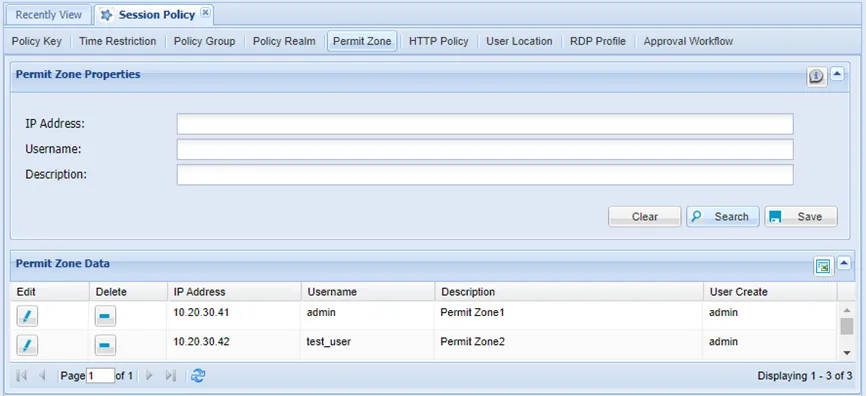
Permit Zone Policy Definition
The defined IP addresses can connect to devices directly, unlike other undefined IPs, which cannot connect to devices directly.
- Navigate to Policy Control > Session Policy.
- Open the Permit Zone tab.
- Enter the IP and username and click Save.