Password Validation Check
2 min
The Dynamic Password Controller checks the validity of stored passwords and SSH Keys regularly. If the password was changed without the Dynamic Password Controller, an alarm is generated, and a notification is sent to the system administrator.
To configure the password validity check:
- Navigate to SAPM Management > SAPM Management.
- Open the SAPM Configuration tab.
- Select the SAPM Configuration, and click Options > Show Properties.
- Set check.password.validation as true to check password validity.
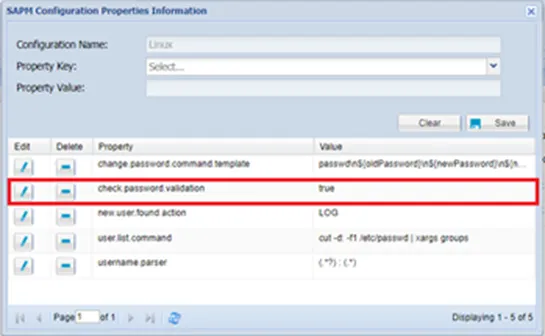
Password Validation Property Configuration
There is a job called SAPM_PasswordCheckJob that checks the validity of passwords. By configuring this job, the frequency of the password validation check can be defined.
- Navigate to Administration > Job Scheduler.
- Choose SAPM_PasswordCheckJob and click Options and Edit buttons.
- Set the frequency of the job from the cron expression section.
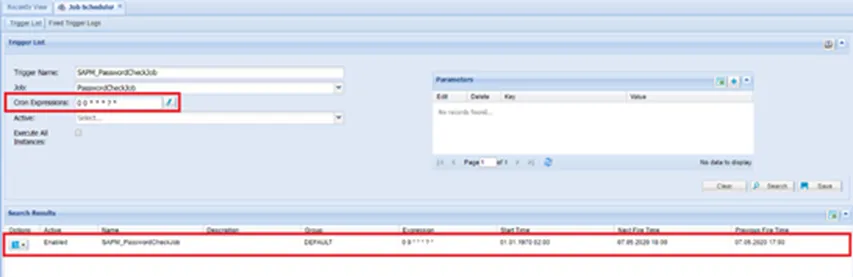
Password Check Job Cron Expression