8.12 System Log Viewer
2 min
System Log can be monitored on the SC GUI.
- Log in to the Single Connect Web GUI
- Navigate to Administration > System Log Viewer
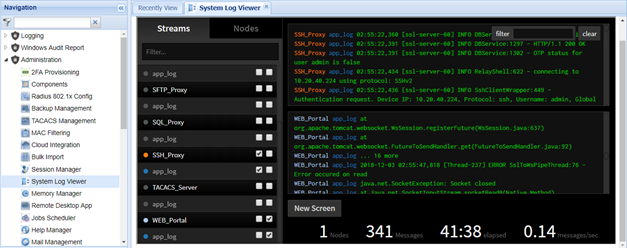
Multiple screens can be opened by clicking the “New Screen” button. Logs to be monitored on the screens are selected from the “Streams” section on the left side. Also, filters can be applied to these logs.

Log levels can be changed from the Log level window. Click the “Change Log Levels” link button and change or choose required log level.
