3.4 HTTP/HTTPS Proxy
1 min
HTTP/HTTPS Proxy via Web Browser
Users can use their own web browser to connect to Single Connect HTTP Proxy. To connect Single Connect HTTP/HTTPS Proxy, open proxy settings of the browser and type Single Connect IP address as host and 7080 as port address. Then open the website that you added to Single Connect.
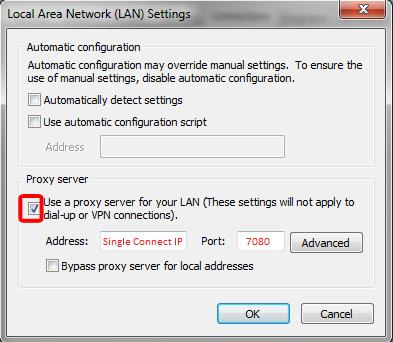
Proxy Settings
HTTP Auto Login
Users can login to web applications automatically with Single Connect HTTP/HTTPS Proxy.
Open Web Site with Auto Login
1. Login to Single Connect Web GUI 2. Navigate to Device Management - Device Inventory 3. Create a device with proper properties.
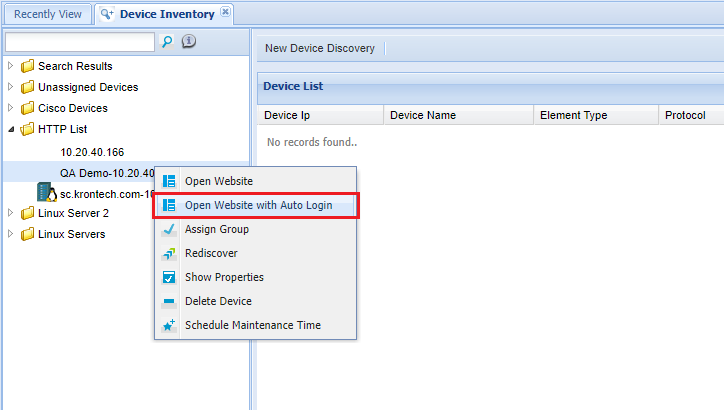
Open Website with Auto Login Option