2.14.2 User Key Management
1 min
To list and remove user’s public key: 1.Log in to the Single Connect Web GUI 2.Navigate to User Management > SSH Key Manager
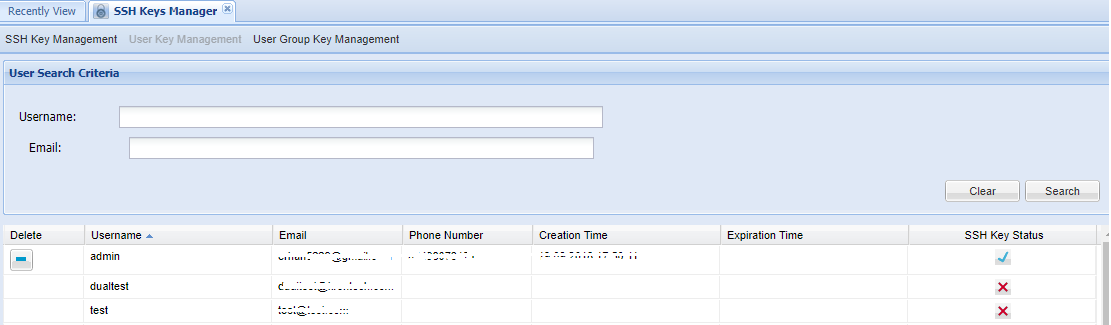
When a user does not have permission to use the SSH Key to log in to the Single Connect SSH proxy, admins should remove the SSH Key by clicking the “Delete” button on the “User Key Management” Screen.
Note |
|---|
Admins must have the “sc.ssh.keys.provisioning.viewer” portal function to access the User Key Management Screen. (Navigate to “Policy Control- Portal Function-Function Group Definition”) |