User Management Reports
Kron PAM Reporting module includes the following reports for User Management:
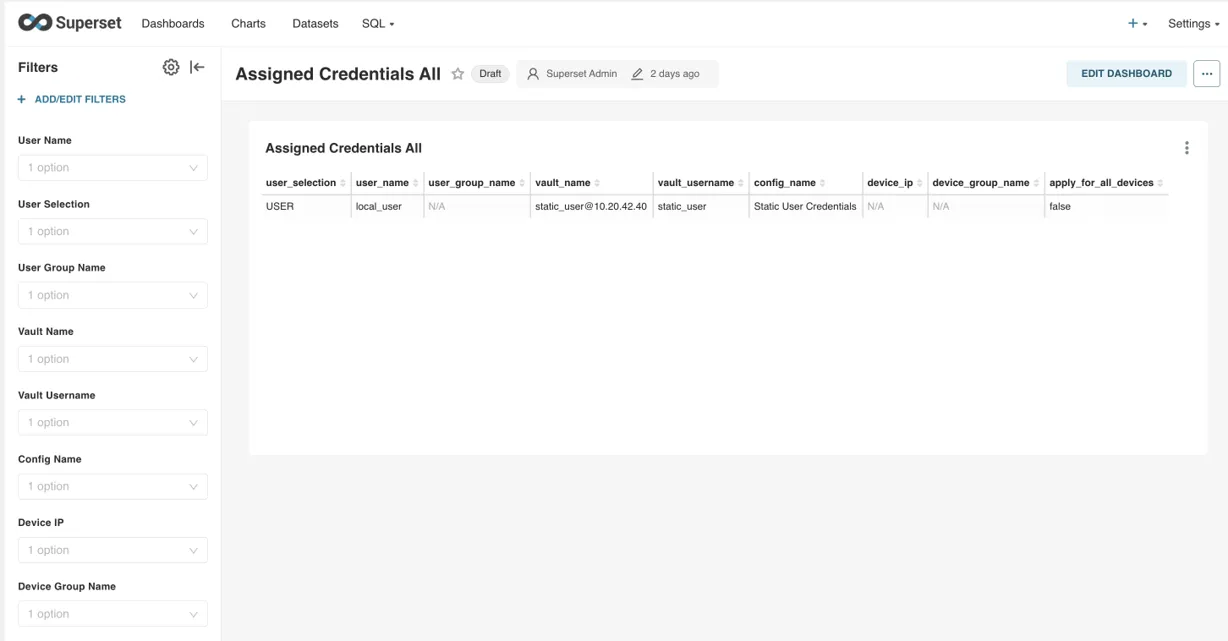
Assigned Credentials All Dashboard
The Assigned Credentials All dashboard lists the credentials assigned to users and user groups.
To view the dashboard, follow these steps:
1. Navigate to Reports.
2. Select Assigned Credentials All.
The Assigned Credentials All table lists the User Selection, User Name, User Group Name, Vault Name, Vault Username, Config Name, Device IP, Device Group Name, and Apply for All Devices values for each assigned credential.
Use the Filters panel on the left to narrow the data by User Name, User Selection, User Group Name, Vault Name, Vault Username, Config Name, Device IP, and Device Group Name.
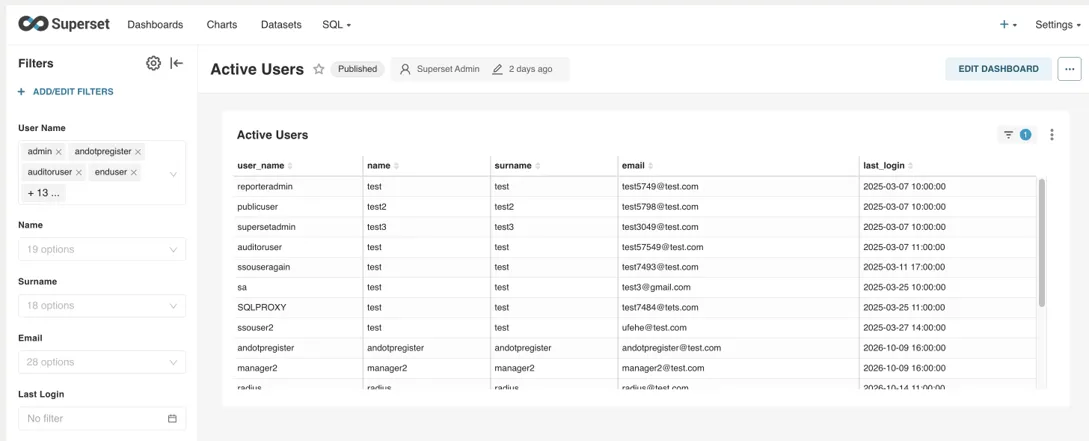
Active Users
The Active Users dashboard lists the active users in the system and their last login times.
To view the dashboard, follow these steps:
1. Navigate to Reports.
2. Select Active Users.
The Active Users table lists the User Name, Name, Surname, Email, and Last Login values for each active user.
Use the Filters panel on the left to narrow the data by User Name, Name, Surname, Email, and Last Login.
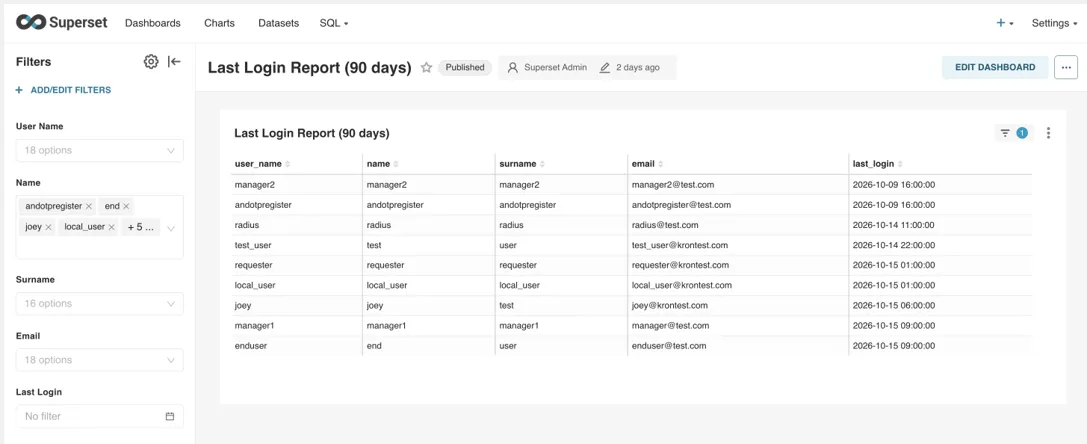
Last Login Report (90 days)
The Last Login Report (90 days) dashboard lists the most recent login time of each user within the last 90 days.
To view the dashboard, follow these steps:
1. Navigate to Reports.
2. Select Last Login Report (90 days).
The Last Login Report (90 days) table lists the User Name, Name, Surname, Email, and Last Login values for each user.
Use the Filters panel on the left to narrow the data by User Name, Name, Surname, Email, and Last Login.
TFA Accounts Dashboard
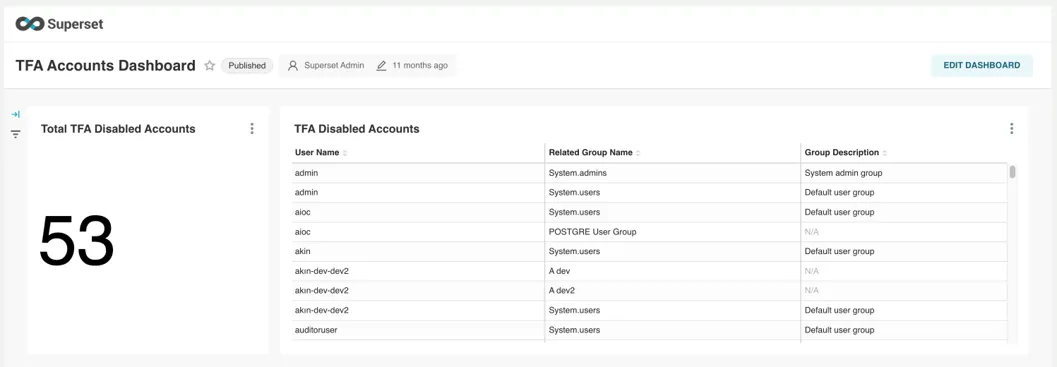
This dashboard shows the total number of accounts that have two-factor authentication (TFA) disabled and lists these accounts.
To view the dashboard, follow these steps:
1. Navigate to Reports.
2. Select TFA Accounts Dashboard.
The Total TFA Disabled Accounts chart shows the total number of accounts that have TFA disabled.
The TFA Disabled Accounts table lists the User Name, Related Group Name, and Group Description values for each account and its related group.
Users Never Logged In
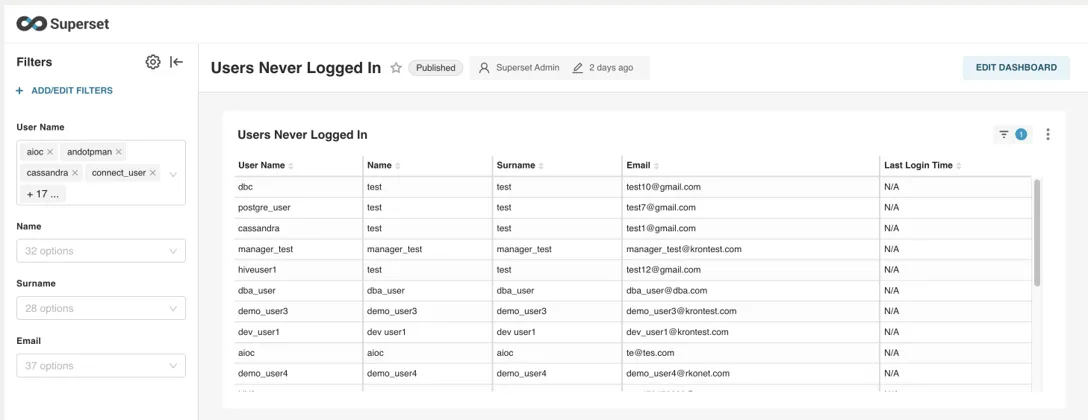
The Users Never Logged In dashboard lists the users who have never logged in to the system.
To view the dashboard, follow these steps:
1. Navigate to Reports.
2. Select Users Never Logged In.
The Users Never Logged In table lists the User Name, Name, Surname, Email, and Last Login Time values for each user.
Use the Filters panel on the left to narrow the data by User Name, Name, Surname, and Email.
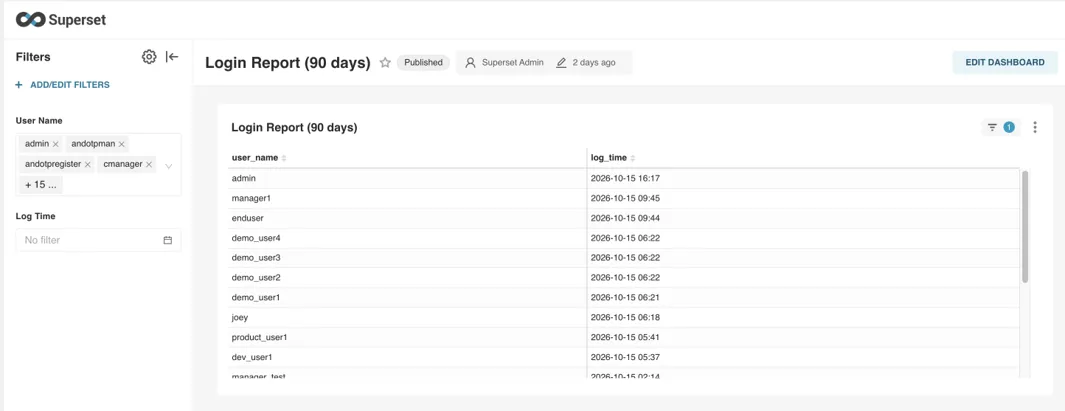
Login Report (90 days)
The Login Report (90 days) dashboard lists user logins for the last 90 days.
To view the dashboard, follow these steps:
1. Navigate to Reports.
2. Select Login Report (90 days).
The Login Report (90 days) table lists the User Name and Log Time values for each login.
Use the Filters panel on the left to narrow the data by User Name and Log Time.