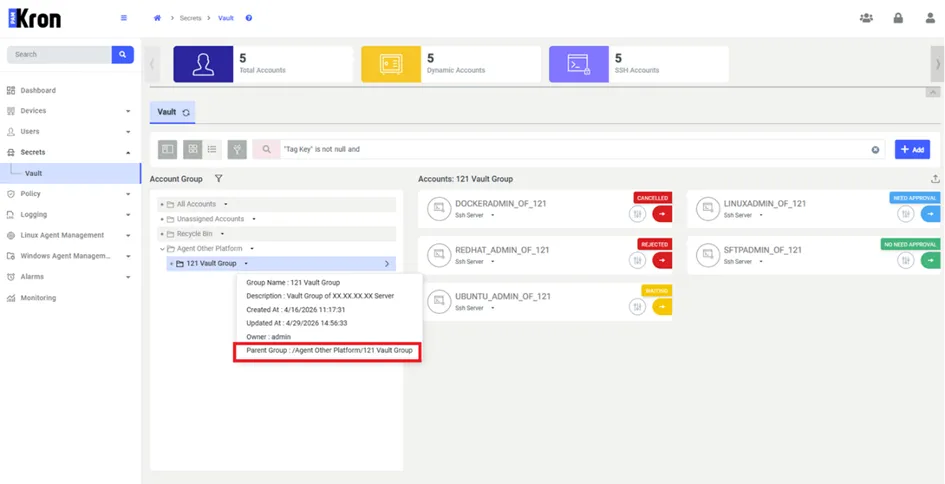
Properties for Password Vault Account Groups
When there are too many nested subgroups, the following steps can be followed to copy and use the group names elsewhere.
- Navigate to Secrets > Vault.
- Open the Vault tab.
- Search the Vault Account Group from the Account Group Panel.
- Select Vault Account Group.
- Click the Down Arrow button next to the group name in the panel where the groups are listed, and the group information will be displayed on the screen.
- The information shown includes when the Account group was created, when it was updated, the group owner, and the group's full path information.

Figure – Listed Defined Vault Account Groups Screen
- Kron PAM copies the group name to the clipboard and briefly displays a Copied confirmation message. You can then paste the value wherever you need it.