OT/ICS Session Manager Configuration
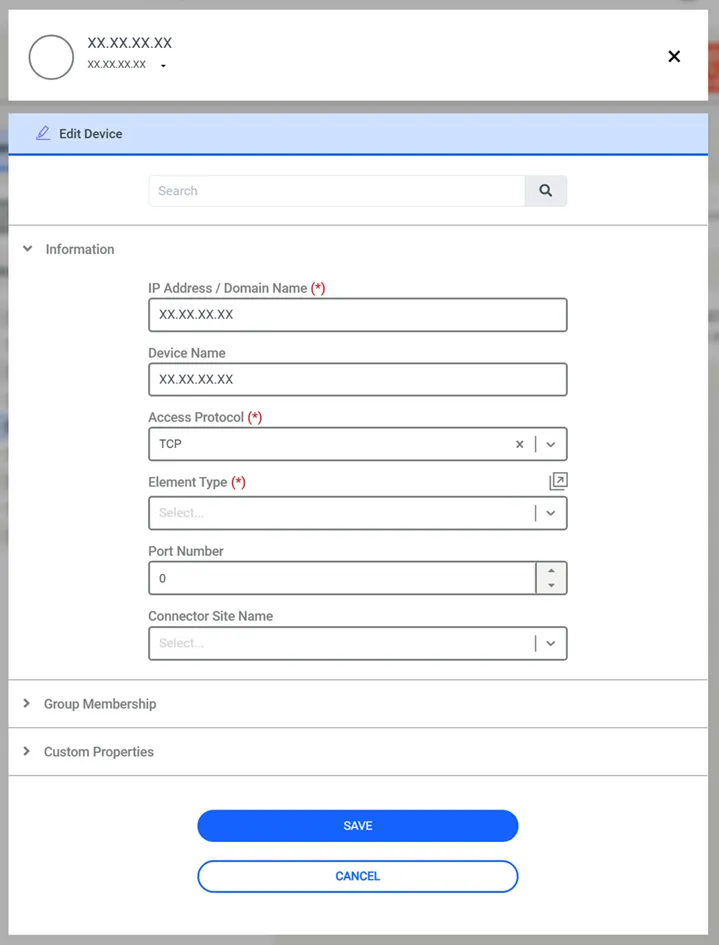
To utilize the OT/ICS Session Manager, configure the target device with the TCP access protocol in the Device Inventory.
1. Navigate to Devices > Inventory.
2. If you need to create a device group, click Add > Add Group.
3. Click Add Device.
4. Enter the device details and select the required group membership.
5. Under Information, set Access Protocol to TCP.
6. Click Save.
1. Navigate to Policy> Realms.
2. Click Add.
3. Choose the OT Device’s Device Group and the User Group allowed to use OT/ICS Session Manager.