License Manager
The Kron PAM License Manager is essential for managing the licensing framework tailored to the organization's requirements. It facilitates a flexible licensing model based on various metrics such as features, device count, internal user count, MFA-enabled user count, database count, admin user count, concurrent SSH/Telnet sessions, concurrent RDP sessions, concurrent HTTP(s) sessions, tenant count, tenant connector count, EPM agent count, RPAM Enabled user count, external user count, and expiration time.
The Kron PAM License Manager also provides system administrators with a comprehensive overview of current Kron PAM utilization.
To upload a new license file, follow these steps:
- Log in to the Kron PAM Web GUI.
- Navigate to Administration > License Manager.
- Click Upload a license and select the license file.
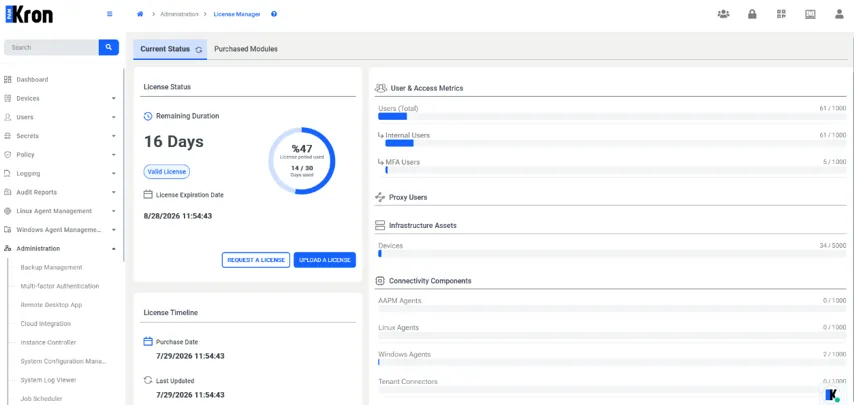
Remaining Duration shows the time left before the license expires. License Expiration Date shows the exact date and time when the license term ends.
License Timeline shows when the license was purchased and last updated. The usage bars compare current usage with licensed capacity. In a multitenant deployment, host usage and tenant totals can be presented separately.