Kron PAM Desktop Client Application
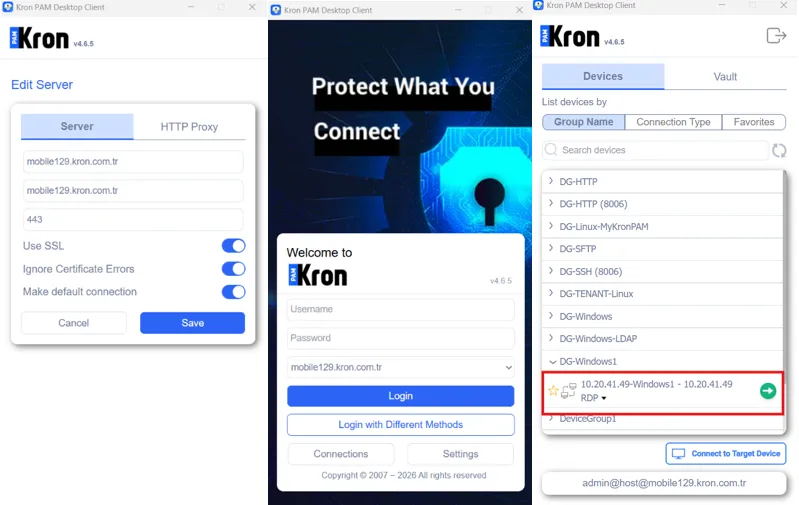
Other than the Web GUI, the Kron PAM Desktop Client Application can be used for RDP connections:
- Open the Kron PAM Desktop Client Application and configure the connection settings.
- Log in to the Kron PAM Desktop Client Application using the configured settings and search for the device to connect.
- Double-click the device to initiate an RDP session.