Monitoring and Auditing OT/ICS Sessions
Active Session Management
Administrators can manage ongoing OT/ICS Session Manager connections in real-time.
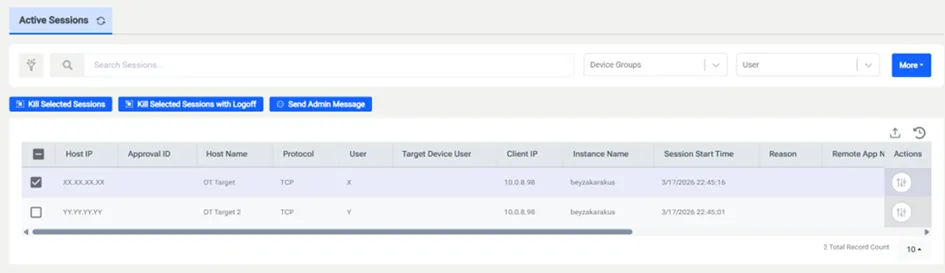
1. Navigate to Policy > Active Sessions.
2. The list will display active TCP connections, showing the Host IP, Host Name Protocol (TCP), User, Client IP, Instance Name and Session Start Time.
3. Administrators can select an active session and click Kill Selected Sessions. This immediately breaks the TCP stream and closes the connection.
Session Logging
Every OT/ICS connection is logged for compliance and post-incident analysis.
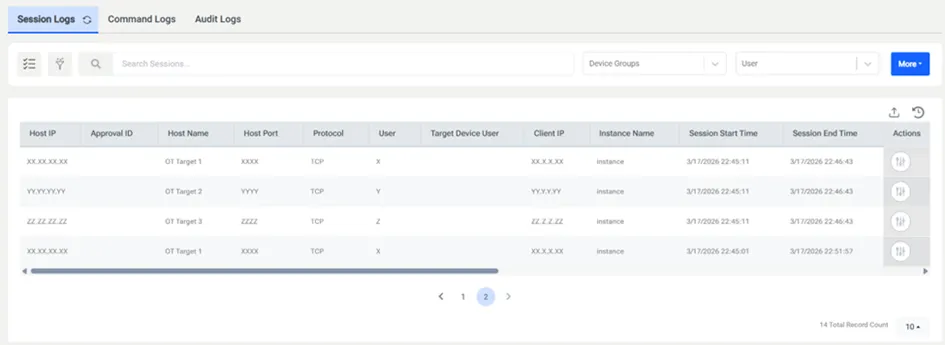
1. Go to Logging > Session Logs.
2. Each entry includes the Session Start/End Time, Total Duration, and the Instance Name identifying the specific user.
3. These logs provide a definitive record of who accessed which OT/IT resource and for how long.
Traffic Analysis
Because OT/ICS Session Manager handles raw data, Kron PAM can generate packet capture files for detailed analysis.
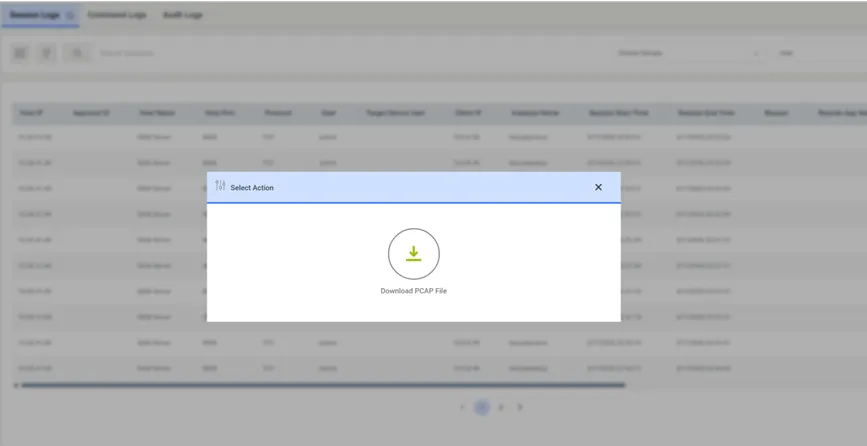
1. In Session Logs, click the Actions icon for a specific TCP session.
2. Select Download PCAP File.
3. This file can be opened in tools like Wireshark to inspect the actual data exchanged during the session.