Multiple User Selection in RDP Proxy
This feature allows users to select the appropriate account to connect to target systems. It is possible to present users with more than one option, allowing the user to select one. Possible choices are; Global User, Vault User, Assigned Credential User, and Session User (LDAP User). To add Session User (LDAP User) as a choice, the Add Session User to Credential Selection property needs to be set:
- Navigate to Devices > Inventory > Device Groups.
- Select the device group and select the Additional Credential option.
- Set Add Session User to Credential Selection.
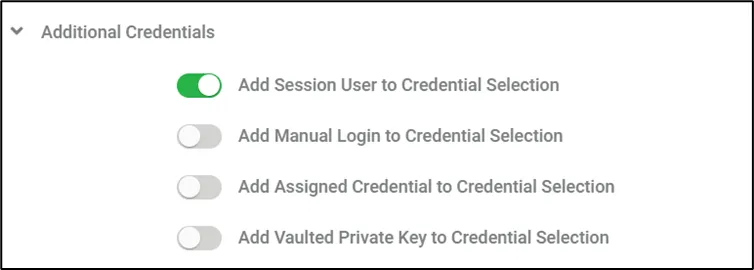
Configuring Global Username/Password and Session User Properties at the same time
The Kron PAM RDP Proxy will ask the user to choose from the options configured above, and the user can select whether to connect to the target device with a global username or as a session user (LDAP User).
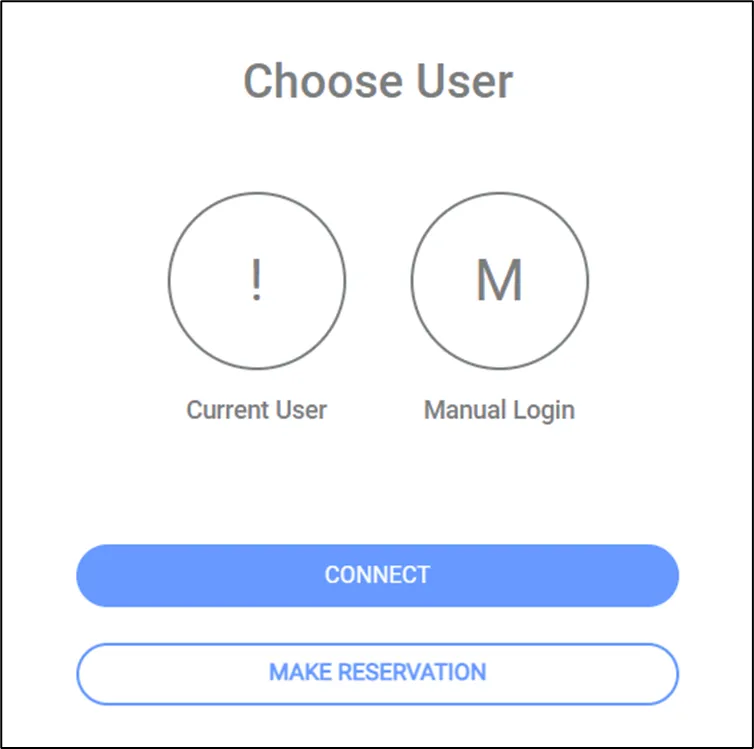
Multiple User Selection