Managing Data Standards and Data Types
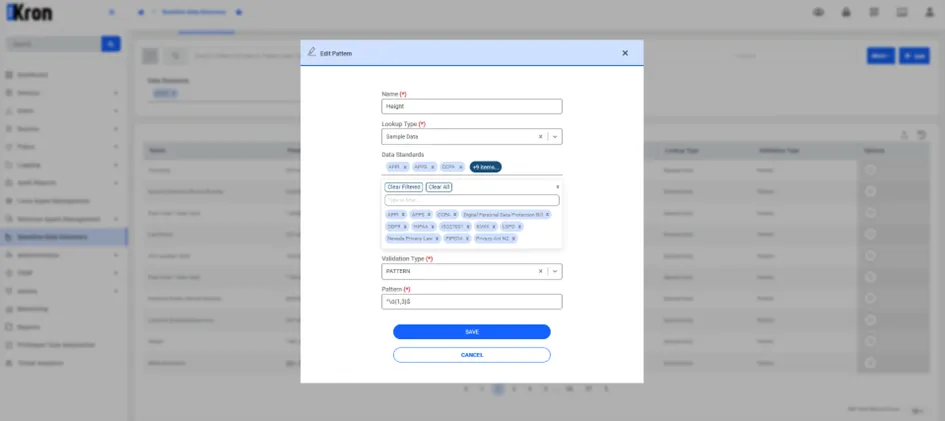
New data types can be added or removed from existing data standards. The Data Types screen allows for the management of these associations. Users can filter data types by specific data standards and adjust the regular expressions used for each data type, ensuring compliance with evolving regulatory requirements.
To add or remove a data type from a standard:
- Navigate to the Data Types screen.
- Use the Data Standard Filter to find the relevant standard.
- Select or deselect the data types as necessary.
- Update the regex patterns if required.
By managing data standards in this way, users can ensure that their sensitive data discovery process is tailored to the specific regulations they must comply with.
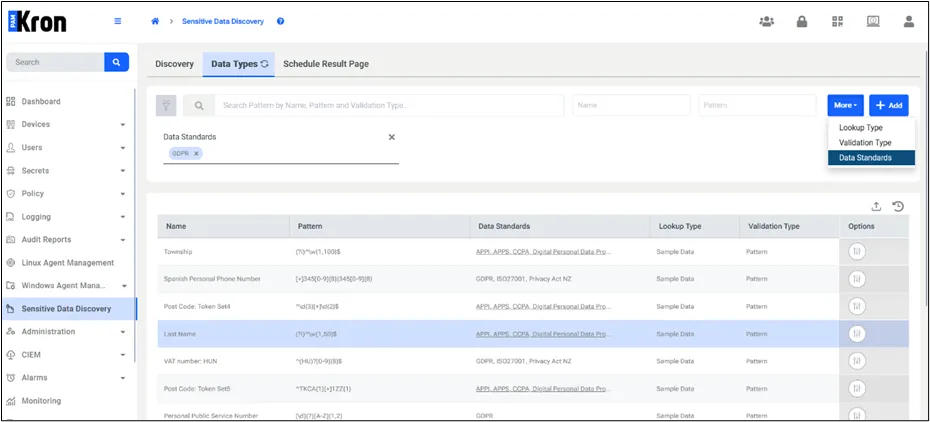
Each data standard is a collection of multiple data types. It is important to note that a single data type, such as Address, may belong to more than one data standard. Due to this, discovery results do not display the same data type multiple times. If a data type like Address is found, the result will only show the data standards that were defined for that discovery process.