HTTP Proxy Logging Headers
This feature is utilized to log the Request and Response values of websites visited by users on the internet.
To use the HTTP Proxy Logging Headers feature on individual webpages defined as devices in Kron PAM:
The parameter "http.proxy.logging.headers.enabled" in the /pam/http/conf/http_proxy.properties file must be set to true.
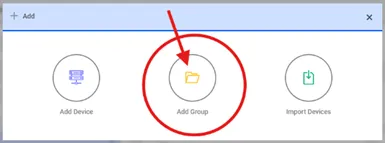
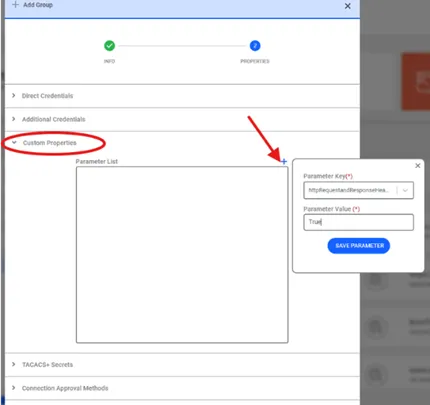
A new parameter, httpRequestandResponseHeaderLogged, will be introduced on the Group Device Definition – Custom Properties screen. When this parameter is set to true for the relevant devices, the system will log the Request and Response Header information.
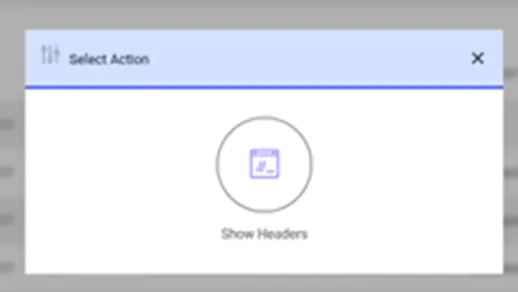
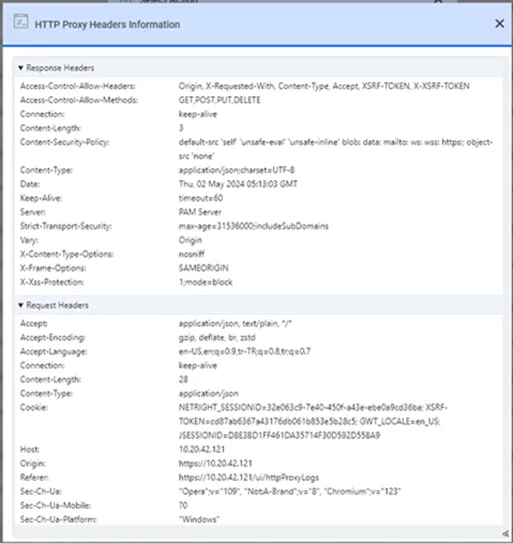
Users can access the logged Request and Response Header information for selected HTTP requests via the HTTP Proxy Logs screen. By clicking the Show Headers button, the header details for the relevant request will be displayed.
After setting the http.proxy.logging.headers.enabled parameter to true in the /pam/http/conf/http_proxy.properties file, the httpRequestandResponseHeaderLogged parameter must also be defined for the relevant device group. Request and Response logging will only occur if both parameters are configured correctly.
If the http.proxy.logging.headers.enabled parameter in the /pam/http/conf/http_proxy.properties file is set to true and the http.proxy.passthrough parameter is also set to true, the Request and Response values will be logged unconditionally, regardless of the device group parameter settings.
After these configurations, the HTTP Proxy will start creating a log for every visited webpage. As you know, log files can grow over time, filling up the system's disk capacity and causing a decline in system performance. Therefore, it is important to make the right decision regarding which device groups will be logged.