Device Bulk Import
You can add devices in bulk to Kron PAM.
Device Bulk Import can only be used to add new devices for the first time. Bulk Import does not work for updating existing device information and assigning current devices to other device groups. If a device is already in the inventory, you cannot edit the device or add it to another device group with the bulk import option.
To add devices in bulk:
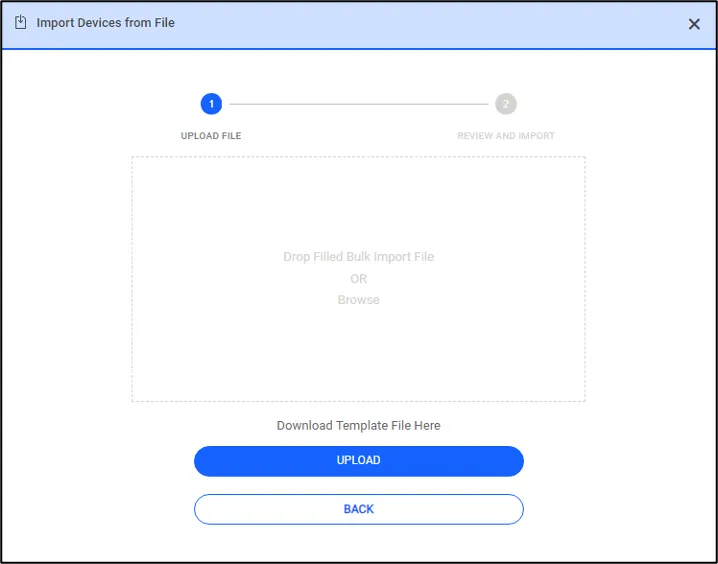
- Click on Devices > Import Devices button.
- Click Download Template. An Excel file named deviceBulkImportTemplate is downloaded.
- Open the template file and enter the device’s information as described in the column descriptions.
- Save the template file on your computer.
- On the Import Devices screen, click Browse and select the template file you saved.
- Click Upload File to add the device list to the Parse Results section on the Device Bulk Import screen.
- Click Import Devices.
You added the devices to their specified device groups in the Device Inventory.
Device Bulk Import Rules and Template Column Descriptions
To add devices in bulk successfully to Kron PAM, read the descriptions below and add device information accordingly.

Column | Required/Optional | Description |
|---|---|---|
No | Required | No refers to the row number. Enter each device in a separate row. |
IP Address | Required | Enter the device’s IP address. |
Hostname | Required | Enter the device’s hostname. |
Access Protocol | Required | Select the device’s access protocol. Examples: SSH2 for Linux devices RDP for Windows devices |
Port | Optional | Enter the device’s port number. If you leave this field blank, the default port number for the access control (e.g., 22 for SSHv2, 3389 for RDP, etc.) is used. |
Element Type ID | Required | Select the device’s element type ID. Examples: Windows, Centos, Cisco XR, Linux |
Device Group(s) | Optional | Enter device group name(s). Separate multiple group names with a semicolon. (Ex: DG1; DG2; DG3) Adding Devices to Parent or Child Groups Separate parent device groups from the child device groups with a forward slash (/). Forward slash (/) at the start of a device group path indicates that the first group is the parent device group. Ex: /ParentDG/ChildDG1/ChildDG2 A device group cannot have both the device group and the device. Only the sub-group at the bottom of the device group tree can have devices. When adding a device to ChildDeviceGroup2, you can enter the group name in the following ways:
A device group path can contain up to 10 device groups with parent and child relationships. Entering new groups If the group name you enter does not exist, the application creates a new group with the given name. Device group names must be unique and cannot contain a forward slash (/). |
Region | Required | Select the device’s region or select the No Region option from the dropdown. This column appears in the region (aioc.region.field.visibility) parameter is enabled in the system. |