Adding a Data Dictionary
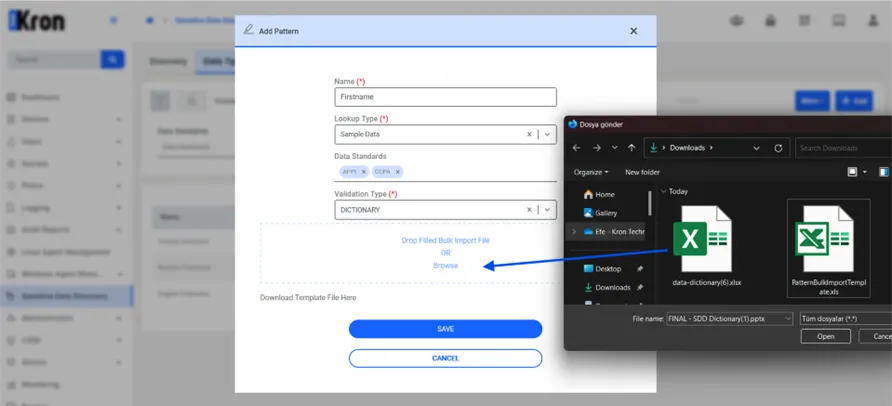
- Navigate to the Sensitive Data Discovery section and Open the Data Types tab.
- Click the Add, which opens a window where you will define the new dictionary-based data type.
- In the Name field, enter a descriptive name for the dictionary (for example, First Name).
- Choose Sample Data as the Lookup Type.
- Set Dictionary as the Validation Type.
- You can add whatever data standard you want for your dictionary.
- To add the actual dictionary data, upload an Excel file. This file should have a single column titled Value, with each row containing a specific value you want the discovery to search for in the database. The system performs a case-insensitive search, meaning "John" will match both "JOHN" and "john".
- Drag and drop the Excel file into the designated upload area, or click to browse for it manually.
- After the file is uploaded, click Save to store the dictionary.