Creating a SQL Policy
The execution of queries can be prevented or allowed by SQL policies:
- Navigate to Policy Control > Session Policy.
- Click the blue Add button Next to the Policy Key Title
- Select the Policy Key Type in the opened pop-up a. Select the white or black key.
- Enter the query (or regex) to prevent or allow
- Select the policy type and element type. The Black Key Policy type is used to restrict the queries and White Keys permit queries
- Click Save.
At least one policy key must be assigned to the related realm for SQL proxies.
*If only black key policies are defined in a realm, all remaining queries will be white key.
*If only white key policies are defined in a realm, all remaining queries will be black key.
*If only the “.*” regex is defined as a white key, all queries are allowed to run.
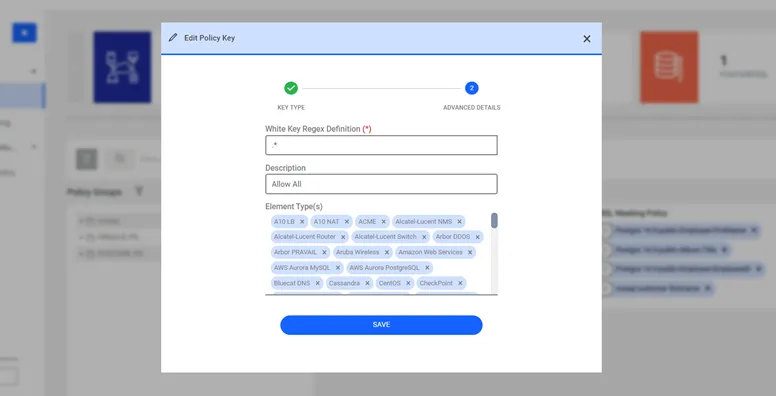
SQL Policy Key Definition