Assigning Kron PAM Credentials to Target System Accounts
In some cases, Kron PAM users are connected to target devices with different credentials. In other situations, there are more than one privileged user account in the target system and different user groups use different privileged accounts to log in to them. The Assigned Credential feature matches the Kron PAM users with the target device users.
In the example below, User A wants to connect to the target system with Account X and User B wants to connect to the target device with Account Y. In this case, User A is assigned to Account X, and User B is assigned to Account Y.
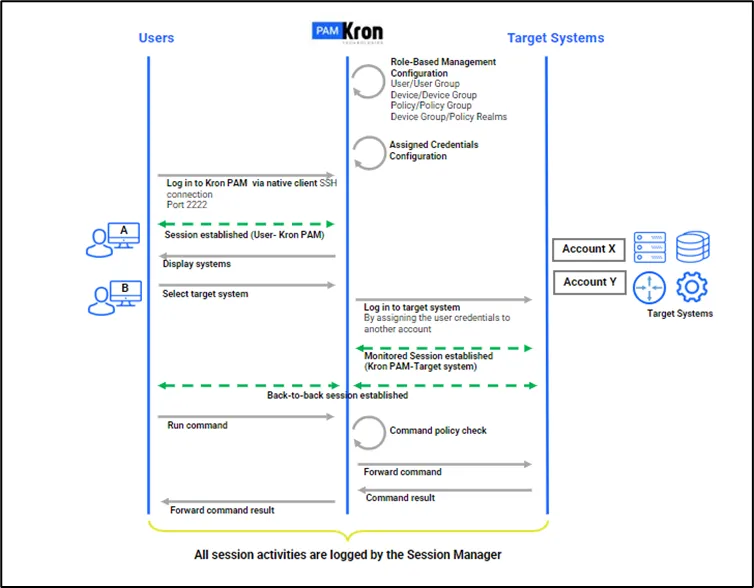
The following steps should be followed to configure the Assigned Credentials Feature and enable its use for a device group.
This device group should be added to a device group realm with the user group including the users, beforehand.
- Log in to the Kron PAM Web GUI as an admin user.
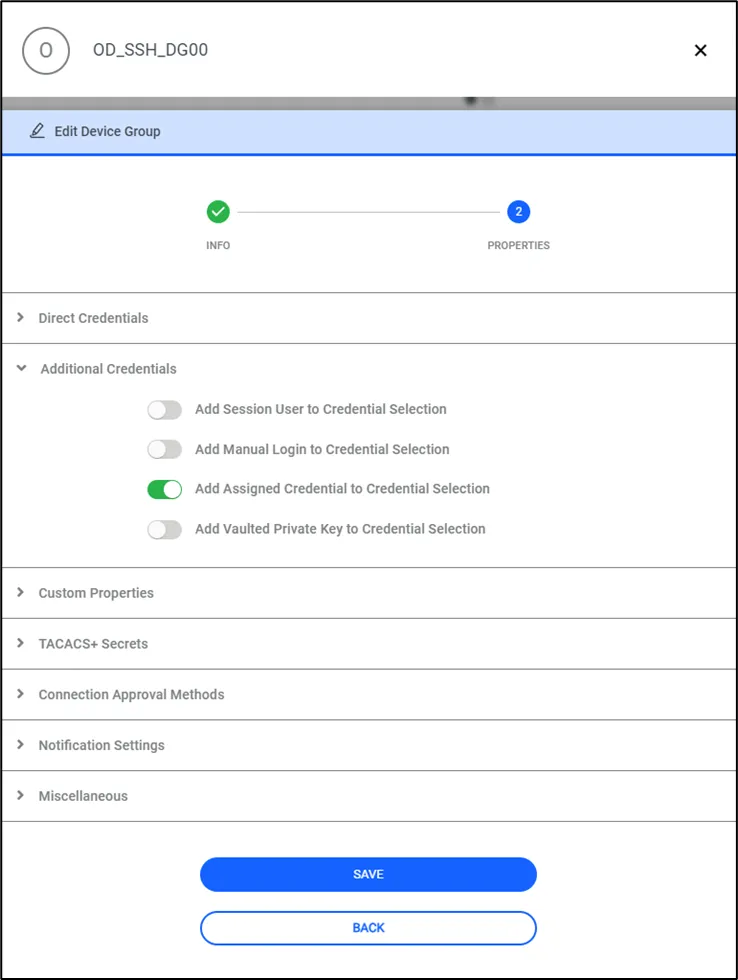
- Navigate to Devices> Device Groups.
- Click the desired Device Group and select Properties.
- Click the Edit and then Next buttons.
- Under the Additional Credentials toggle on the Add Assigned Credential to Credential Selection property.
To set up the assigned credentials for different users, first save the accounts. After saving these accounts, follow these steps:
- Log in to the Kron PAM Web GUI as an admin user.
- Configure the SAPM account for the target system.
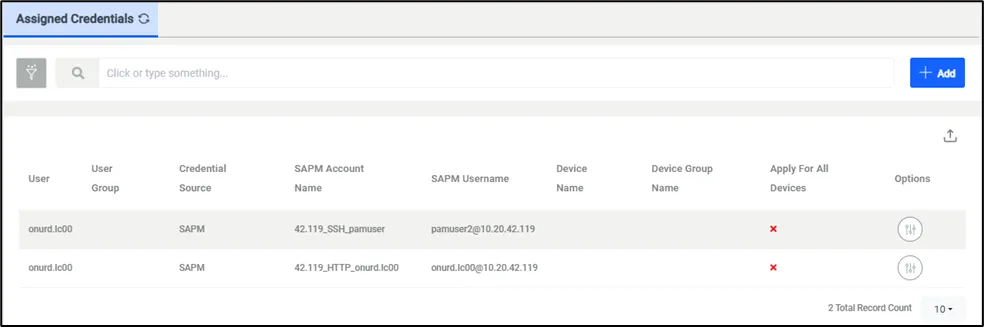
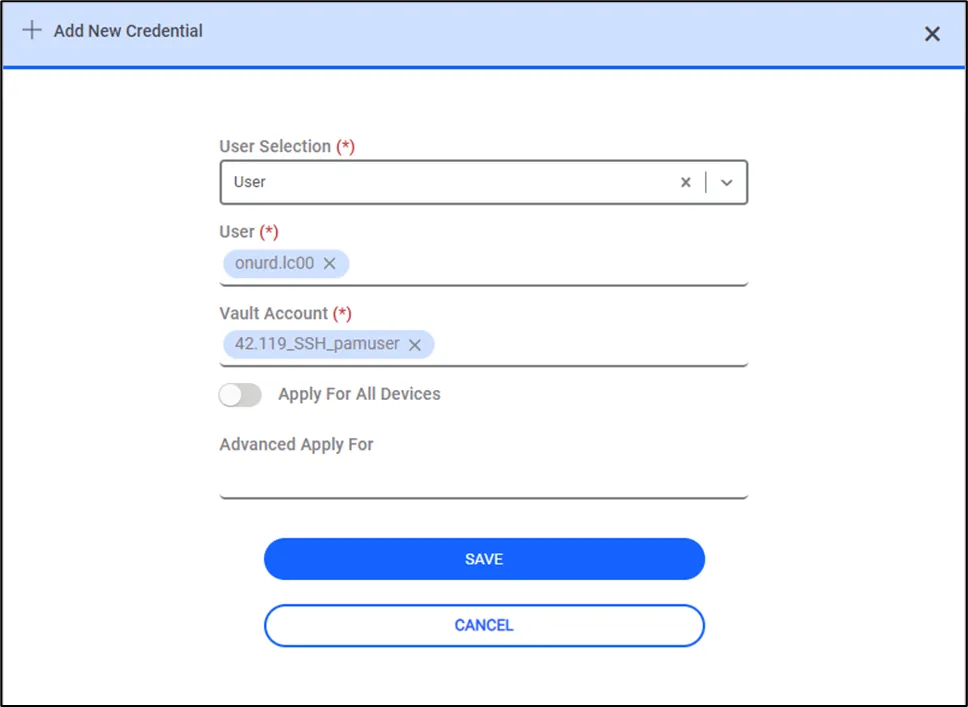
- Navigate to User > Assigned Credential.
- Click the Add button and continue with User Selection and Vault Account Select the Kron PAM user as User and Vault account as Vault Account.
- Click the Save button.
Once these steps are completed, assigned credentials will be used for the connection whenever the defined users try to open an SSH session.