Password Validation Check
2 min
The Dynamic Password Controller checks the validity of stored passwords and SSH Keys regularly. If the password is changed without the Dynamic Password Controller, an alarm is generated, and a notification is sent to the system administrator.
To configure the password validity check:
- Navigate to Secrets >Configurations.
- Open the Vault Configuration tab.
- Select the Vault Configuration, and click the Green arrow button.
- Set Enable password validation checks? as Enable to check password validity.
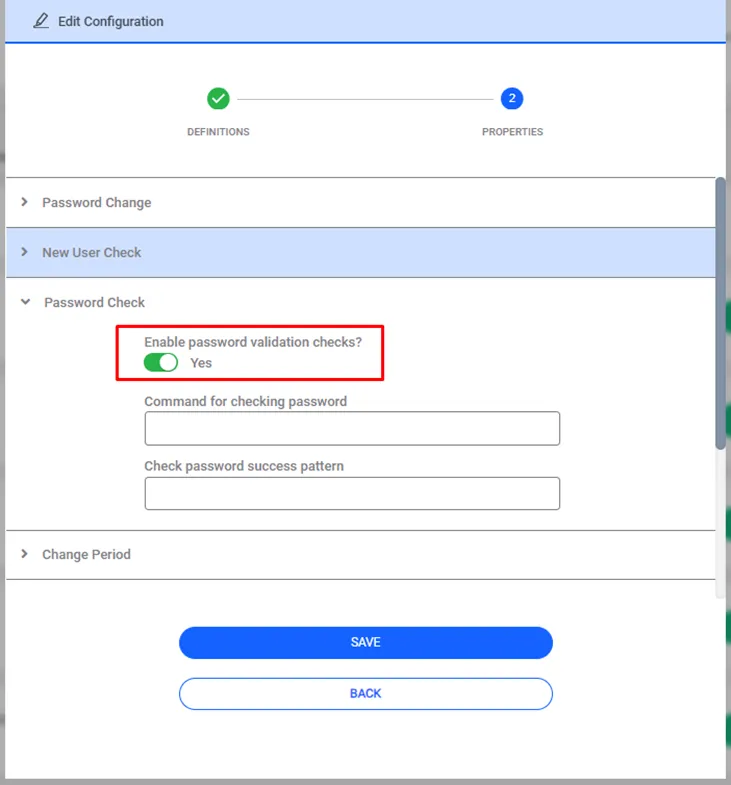
Password Validation Property Configuration
There is a job called SAPM_PasswordCheckJob that checks the validity of passwords. By configuring this job, the frequency of the password validation check can be defined.
- Navigate to Administration > Job Scheduler.
- Choose SAPM_PasswordCheckJob and click the Options and Edit buttons.
- Set the frequency of the job from the cron expression section.
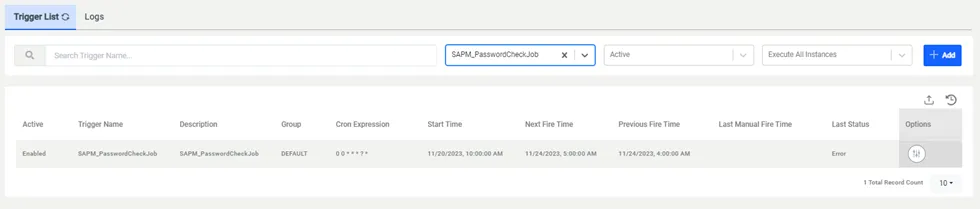
Password Check Job Cron Expression