SIEM Log Configuration
3 min
In the SIEM Configuration screen, the user can set log type and the record limit of a syslog packet. When the configurations are saved, the SIEM module forwards the created syslog packets to the syslog server set up during the SIEM configuration.
To set up log configurations:
- Navigate to Administration > System Configuration Manager > Integrations > SIEM Configuration.
- Open the SIEM Log Configuration.
- Add log configurations by clicking the “+” button.
- Choose Log Name and specify Max Record Limit.
- Click Save.
Log configuration is set to be enabled by default.
Maximum Record Limit means that when sending the logs, the specified number of logs is sent in batches, and the logs are not sent until the number of logs reaches this value. So, if the value is set to 100, logs are sent after 100 logs are created.
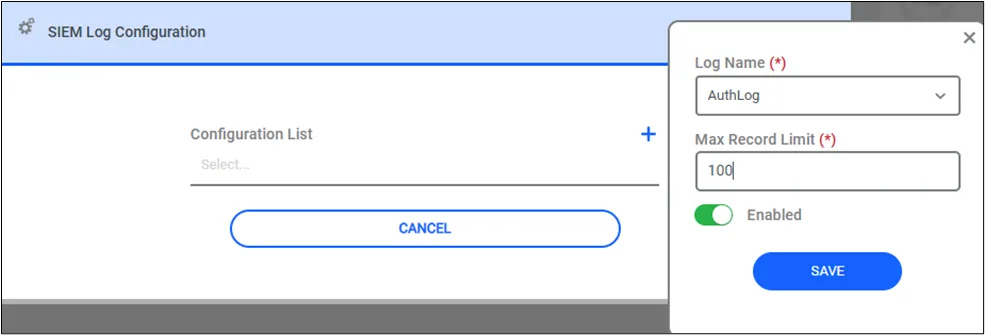
SIEM Configuration Page
SIEM logs can be enabled or disabled in the SIEM Configuration List on the SIEM configuration page, by clicking the related configuration.
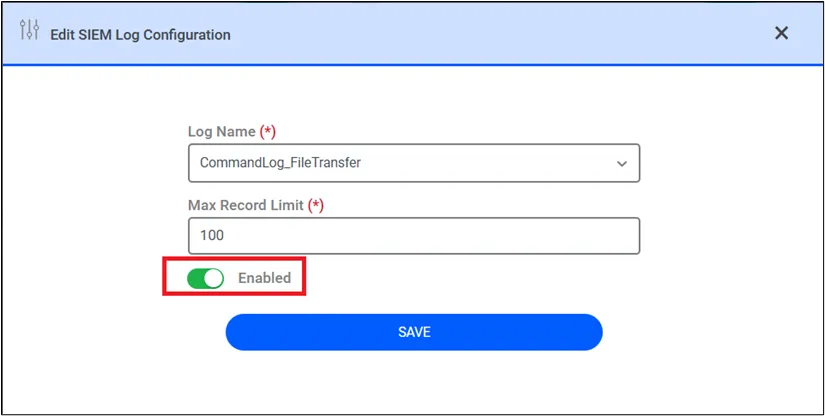
Disable/Enable SIEM Logs
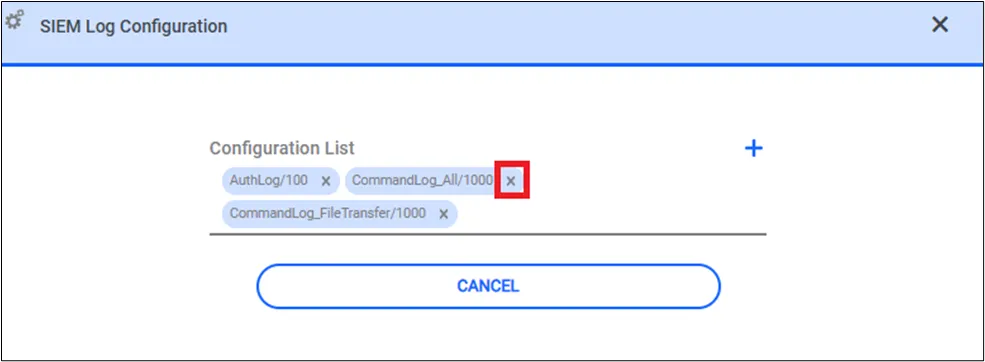
Delete SIEM Log Configuration