Integration with IBM WebSphere Application Server
This document describes how to integrate Kron PAM with IBM WebSphere Application Server to manage password rotation for users associated with data sources defined in the WebSphere environment.
It also details the configuration of the Kron PAM JDBC Proxy Driver required for this integration.
Prerequisites
Kron PAM JDBC Proxy Driver should be downloaded from Kron File Repo. Copy this file to the directory where WebSphere JDBC drivers are located.
Adding New JDBC Provider
After copying the Kron PAM JDBC Proxy Driver driver JAR file, proceed to define the JDBC Provider in the WebSphere environment.
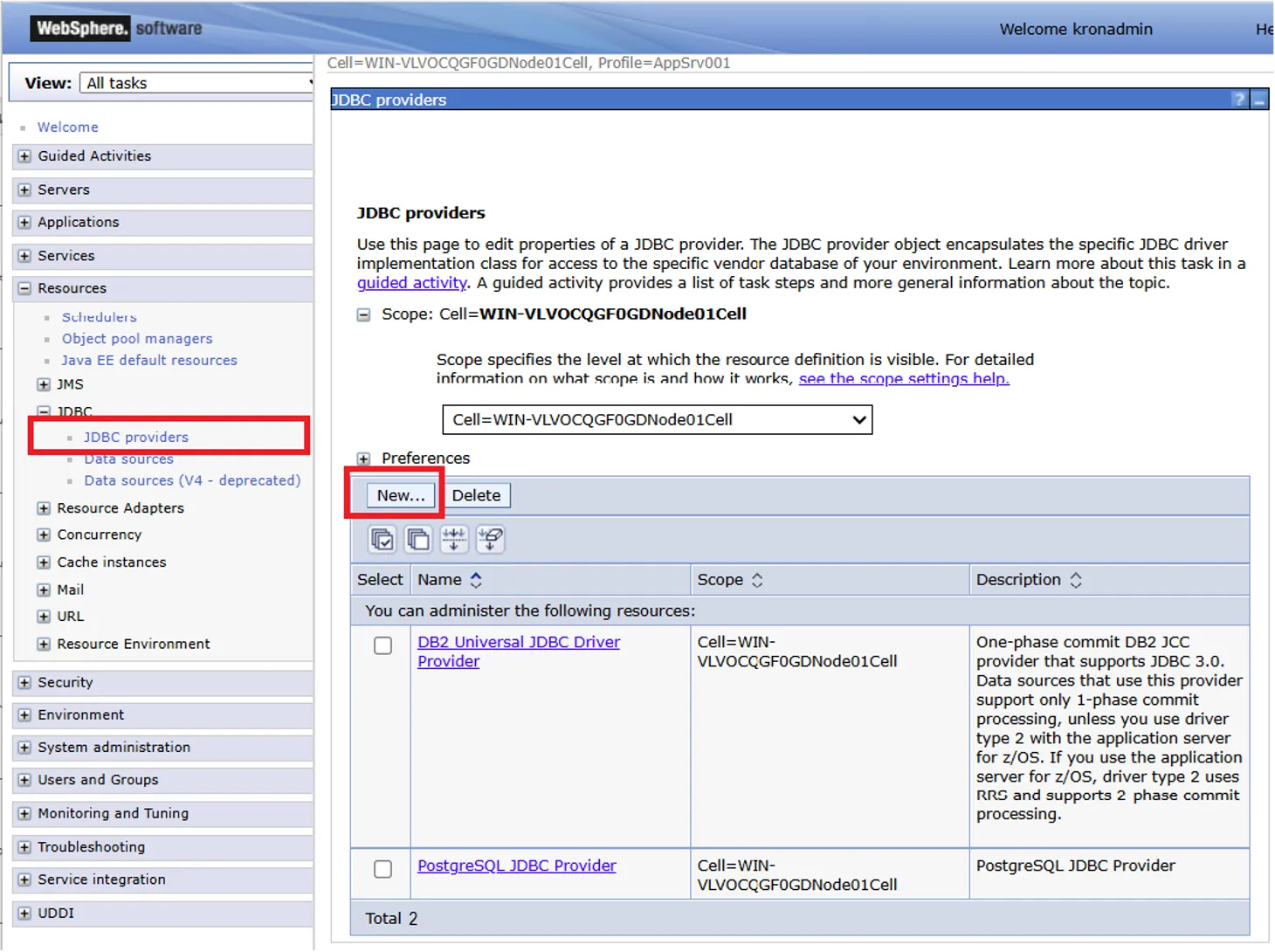
- Navigate to Resources → JDBC → JDBC Providers in the WebSphere console.
- Click New to create a new JDBC provider.
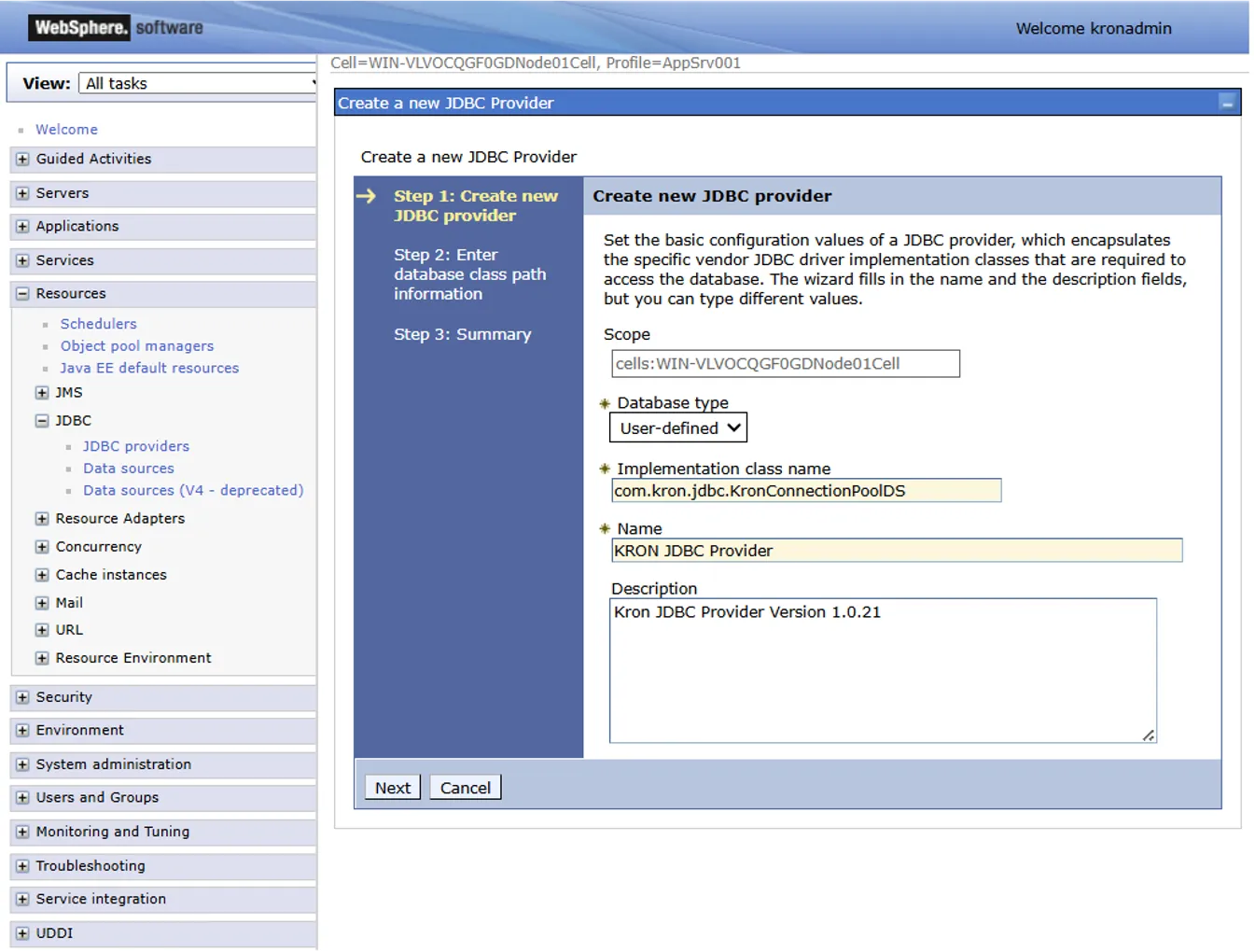
- Enter the parameters as follows and click Next to proceed.
Parameter | Description |
|---|---|
Scope | Default system value (non-editable) |
Database Type | User-defined |
Implementation class name | com.kron.jdbc.KronConnectionPoolDS |
Name | Name for the JDBC Driver (E.g., Kron PAM JDBC Proxy Driver) |
Description | Optional – enter any notes related to this provider. |
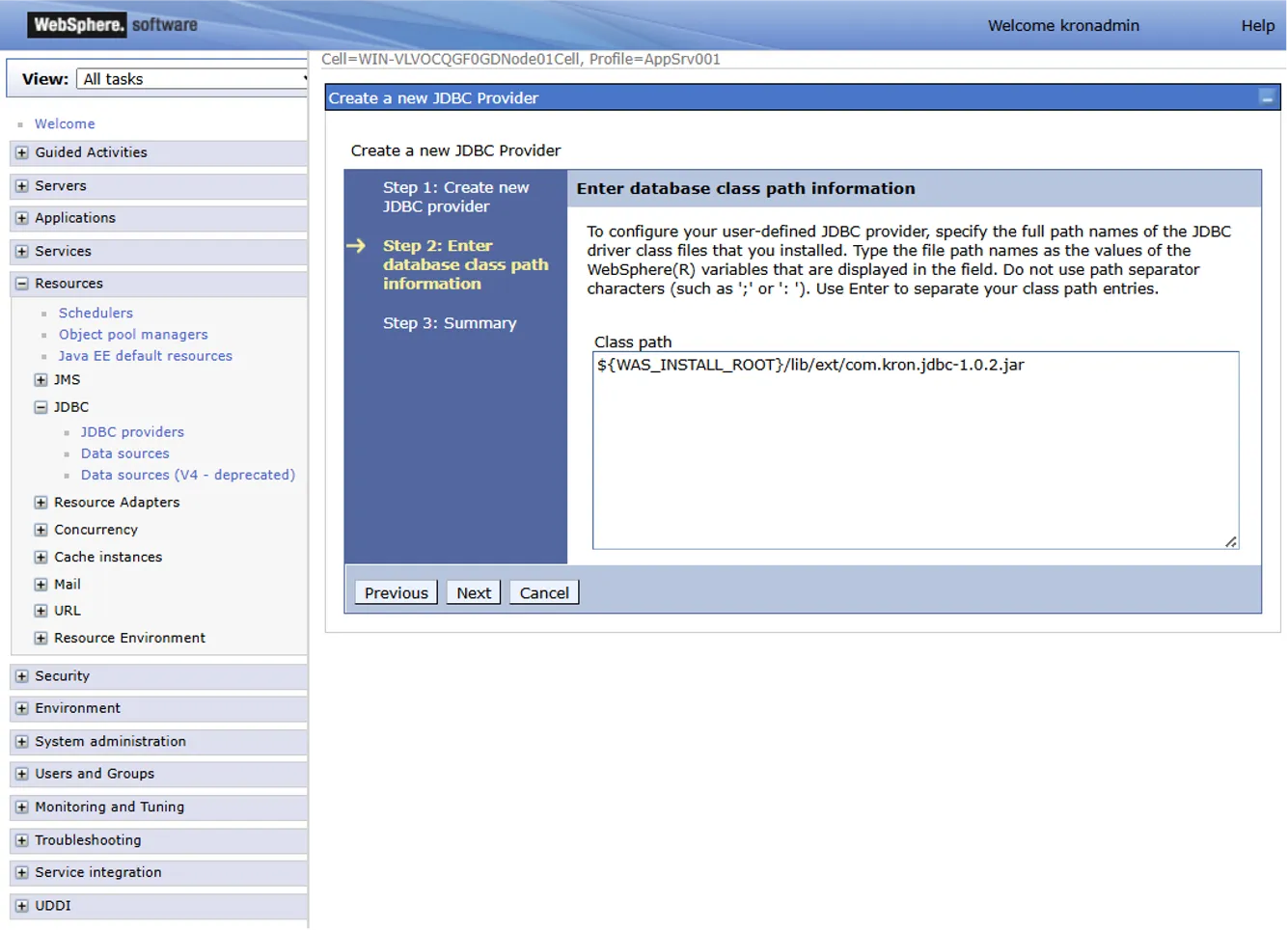
- On the database class path information screen, provide the full path to the directory where you placed Kron PAM JDBC Proxy Driver. In the example below, the ${WAS_INSTALL_ROOT} variable refers to the WebSphere installation directory (e.g., /Program Files/IBM/WebSphere/AppServer).
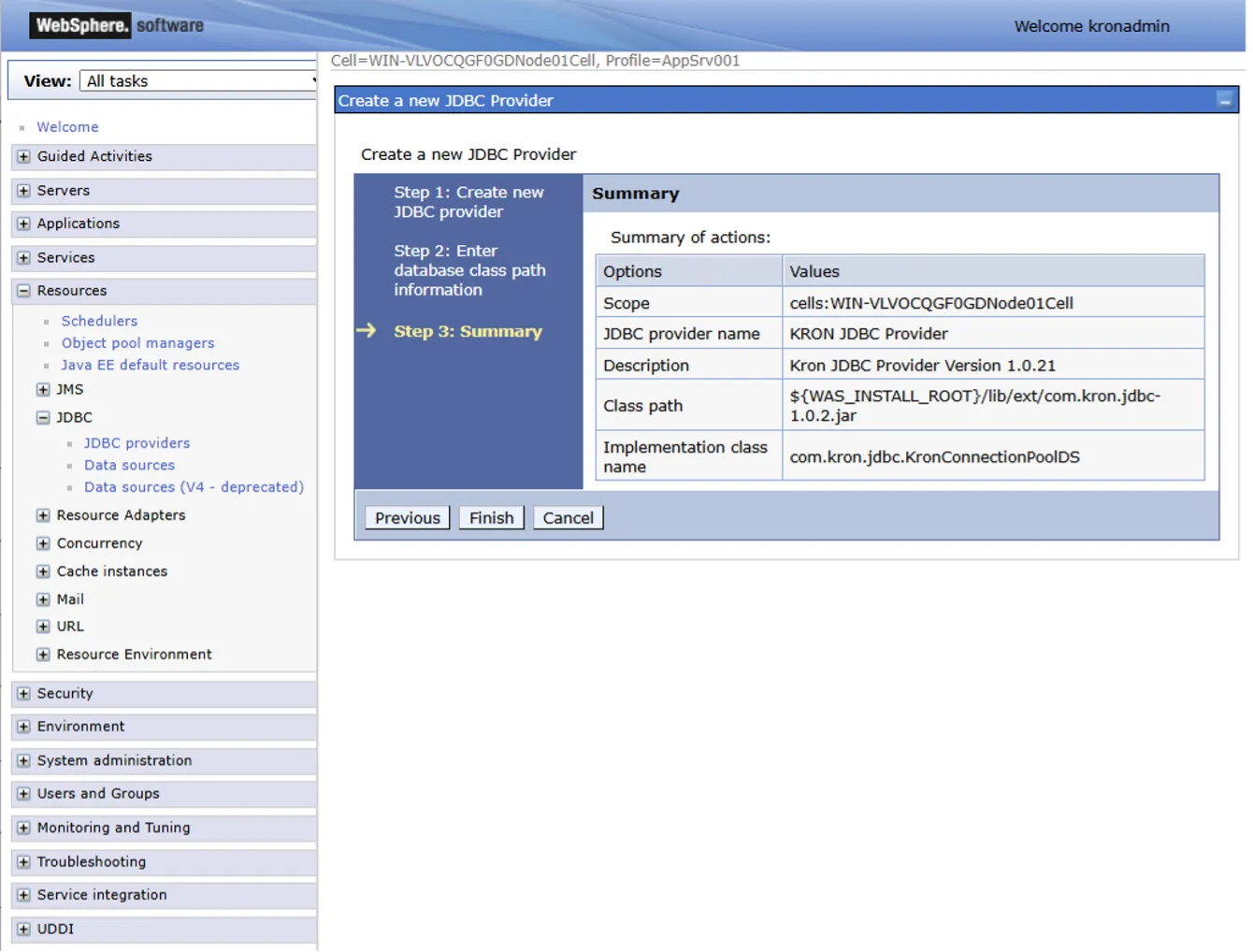
- Review all entered parameters on the summary screen. If everything is correct, click Finish to complete the JDBC Provider configuration.
Adding New Data Source
After the JDBC Provider setup, create a new Data Source using this provider.
- Navigate to Resources → JDBC → Data sources.
- Click New to create a new data source.
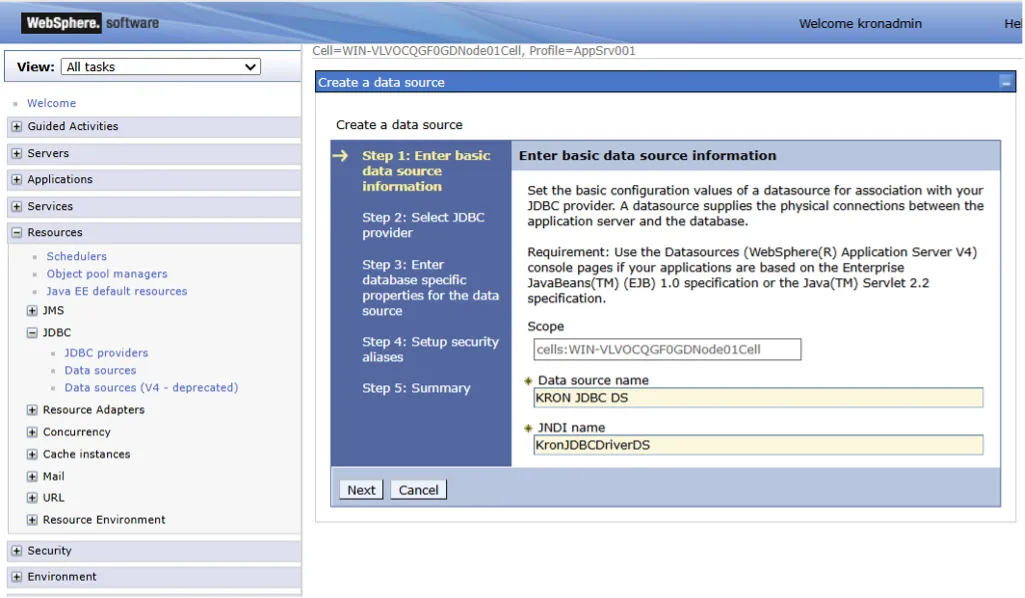
- Fill in the details as follows and click Next to continue.
Parameter | Description |
|---|---|
Data source name | Name for datasource (E.g. Kron JDBC DS) |
JNDI Name | KronJDBCDriverDS |
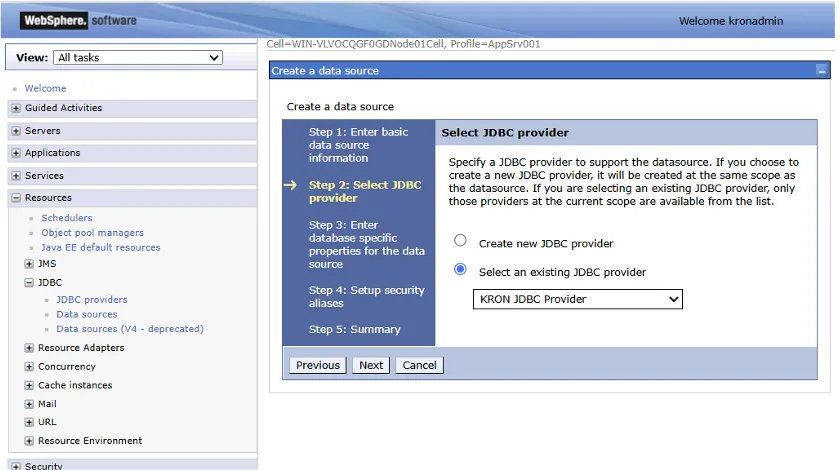
- On the next screen, select the Kron JDBC Provider you created earlier.
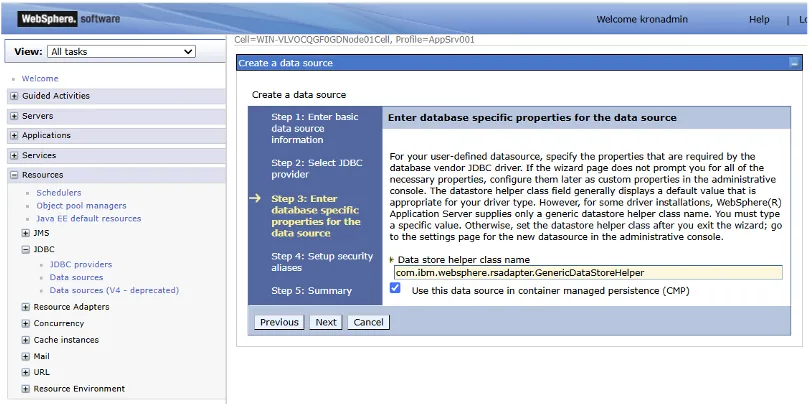
- Review database specific properties. This screen covers the properties required by the JDBC driver. If the wizard does not display all necessary fields (e.g., serverName, portNumber, databaseName, URL, driverType), missing properties must be added manually as custom properties later. The wizard may only show basic fields for some database types. For certain custom or user-defined JDBC drivers, WebSphere may not recognize the helper class and will default to a generic class. If the checkbox for Container-Managed Persistence (CMP) is selected, the DataSource becomes available for EJB components, enabling the EJB container to automatically manage database transactions.
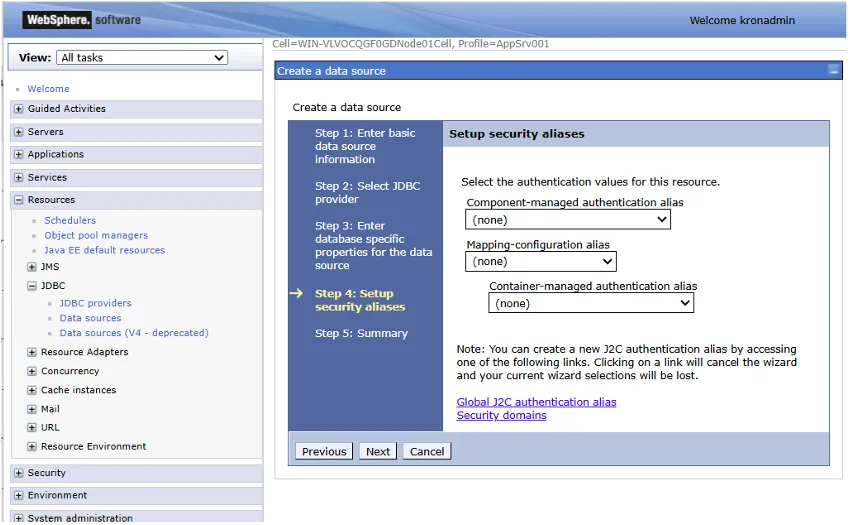
- On the next screen, select the authentication alias that the application will use to connect to the database. If multiple applications access the same DataSource and each requires different authentication aliases, map global authentication settings (e.g., for all DataSources) to specify which authentication aliases and method the DataSource will use for database connections. Define the authentication aliases for container-managed database connections (e.g., in CMP EJB or JTA transaction applications). Then, proceeds to the next page.
- Review the summary and click to Finish.
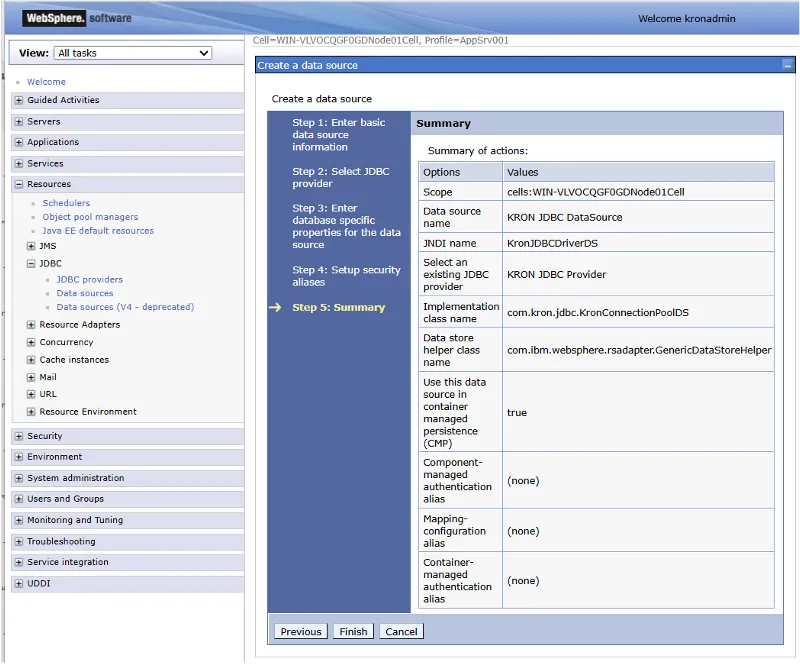
Editing Custom Properties of Data Source
- After creating the data source, open it in Edit mode and navigate to the Custom Properties tab.
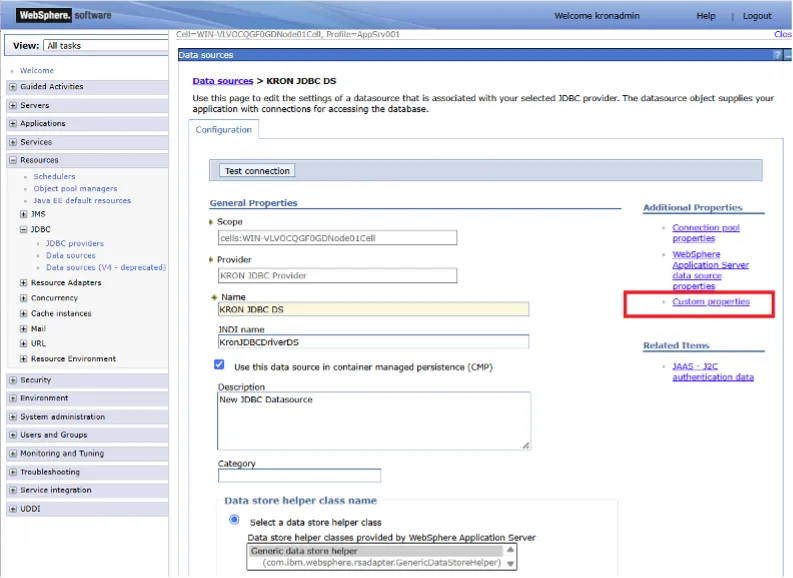
- Click New to add the following parameters and values.
Parameter | Description |
|---|---|
token | The Application Token (AAPM Token) value which is created on Kron PAM |
pamUrl | The URL address of the Kron PAM instance |
accName | Password Vault account name |
accPath | Password Vault account path |
url | The database connection string for the target user, in the format: jdbc:kron:{subprotocol}://{db_address}:{db_port}/{db_name}. (The prefix jdbc:kron must be included for all data sources. E.g.: jdbc:kron:postgresql://postgresql.example.com:5432/example_db) |
agentHost | IP address of Kron PAM Secrets Management Agent |
agentPort | Port number of Kron PAM Secrets Management Agent |
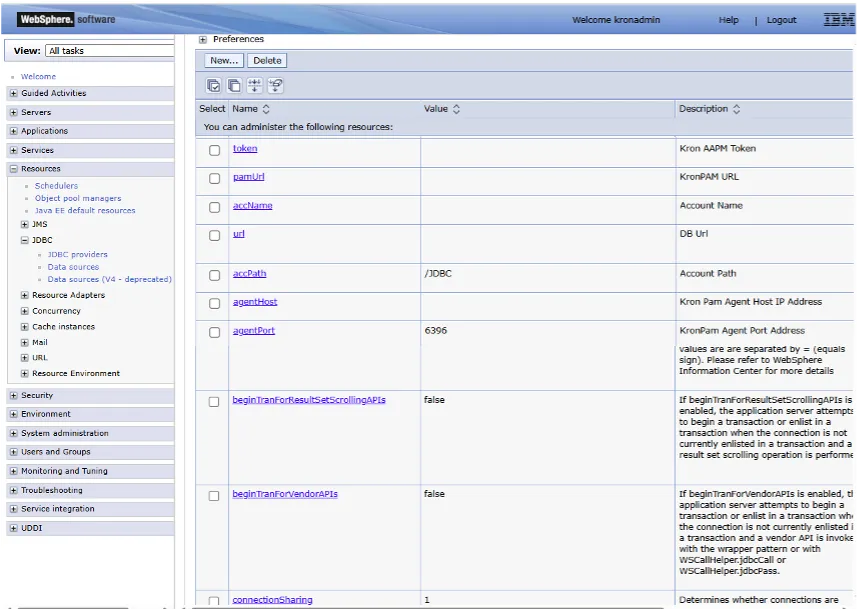
- After defining all configuration parameters, restarting the application server is recommended.
- Once all configurations are complete the Kron JDBC Provider and Data Source are ready for integration with Kron PAM.