Creating a Slice and Dashboard
5 min
This is the fourth step of creating your own report with the Reporting module.
In Superset, a saved query is called a Slice.
To create a slice:
- Click the Save as button near the top-left of the explore.
- A popup should appear, asking you to name the slice and optionally add it to a dashboard. Since we haven’t yet created any dashboards, we can create one and immediately add our slice to it. Let’s do it.
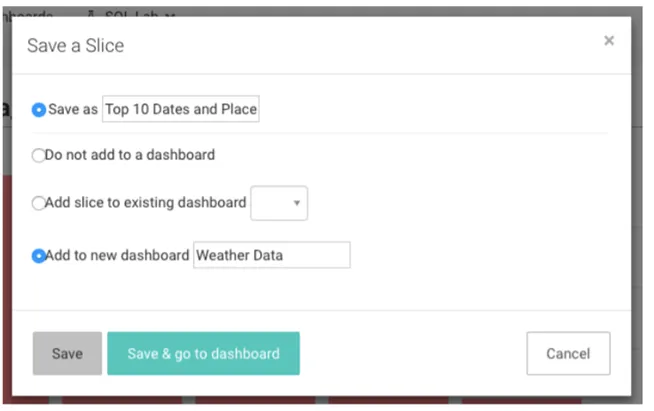
- Click Save, which will direct you back to your original query. We see that our slice and dashboard were successfully created.

- Let’s check out our new dashboard. We click on the Dashboards menu.

- Find the dashboard we just created.
Things seemed to have worked - our slice is here!
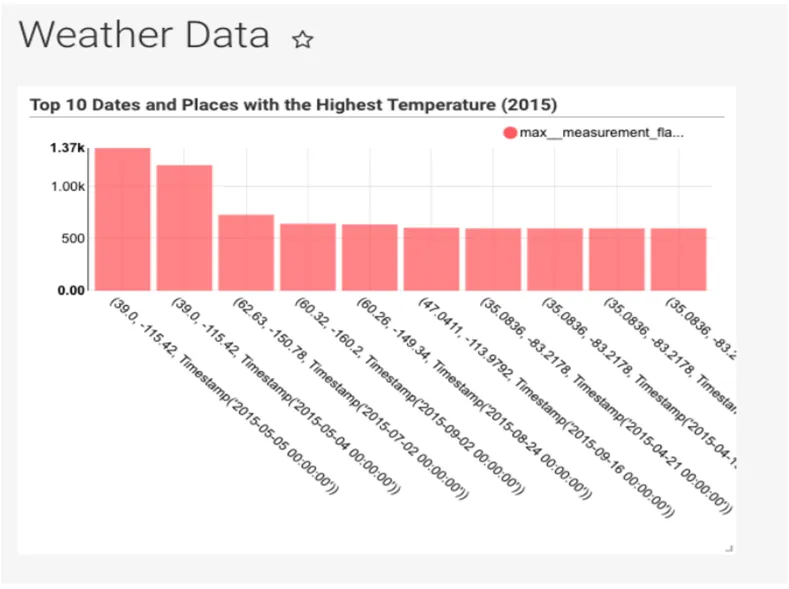
Adjust the Sizes of Slice in the Dashboard
If it is a bit smaller than you might like, adjust and save the new configuration:
- Click, hold, and drag the bottom-right corner to your desired dimensions.
- After adjusting the size, you’ll be asked to click on the icon near the top-right of the dashboard to save the new configuration.
Congrats! You’ve successfully linked, analyzed, and visualized data in Superset. There is a wealth of other table configuration and visualization options, so please start exploring and creating slices and dashboards of your own.