Configure Password Management on Web-Based Applications
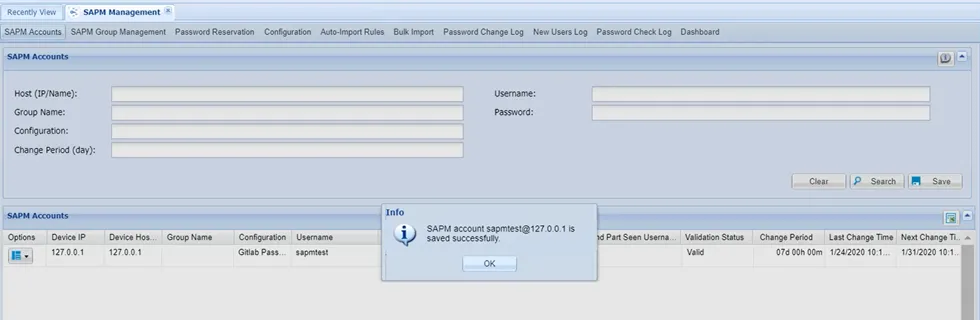
The Kron PAM Dynamic Password Controller manages many account types. Network Devices, Windows Servers, Unix Systems, AD/LDAP accounts, and many databases are managed without an agent structure, by using different protocols in the existing system. While most web applications don't have an API for password changes, the Dynamic Password Controller can manage Web-based applications without the need for an API.
Why should you manage web-based applications by Kron PAM?
- Web-based applications offer a range of business advantages over traditional desktop applications
- Easier to develop
- More beneficial for users
- Easy to install, maintain and keep secure
- Easy to expand as the company grows
Managing Web-Based Applications
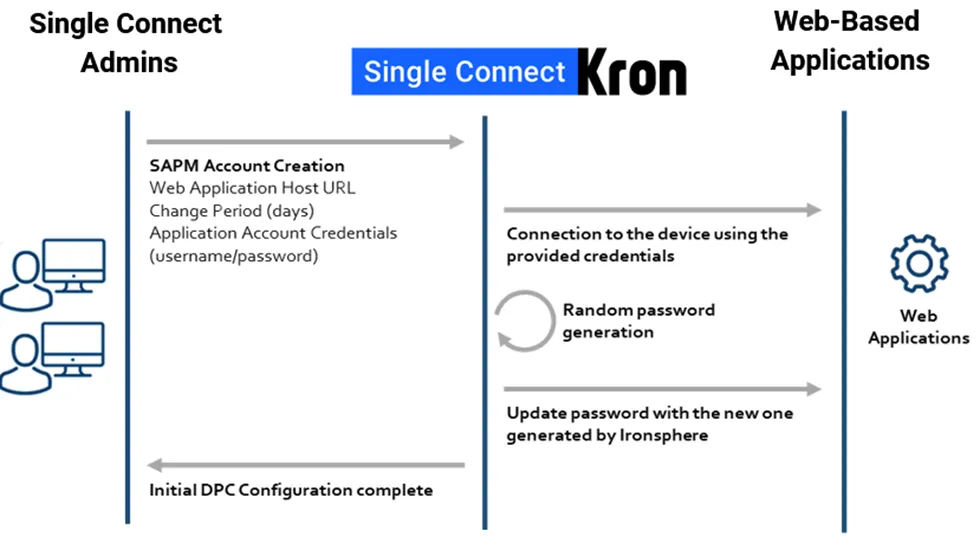
In the management of web applications, the Dynamic Password Controller is connected to the application via automation and the password changes are executed within the application settings.
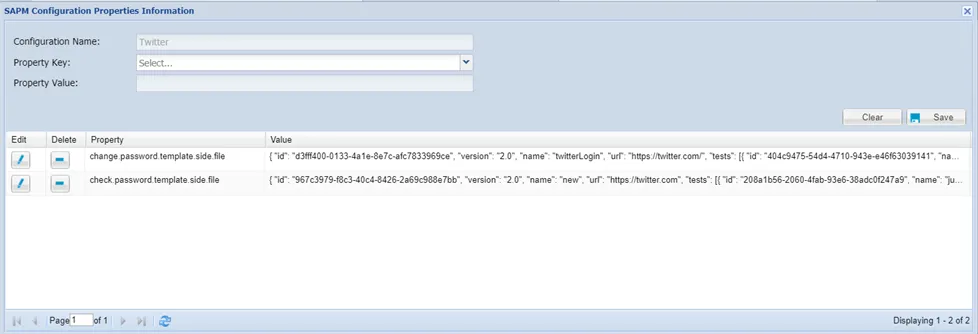
The Shared Account Password Manager (SAPM) configurations are defined in a “SIDE” file format using JavaScript codes in the Web App method.
SAPM Configuration Property | Value |
|---|---|
change.password.template.side.file | SIDE file change password JavaScript codes |
check.password.template.side.file | SIDE file check password JavaScript codes |
How It Works
- The user records a browser session of a password change for a web application, using Browser Extensions such as "Selenium IDE".
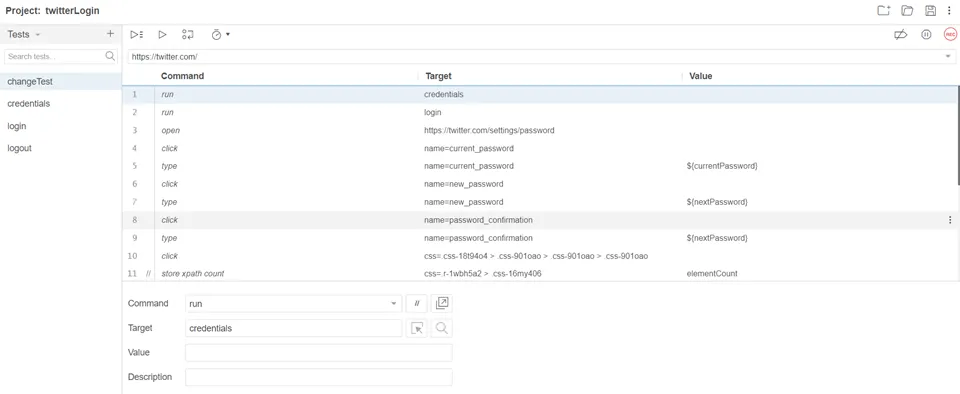
- The user replaces the password values in the "SIDE" files with placeholders like "${old_password}" "${new_password}".
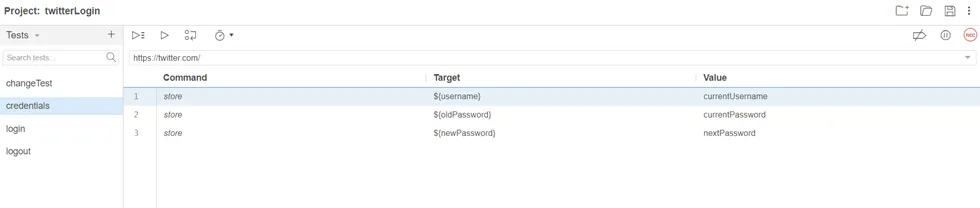
- The user exports these sessions in a "SIDE" file format.
- The user creates a new SAPM configuration and uploads the "SIDE" file.
- When a password change trigger occurs, Kron PAM will execute the browser actions specified in the "SIDE" file.