AAPM Agent Screen
1 min
The AAPM Agent screen displays and monitors agents installed on Linux and Windows operating systems as well as Container Orchestration Platforms. Agents listed on the screen appear in either online or offline mode based on their status.
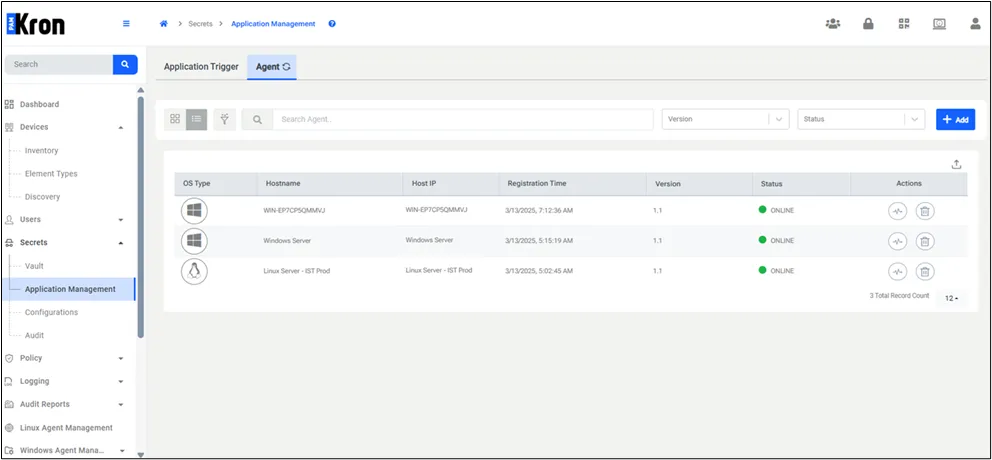
AAPM Agent Screen
Agents that are no longer in use can be deleted using the Delete button in the Actions column. Additionally, the Heartbeat button in the Actions column displays heartbeat logs sent by the agent every minute, visualized in a graphical format.
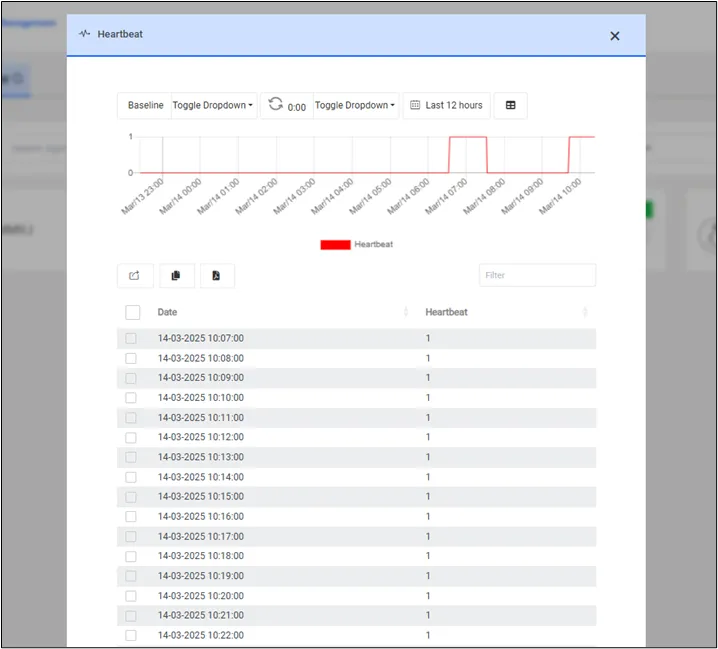
Heartbeat Logs
- Navigate to the Secrets > Application Management > Agent screen.
- Click the +Add button on the right side.
- A valid Registration Key is generated for installing an agent.
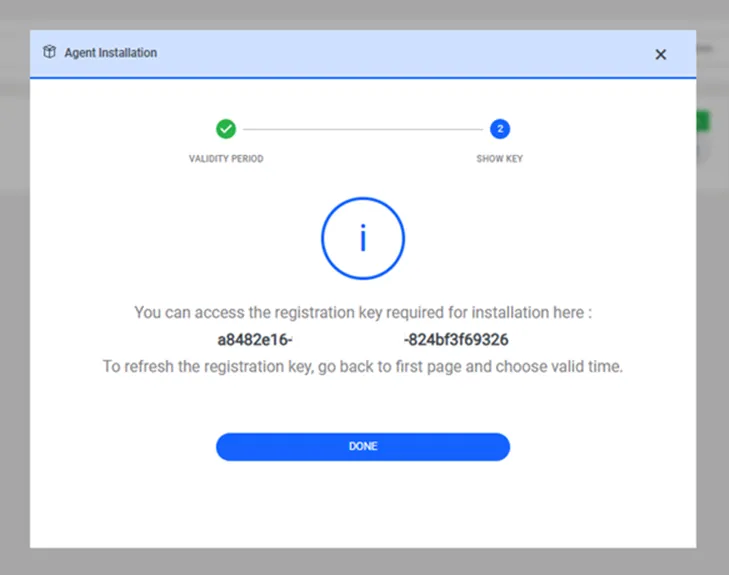
Registration Key
The usage of the Registration Key is outlined step by step in the diagram below.
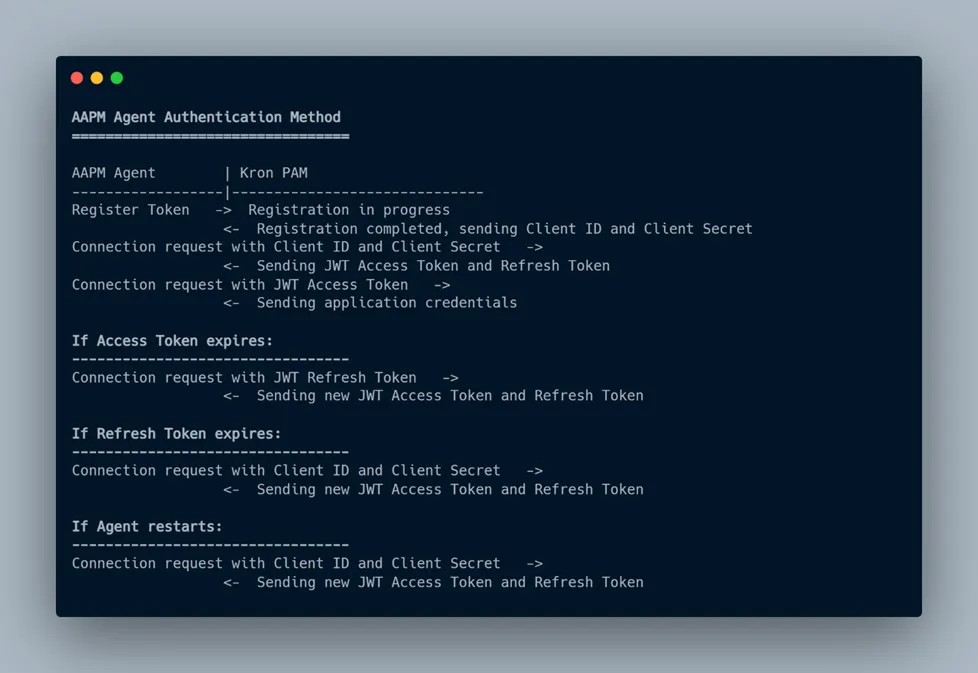
AAPM Agent Authentication Method