Run as Administrator Right
Unlike local admin rights, this feature does not add the user to the local admin group. Instead, when an end user runs an application that requires local admin privileges, the agent detects the request and starts an approval flow. The user runs the application with admin rights only after the approval is complete.
The approval method is defined at the system level, and the agent retrieves it from Kron PAM. To change the method, edit the win.agent.run.as.admin.approval.option system configuration parameter. The parameter accepts two values:
- Managerial: the user requests approval from their manager, and the agent grants the admin rights for the period that the user specifies. This is the default value.
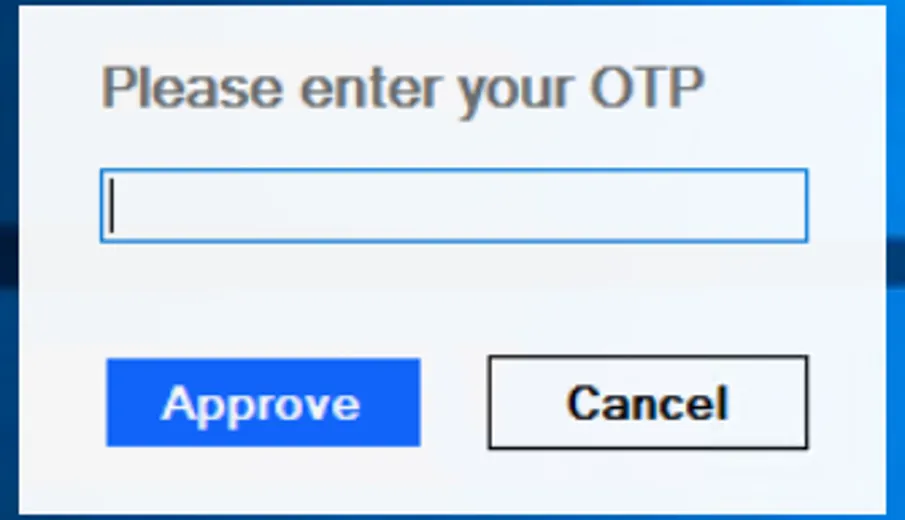
- OTP: the user enters a one-time password, and the agent grants the admin rights for a single run of the application.
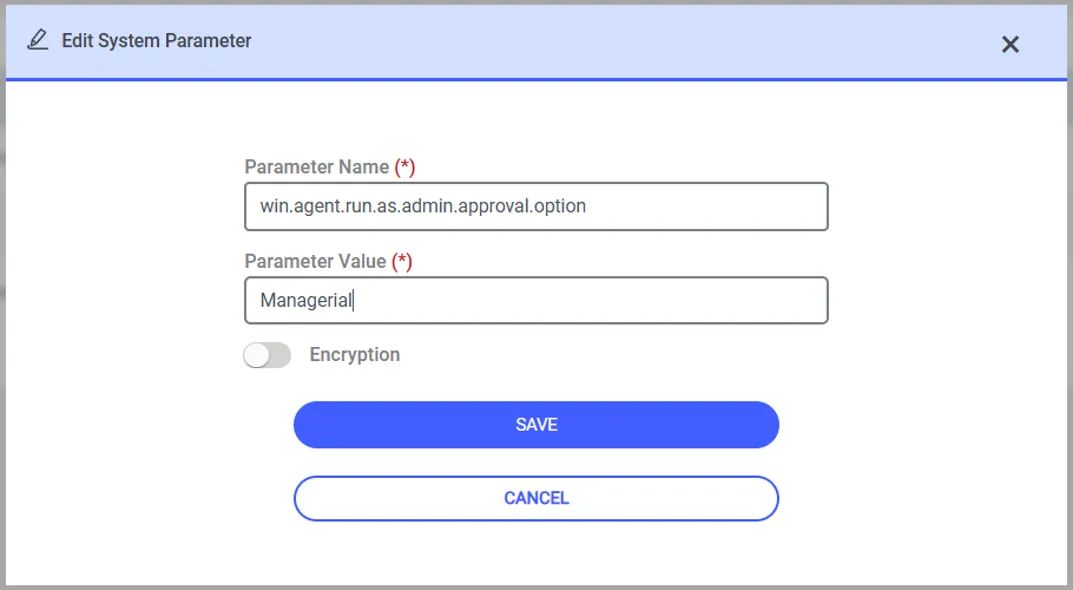
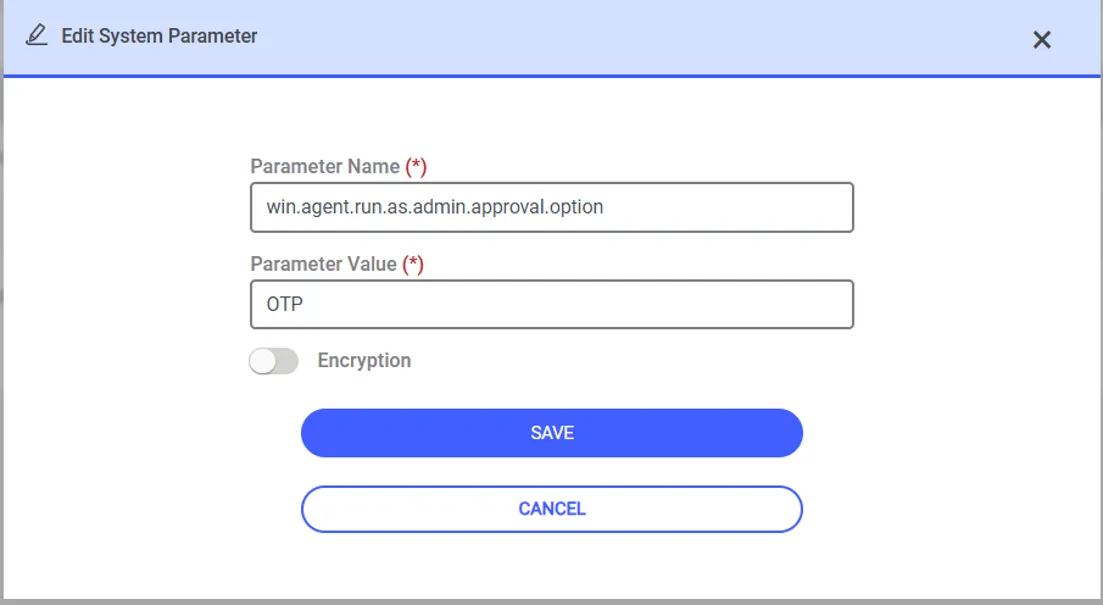
The value of the win.agent.run.as.admin.approval.option parameter is case sensitive. Enter the value as Managerial or OTP.
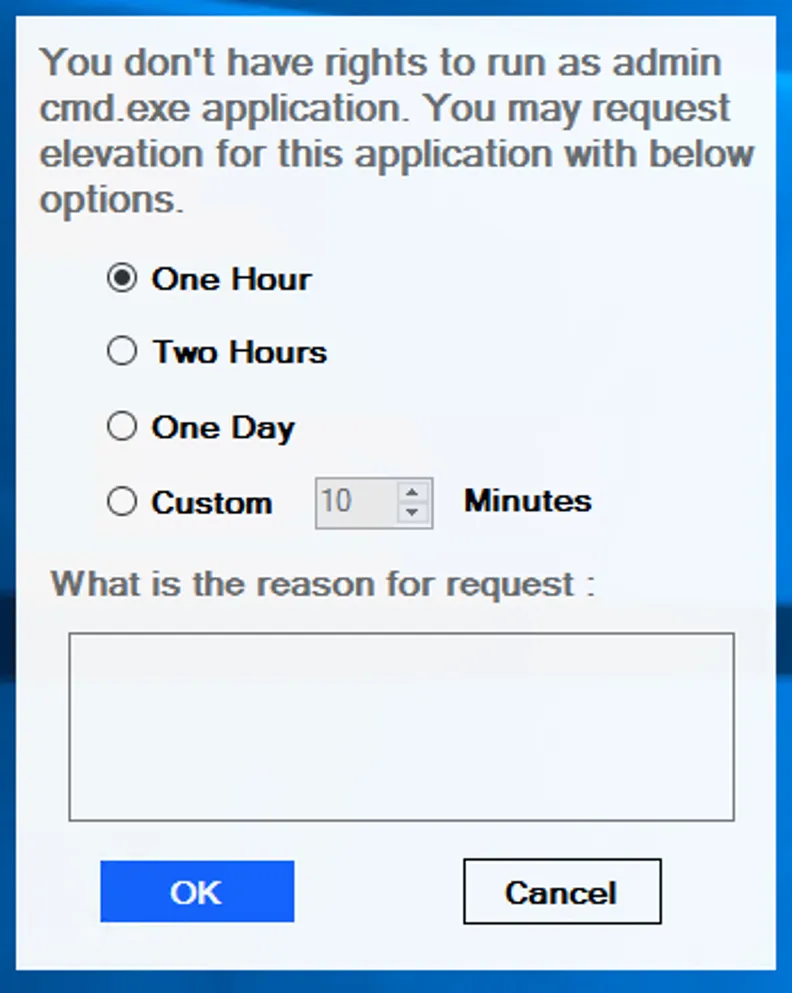
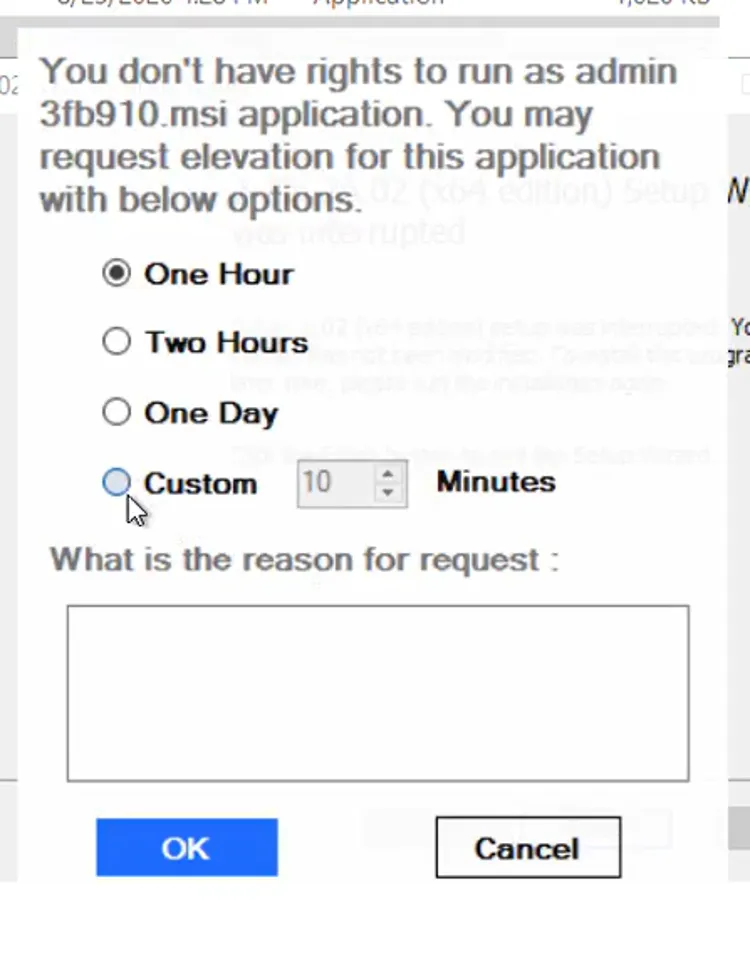
When the approval method is Managerial, the agent asks the user to specify how long they need to run the application with admin rights and sends the request to Kron PAM. After the manager approves the request, the agent grants local admin privileges for that specific application the next time the user runs it. When the specified duration expires, the agent revokes the admin rights and closes every instance of the application that runs with these rights. To run the application again, the user requests approval once more. You can monitor the status of the approval in the Tray application.
When the period expires, the agent closes these applications immediately, and the users lose their unsaved data.
For example, when a user runs the cmd.exe application as an administrator, the agent detects the request and asks for the time frame:
When the approval method is OTP, the agent asks the user for a one-time password. The user enters the password and clicks Approve:
The same feature applies to MSI packages. For example, when a user runs the 3fb910.msi package as an administrator, the agent detects the request and asks the user to specify the time frame for admin access. Kron PAM evaluates the request against the rules defined for MSI packages.
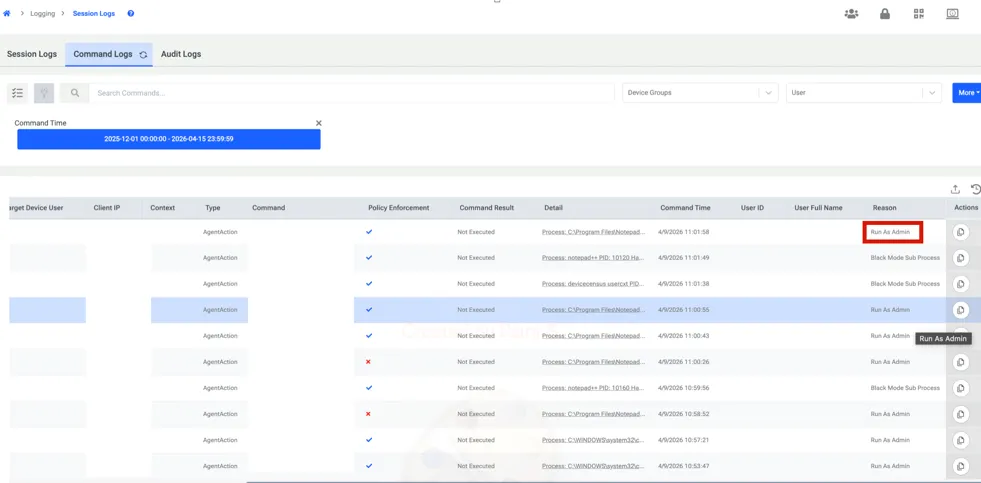
On the other hand, processes which are executed with run as administrator rights are logged to Session Logs and Command logs as “Run as admin”.
Windows does not display the standard User Account Control prompt for these applications. The agent detects the request and starts the approval flow instead.