Linux Agent Session And Authentication Logs
There are 2 main kinds of log being sent to Kron PAM, one of them is user authentication logs and the other one is session logs.
Authentication Logs
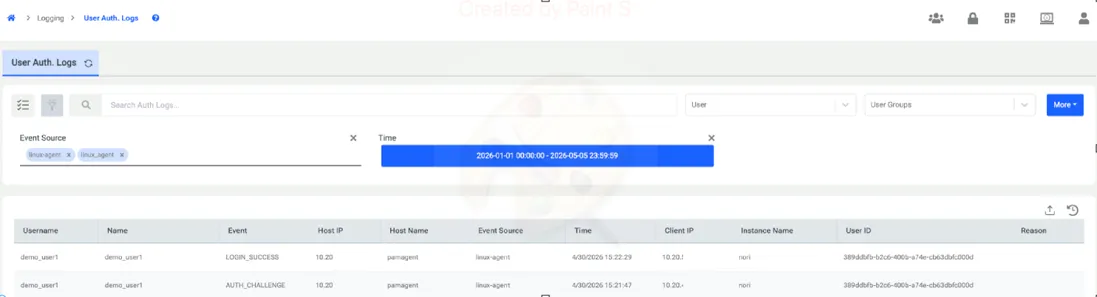
Whenever a user attempts to log in to an endpoint with a Linux agent installed, this activity can be audited on the Authentication Log page in Kron PAM. The agent reports all login operations to Kron PAM, regardless of whether the attempt was successful or unsuccessful. Additionally, the logs provide visibility into whether the user was prompted for an OTP (One-Time Password) during the login process.
Session Logs
Sessions logs contain the actions carried by the user in the endpoint. It displays which commands are launched and whether it was allowed, blocked, or elevated by the agent. An example of a session log is shown below. Logs can be seen on session based in the session log tab or individually in the command logs tab. Session logs or command logs can be filtered by “Linux Agent”, as other protocols may also write to these logs.
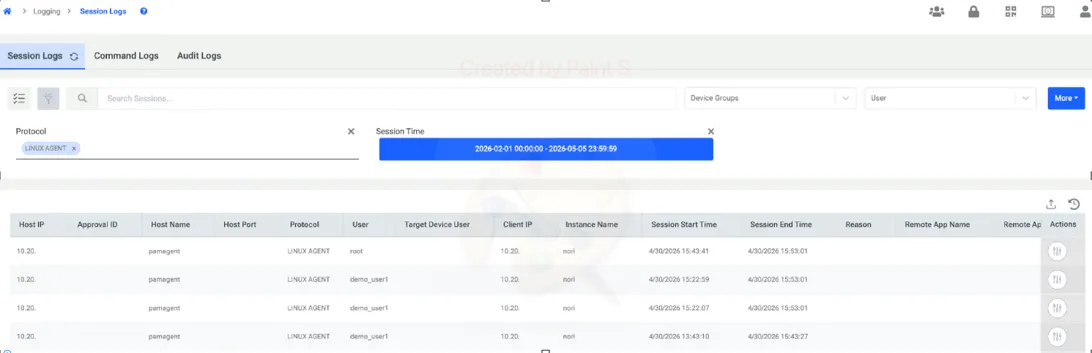
Users can access the session details upon clicking the button on the right side. Under actions column.
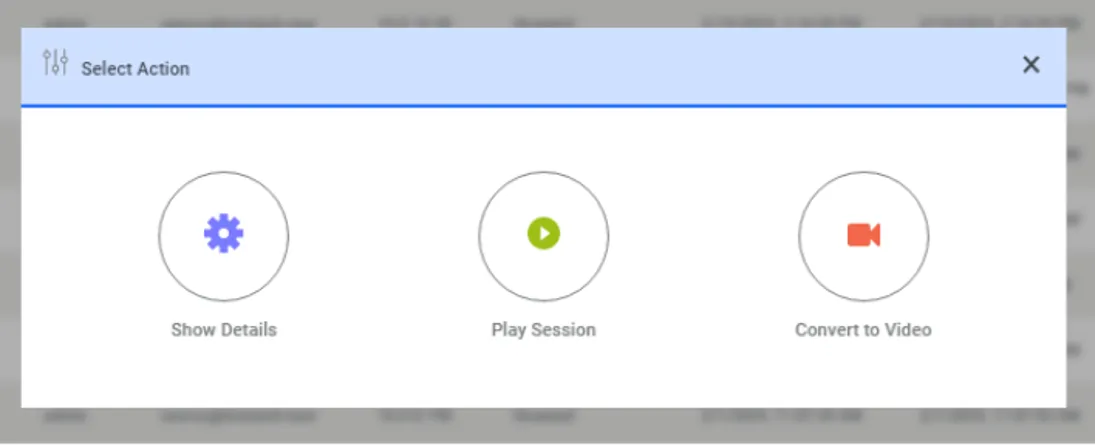
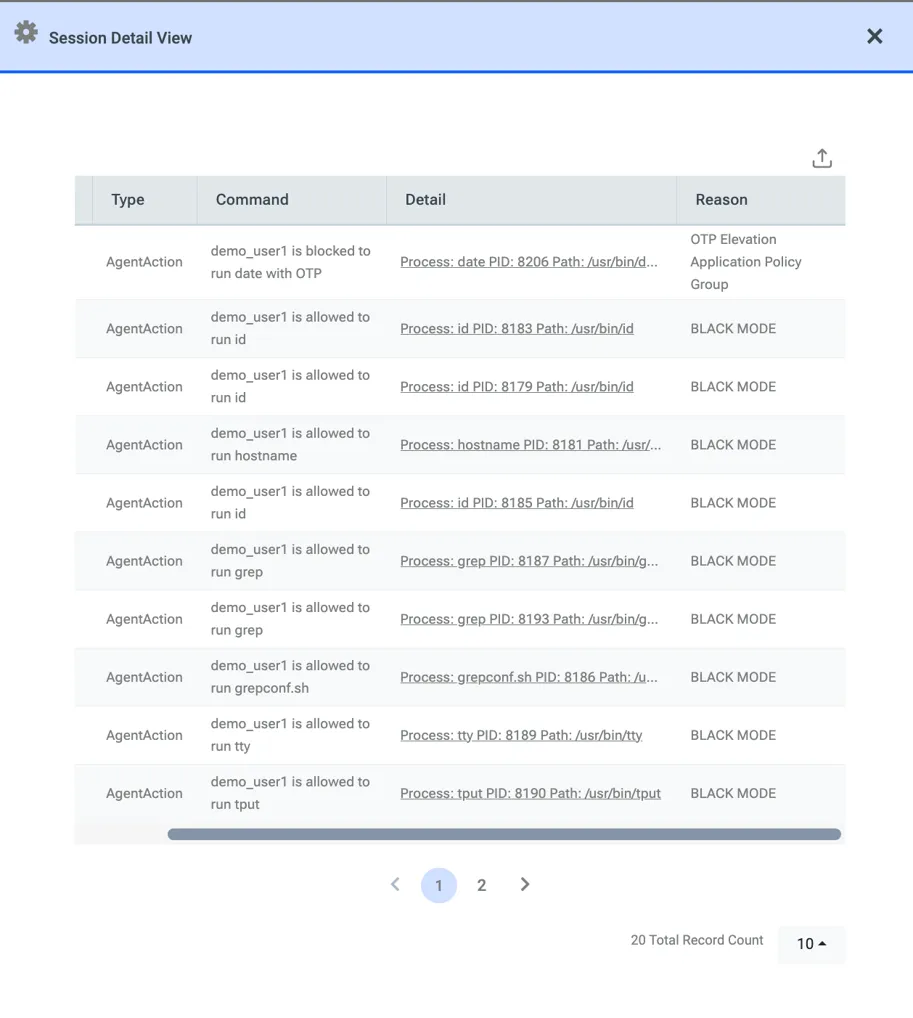
When "Show Details" is clicked, a comprehensive breakdown of all actions taken by the end user on the agent-installed endpoint during a specific session is displayed.
The following information is visible, complete with precise timestamps:
· Command Details: The exact command the user attempted to execute.
· Process ID (PID): The specific PID associated with the process.
· Action Status: Whether the command was executed (elevated), allowed, or blocked.
· Policy Reference: Which specific rule or policy was triggered to determine the outcome of the process.
Command Logs
All commands executed under the end-user's context (excluding built-in commands) are recorded in the command logs. These actions may be initiated directly by the user or triggered by the operating system running background tasks under the user's execution context. Regardless of the trigger, all such executions are captured and transmitted to Kron PAM by the agent.
When the agent is offline—meaning there is no active communication between the agent and Kron PAM—the agent caches these logs locally. Once connectivity is restored, the buffered logs are automatically uploaded to Kron PAM.
Additionally, SFTP connections established to or from the server hosting the agent are fully visible within the command logs. Specific events—including the initiation and termination of SFTP sessions, get,and put are logged as read, and write operations—in the Kron PAM command logs.