Tunnel Rules
Tunnel Rules are used to apply policies to tunneling requests—whether remote or local—initiated through a server where an agent is installed. Since a tunnel might be established from a remote location to an agent-installed server, or initiated locally from the server itself, the agent can govern these requests based on defined policies.
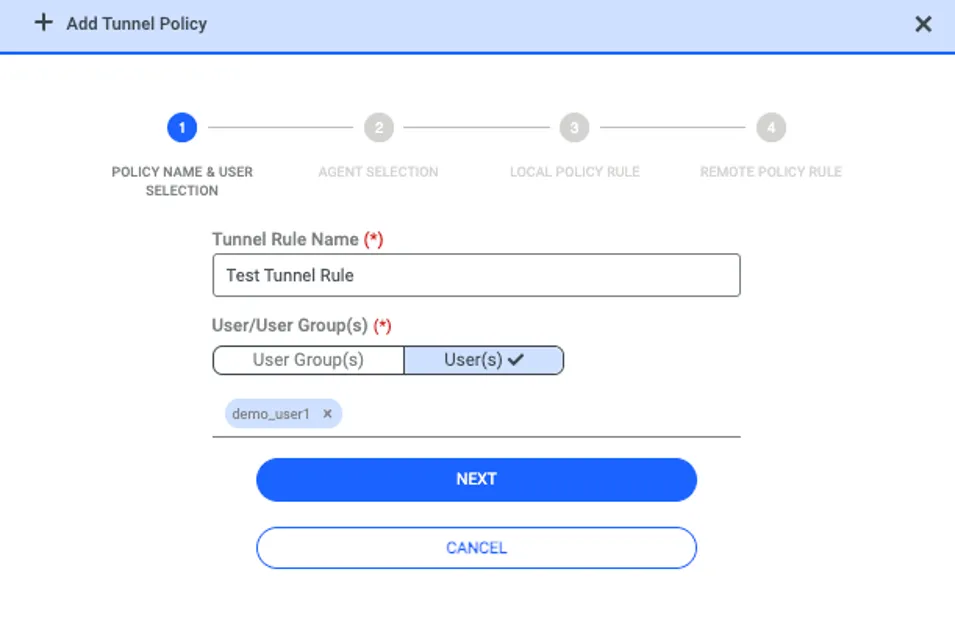
To create a Tunnel Rule, navigate to the Tunnel tab under Advanced Policy and click the ADD button in the top-right corner.
1. First Step: Assign a name to the policy and specify the users or user groups to whom this policy will apply.
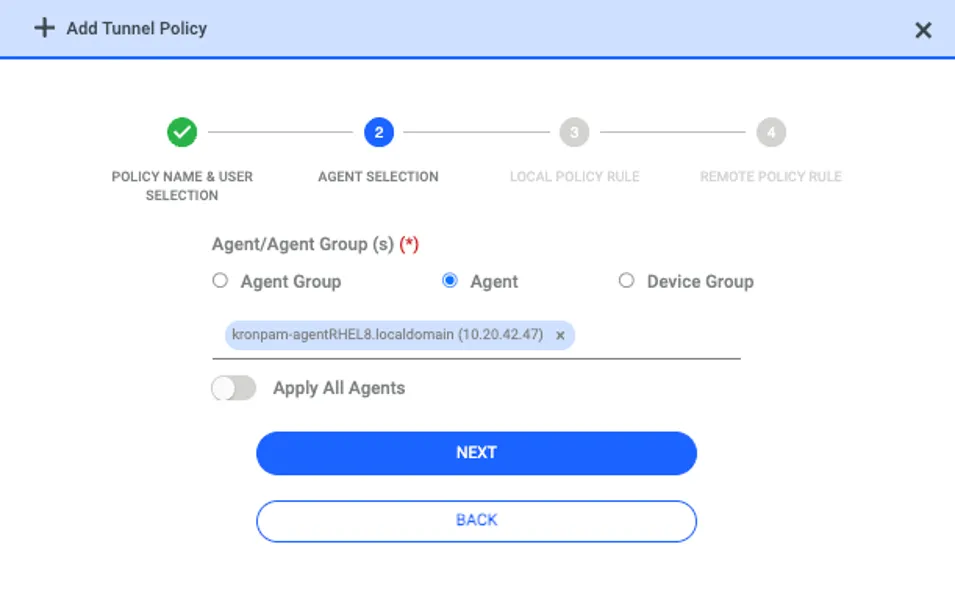
2. Second Step: Define which agents (and consequently, which endpoints) this policy will be active on. You can select an Agent Group, a specific Agent, or a Device Group.
a. Agent Group: Lists groups created in the Agent Dashboard.
b. Agent: Lists individual endpoints where the agent is installed.
c. Device Group: Lists groups from the Device Tree; however, only endpoints with an installed agent within these groups will receive the policy.
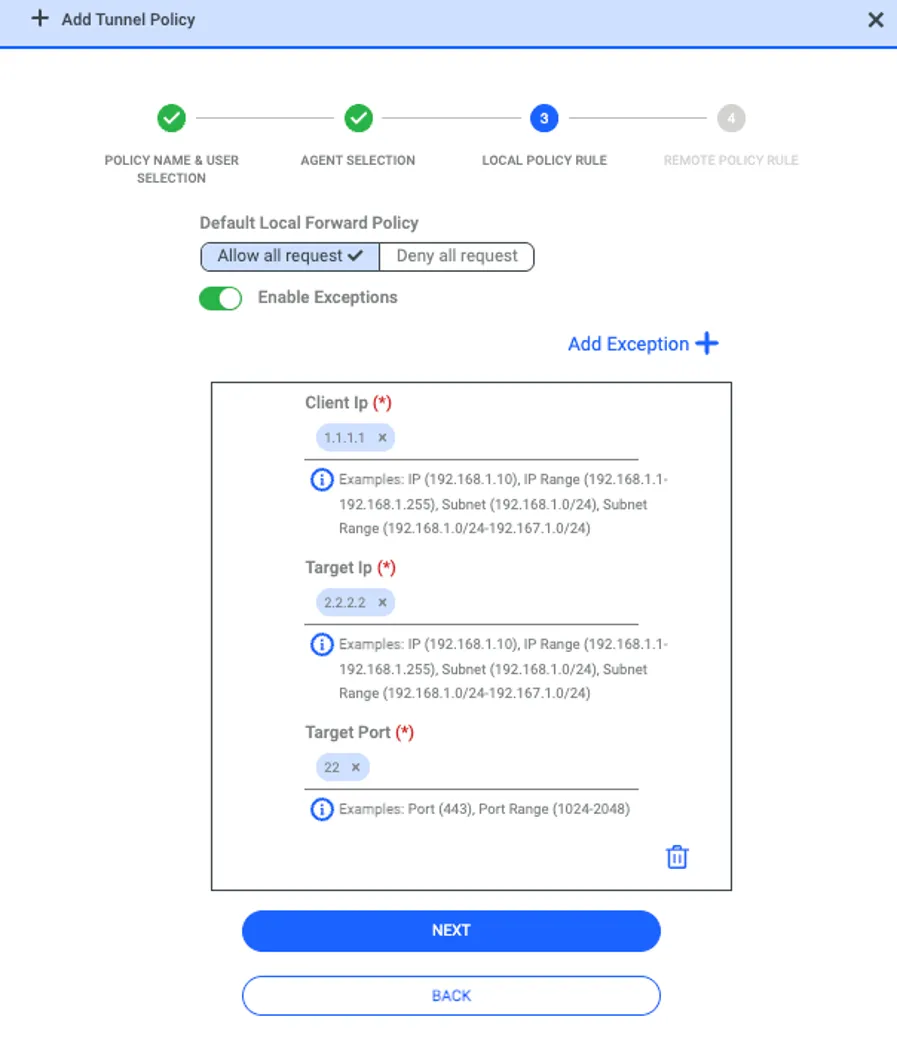
3. Third Step: If a Local Tunnel rule exists, select a policy to either Allow or Deny the request. You can completely block or permit incoming requests to the agent-installed endpoint. Additionally, you can create policies that allow all tunnel requests with specific exceptions, or deny all requests while permitting only authorized ones.
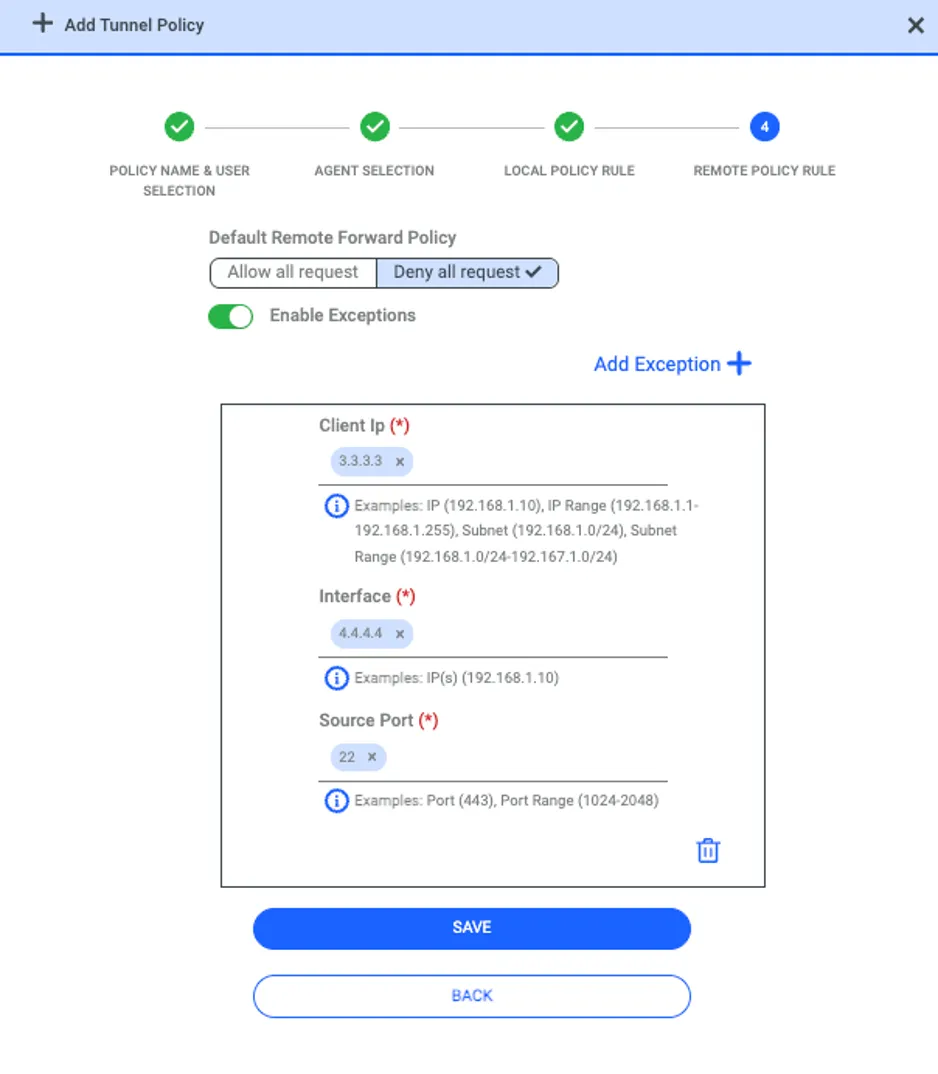
4. Fourth Step: Similar to the third step, rules for Remote Tunnel requests can be defined here. Remote tunneling can be fully permitted or restricted, and specific exceptions can be configured as needed.
Tunnel Request examples:
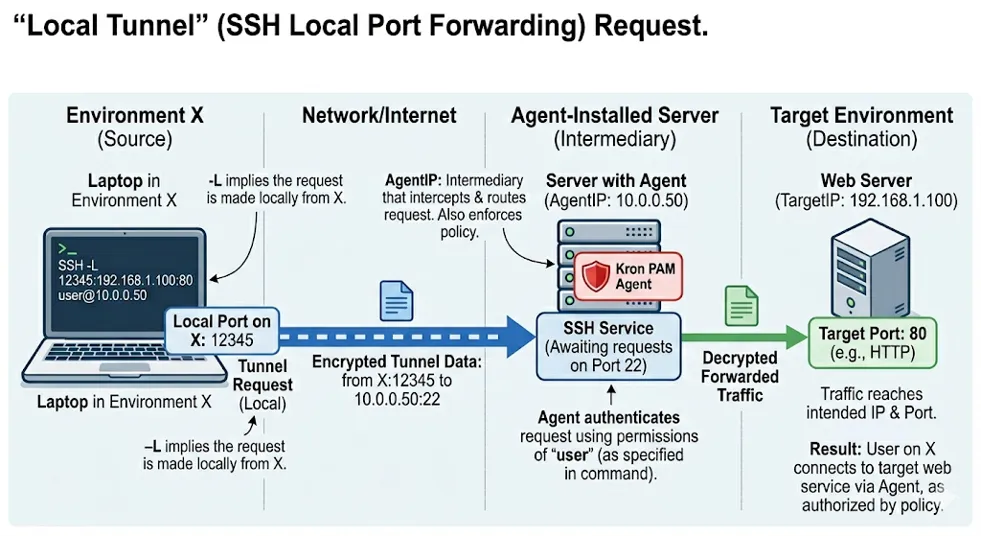
- An example of a Local Tunnel request is as follows. To explain this command:
SSH -L port:TargetIP:TargetPort User@AgentIP
· -L: Indicates that the tunneling request is being made locally. In this context, it means the command is executed from an environment other than the agent-installed server. Let's call this environment Environment X.
· port: Refers to a random, unused port on Environment X.
· TargetIP: The destination IP address where the request arriving at Environment X’s local port should be forwarded.
· TargetPort: The specific port at the TargetIP where the request is headed.
· User: The agent-installed server will forward the incoming request to the target environment using the permissions of this specific user.
· AgentIP: The IP address of the server where the agent is installed, which acts as the intermediary to route the request to the target.
To summarize, this command allows a request arriving at a specific port on one environment to be forwarded to a target destination through the agent-installed server. Our agent provides the mechanism to apply policies and supervise these requests.
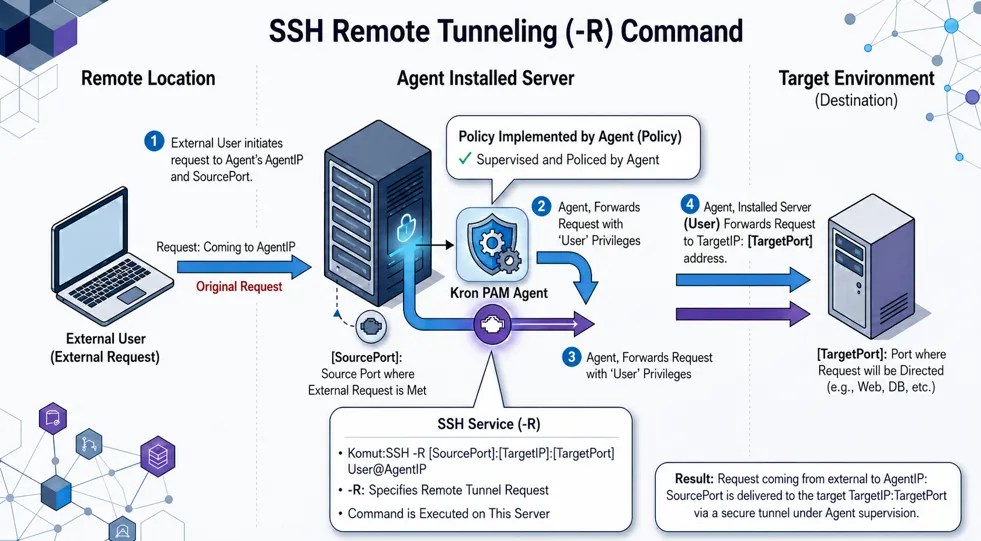
2. An example of a Remote Tunnel request is as follows. To explain this command: SSH -R SourcePort:TargetIP:TargetPort User@AgentIP
· -R: Indicates that the tunneling request is being made remotely. In this scenario, the command is executed directly on the agent-installed server, and the request originates from an external source targeting the agent-installed server.
· SourcePort: This is the source port on the agent-installed server. External requests will arrive at this specific port.
· TargetIP: The destination IP address where the agent-installed server will forward the incoming request.
· TargetPort: The specific port at the TargetIP where the request is headed.
· User: The agent-installed server forwards the request to the target environment using the specific permissions of this user.
· AgentIP: The IP address of the server where the agent is installed, which acts as the gateway to route the traffic.
To summarize, this command allows a request arriving at the SourcePort of the agent-installed server to be forwarded to a target destination through the agent's environment. Our agent provides the necessary mechanism to apply policies and supervise these incoming remote tunneling requests.