OTP Elevation
For managerial approval, if an application has an OTP elevation policy, when the end user clicks it below the time limit is asked. No reason is required for the OTP elevation, just a time limit is required.
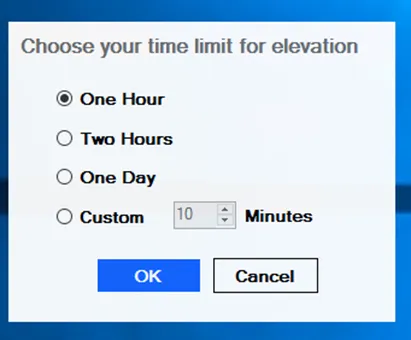
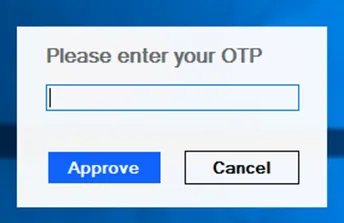
When a time limit is chosen, the end user needs to enter OTP from the Kron PAM Mobile Client or Kron PAM GUI. The end-user has 3 rights to enter OTP.
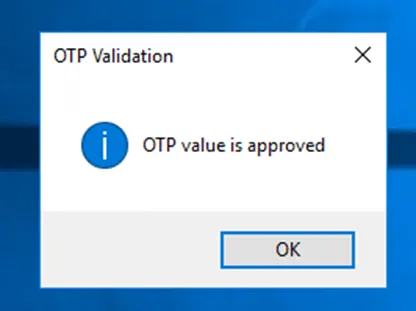
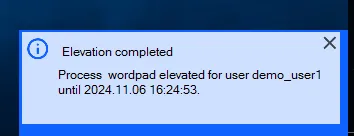
When OTP is approved a notification pops up to the end user which tells OTP is approved and another notification specifies time limit for usage of application. The application is also started automatically by the agent; there is no need for the end user to launch it manually.
* Maximum allowed time limit is 24 hours or 1440 minutes if custom is chosen.
* Managerial Approval elevation is an online feature. If the client is offline, this feature is not going to work.
* For Managerial Approval elevation, the Reason entered by the end user is seen on the Approval List of the manager.
* OTP elevation has offline feature, so if the agent cannot establish a connection with Kron PAM and has to run offline, OTP elevation still works and verifies the token locally. To use this function on the agent group level, “Offline AA” (offline Authentication and Authorization) has to be enabled.