Multi-Factor Authentication
In the agent-installed endpoint, we can add a second layer of security during the authentication. Upon providing the correct credentials users will be asked to provide an OTP from the Kron PAM mobile app to complete login.
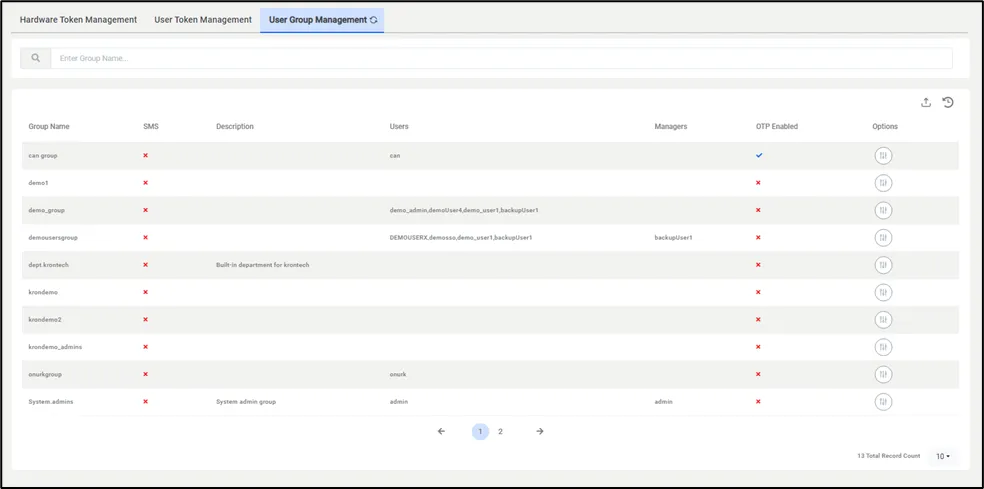
First, users need to enable MFA for the user group from Kron PAM.
- Navigate to Administration.
- Multi-Factor Authentication > User Group Management.
From this menu, enable OTP for the desired user groups.
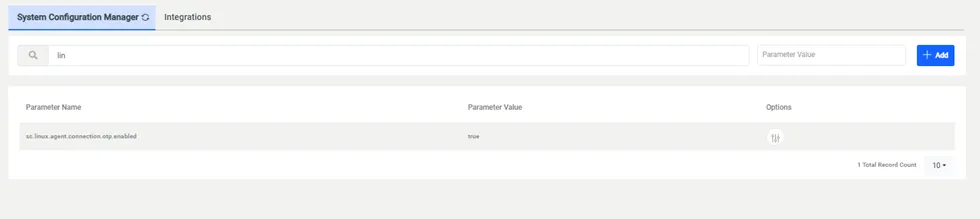
As a second step
- Navigate to Administration > System Configuration Manager.
- Add sc.windows.agent.connection.otp.enabled parameter as true.
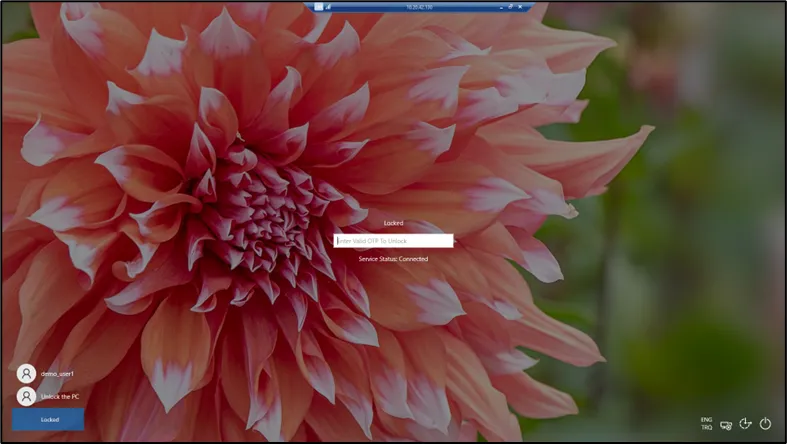
Upon successfully configuring MFA, users will be asked to provide an OTP upon connecting to the endpoint. When a user enters the wrong OTP 3 times the agent terminates the connection.
Offline authentication
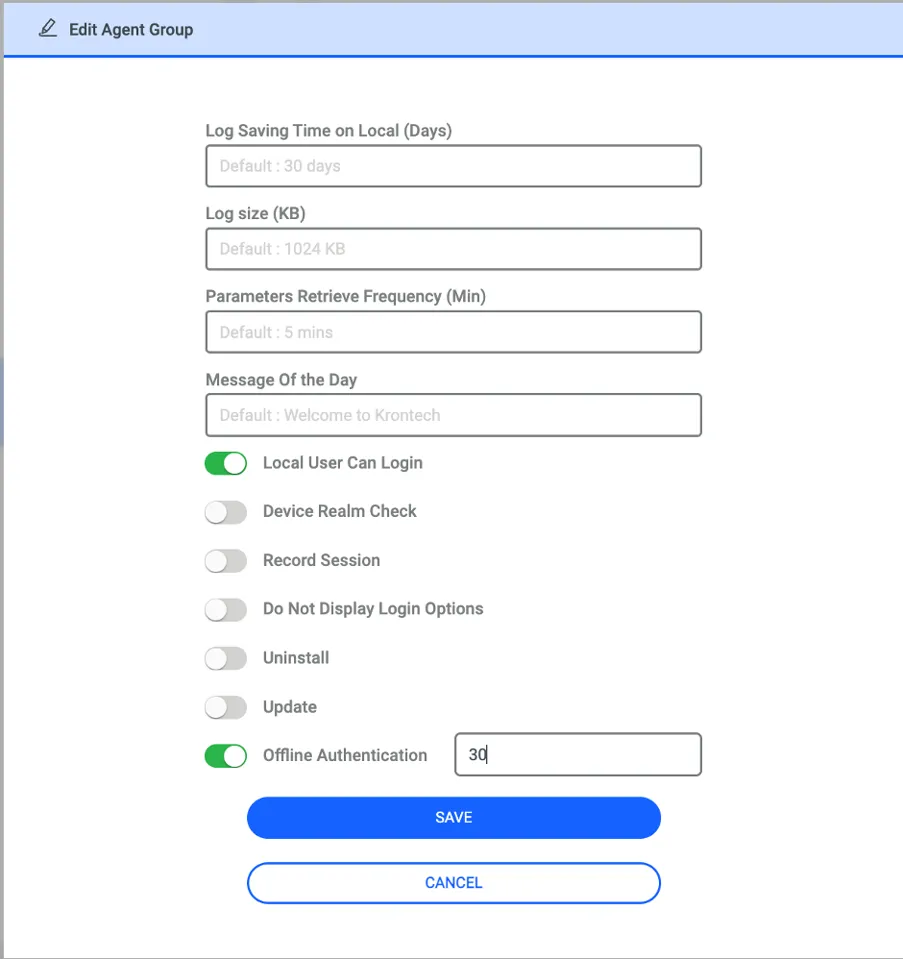
OTP prompts during login can continue even if the agent's connection to PAM is lost. When the Offline Authentication toggle is enabled under the Agent Group (as shown in the screenshot below), it defines the duration (in days) that offline authentication will remain active for agents in that group.
For this policy to take effect, the user must have logged into the endpoint at least once while the agent was online. During the specified period, the OTP generation key for that user will be stored locally on the agent in an encrypted format, allowing the OTP to be validated locally by the agent.