Commmand Policy
The "reboot" command might be blocked for all users globally, but through an Advanced Policy, we can grant the "Linux Administrator" group permission to use it. If an advanced rule exists for a command, it overrides the general policy for those specific users, and the advanced rule takes precedence.
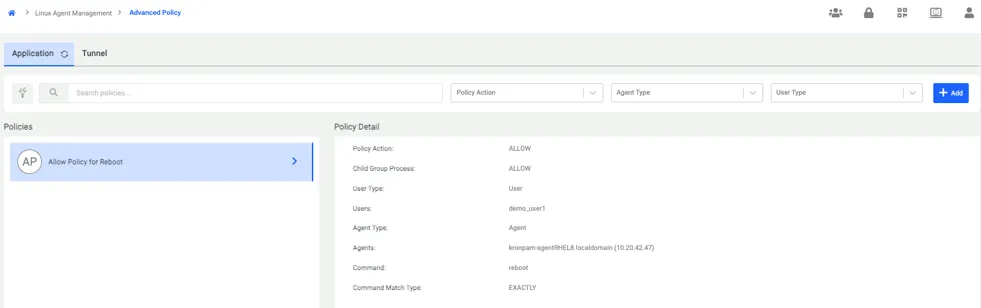
To create an Advanced Policy, click the ADD button in the top-right corner of the screen and proceed by filling in the required information.
1. First Step: You must assign a name to the Advanced Policy and select the specific users or user groups to whom this policy will apply.
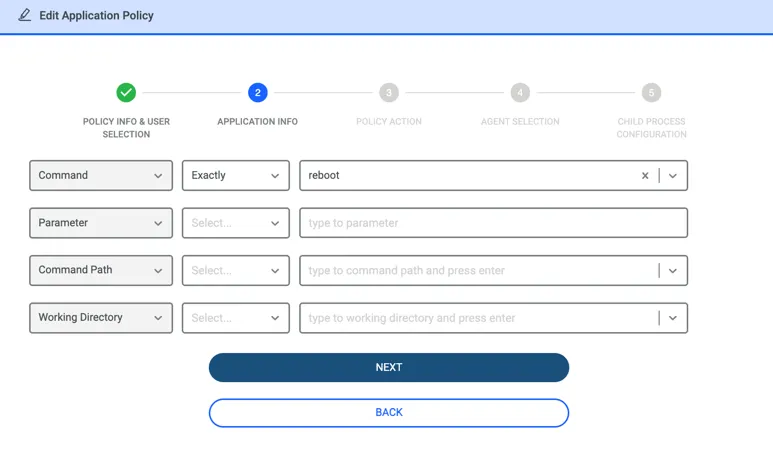
2. Second Step: You add the specific command to be governed by the policy, along with any necessary details (parameters, paths, etc.).
3. Third Step: You must select the policy type. There are three options available, and the subsequent steps vary slightly based on your choice:
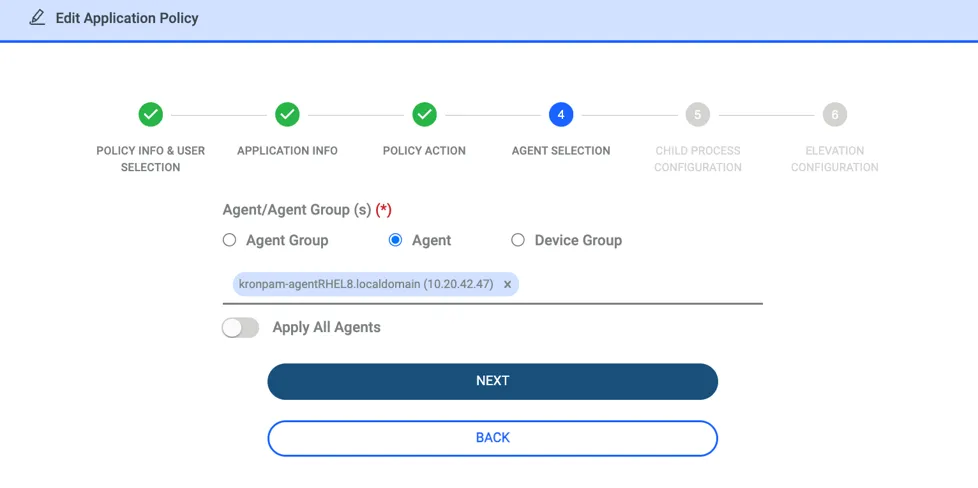
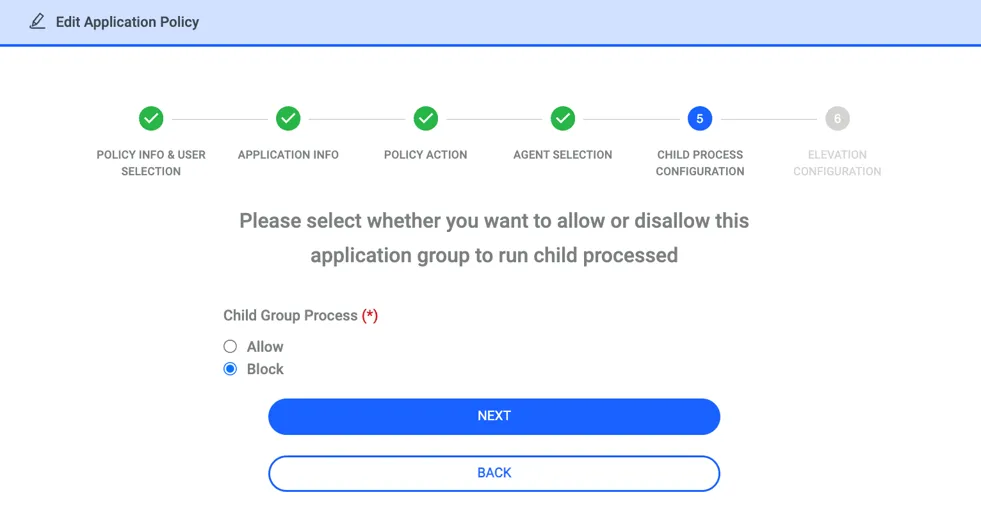
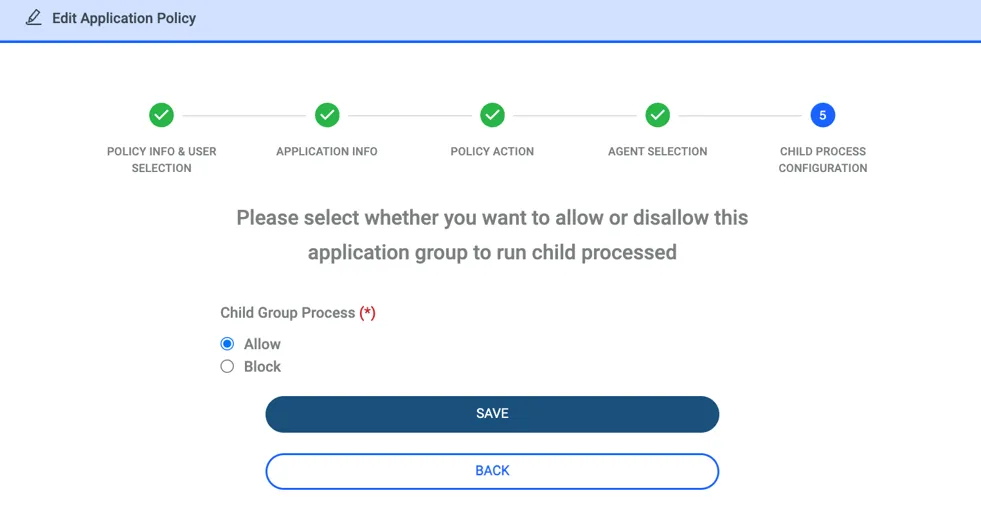
a. Allow: If selected, you will be asked to specify the endpoints where this policy is valid and define the behavior for subprocesses.
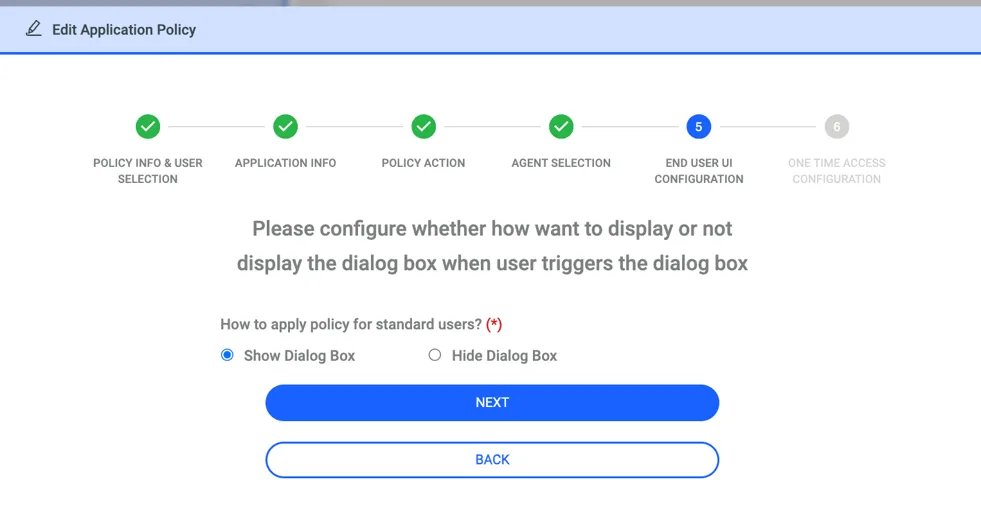
b. Block: If selected, you must specify the relevant endpoints and decide whether or not to display a warning notification to the end user when the command is blocked.
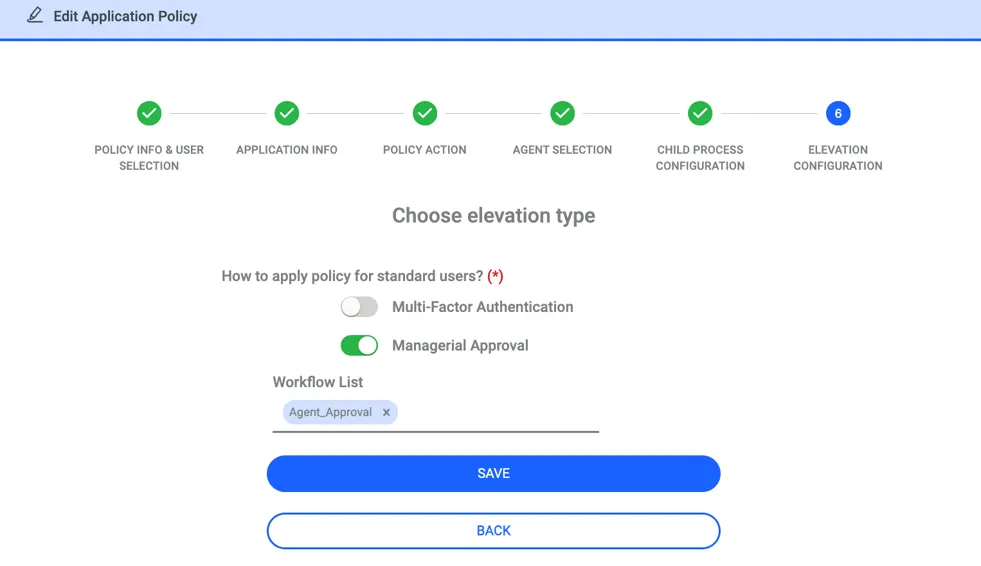
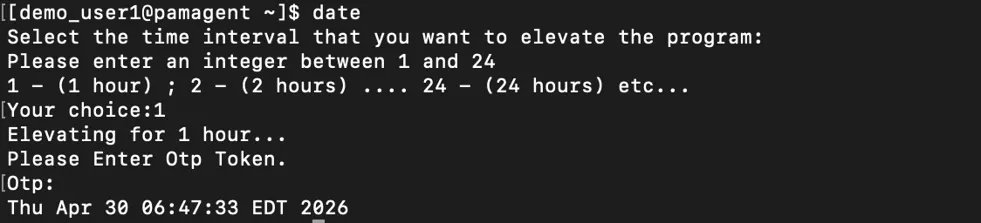
c. Elevation: If selected, you will define the target endpoints and subprocess behavior. Most importantly, you must configure the approval mechanism: whether the command requires OTP (One-Time Password), Managerial Approval, or both.
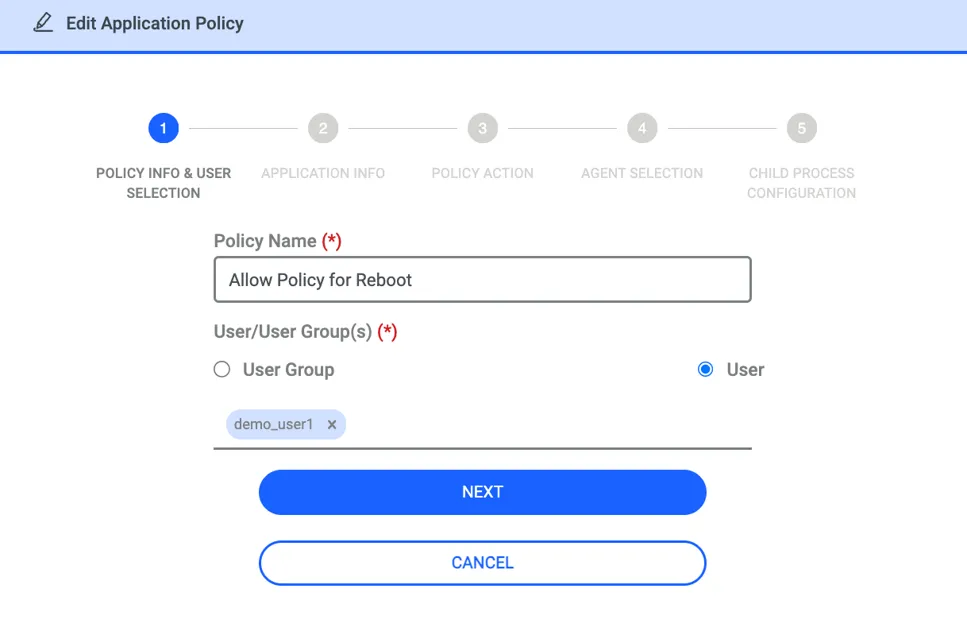
When selecting users in Advanced Policy, the listed users are those who have been imported into Kron PAM from Active Directory. Local users are not populated or displayed in this section.
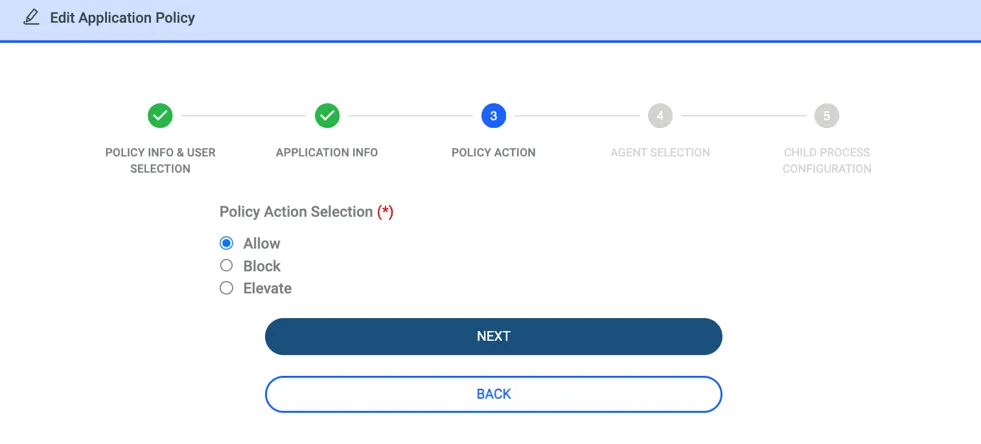
If Allow policy is selected, the steps below will be configured.
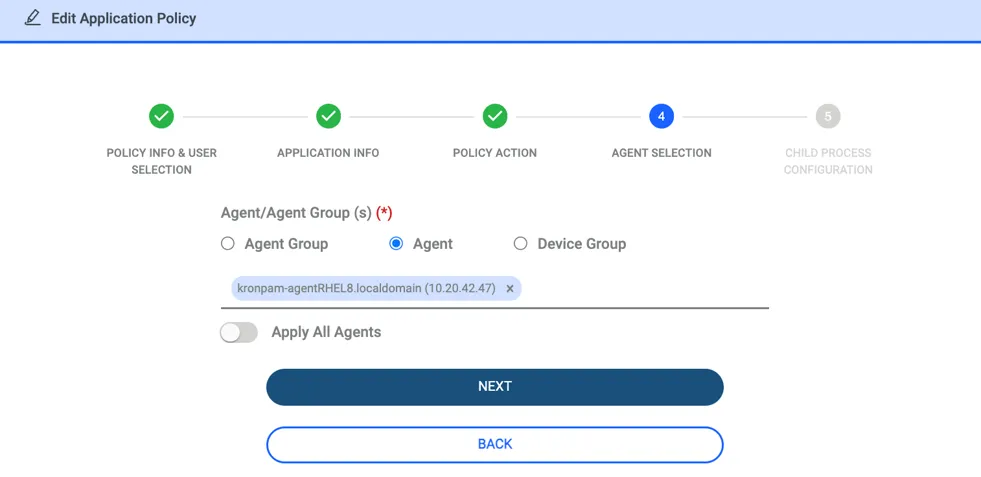
If "Apply to All Agents" is selected, the policy will be received by every endpoint where an agent is installed.
If Block policy is selected, the steps below will be configured.
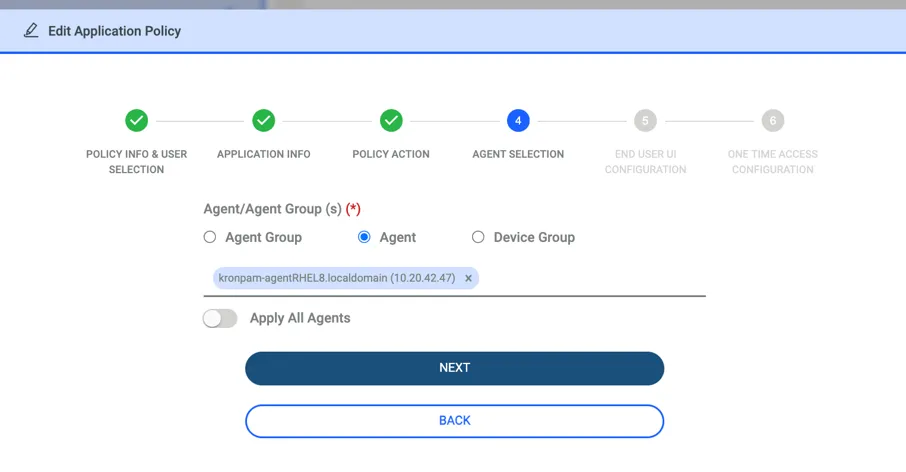
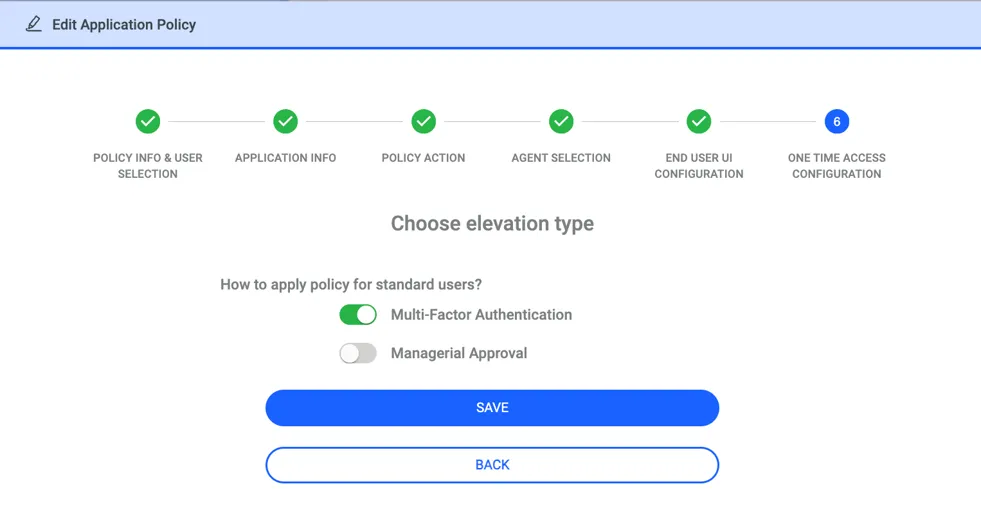
If Elevation policy is selected,the steps below will be configured.