Agent Group Creation
Users can group agents into 3 main groups: Learning, Black, and White modes. This grouping decides how the agent handles gray-listed applications; in other words, this grouping decides how to proceed when an application without a policy is run by the user. When an agent is installed for the first time, it will be in learning mode.
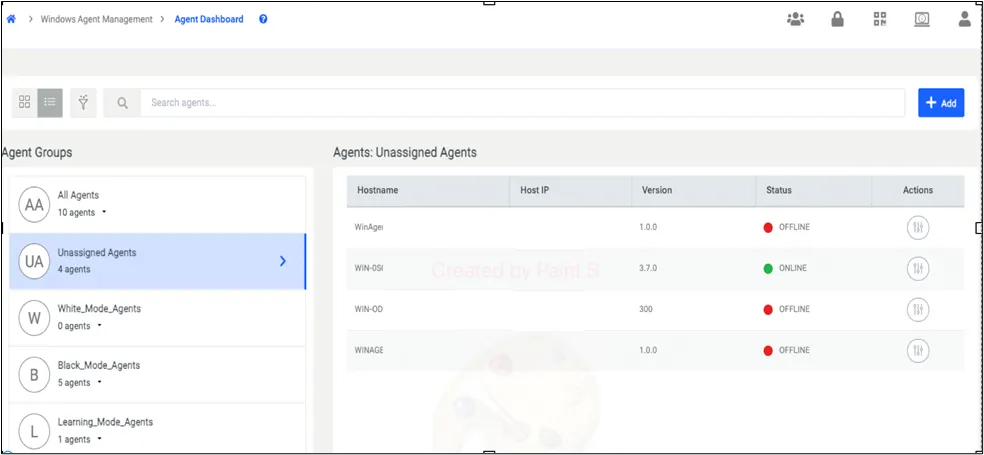
Under the Unassigned Agents Group, you can assign the agents to agent groups with the Actions button, on the right side of the screen shown in the screenshot above.
To create an agent group:
Click the Add button in the top right corner to create an agent group. In the displayed menu, click on Create Agent Group.
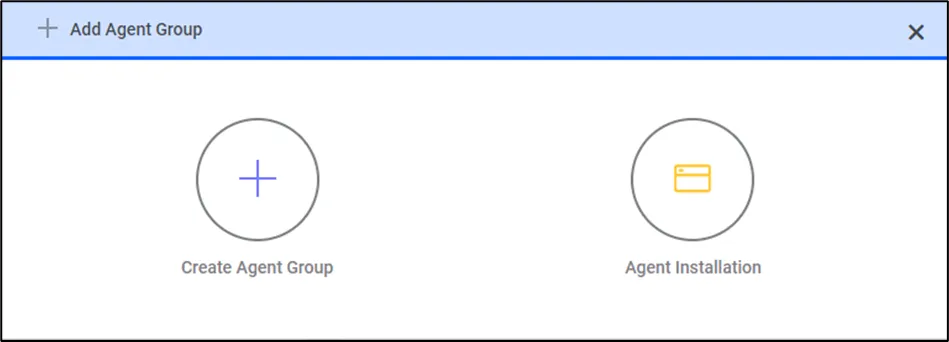
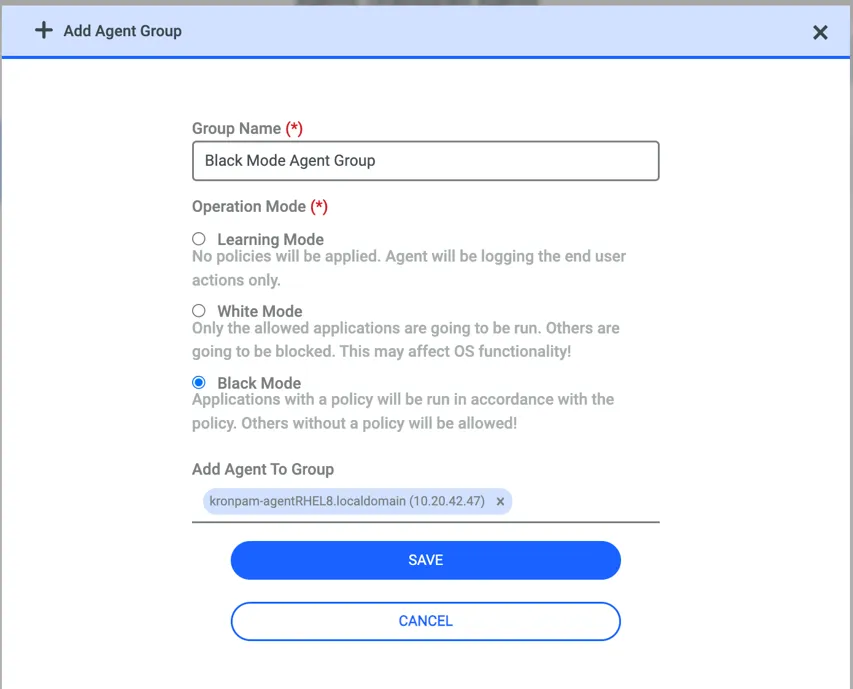
Upon clicking Create an Agent Group, Kron PAM will display the menu above to the user. The user needs to input a group name and then choose the operation mode. During the group creation process, agents that are not currently assigned to any group—designated as Unassigned—can be added directly to a group.
Learning Mode: No policy enforcement, only logging functionality is active.
White Mode: Only allowed applications will be permitted; any other application will be blocked. The white mode should be used very carefully when this is selected as agent mode all the applications except those policed will be blocked. So, this can cause a crash in the system.
Black Mode: Only explicitly blocked applications will be secured; any other application will be permitted to run.