Local Administration Right
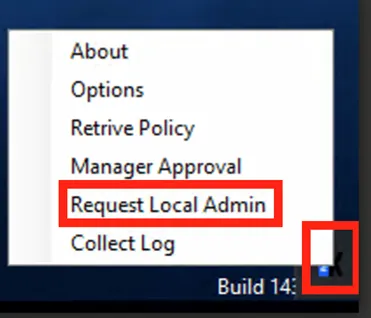
relogs end users need to have local administration rights on the endpoint. At this point agent supports flexibility to manage this process. On the endpoint, end-user requests the local administration right over the agent’s tray application as shown below.
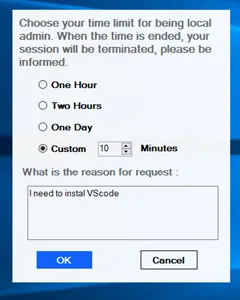
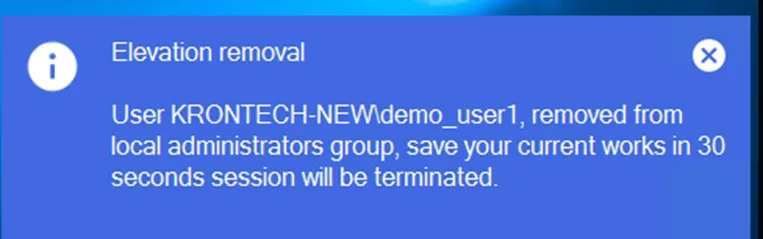
Then the end user needs to choose a time limitation for being a local administrator. At the end of this time Local administrator right will be taken back and the session will be terminated in a configurable time. To configure this session, the kill time below parameter should be set on the System Configuration Management page as second. The default value is 30 seconds.
win.agent.local.admin.right.expire.session.kill.time = 30
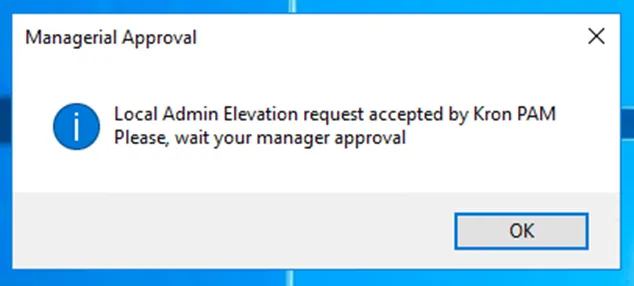
When the time limitation is chosen, the request goes to Kron PAM, and the end user’s manager can observe it on the My Approvals page. The manager can approve or reject it. The screen below shows that a user called demo_user1 requested to be a local administrator for one hour.
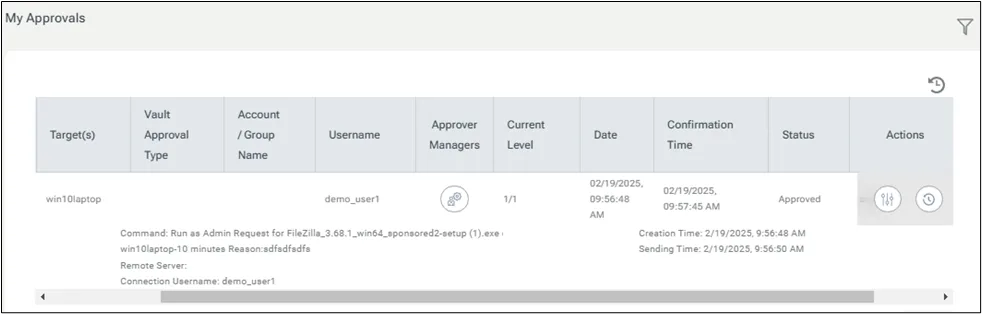
If approved, a notification is shown to the end user. To gain local administrator access, the end user needs to log out and then log in again.
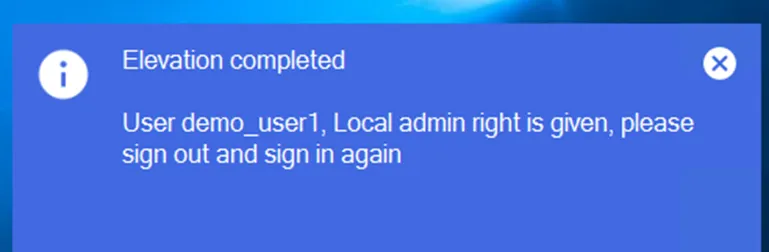
When the end user relogs to the endpoint again, who has the local administrator right anymore till the time limitation is ended? When the time limitation is reached below kind of warning appears again and warns the end user to kill the session in a configurable time.
* Giving local admin rights is the online feature. Approval from the Manager is required. So, the agent and Kron PAM should communicate. If the client is offline, this feature is not going to work.