Agent Group Creation
Users can group agents into 3 main groups: Learning, Black, and White modes. This grouping will decide how the agent handles the gray-listed application; in other words, this grouping chooses how to proceed when an application without a policy is run by the user. When an agent is installed for the first time, it will be in learning mode.
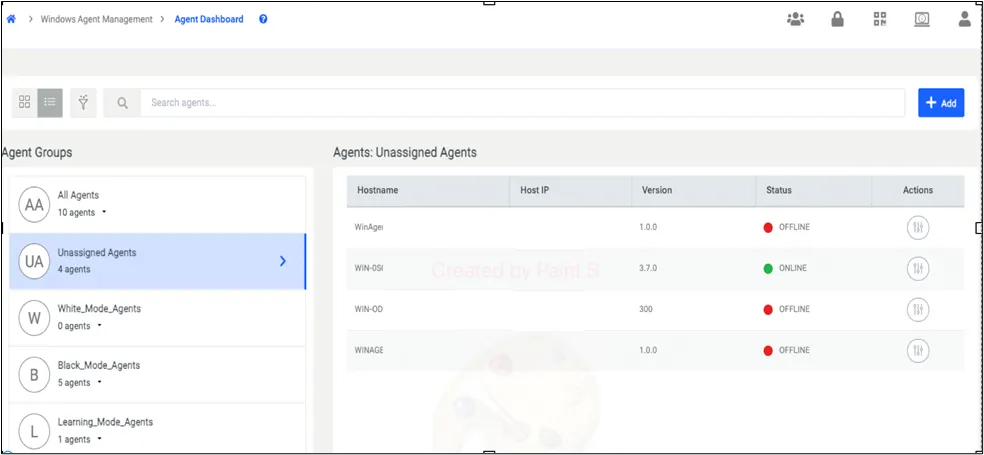
Under the Unassigned Agents Group, you can assign the agents to agent groups with a Actions button, on the right side of the screen in the above screenshot.
The user clicks the Add button in the top right corner to create an agent group. In the displayed menu, click on Create Agent Group.
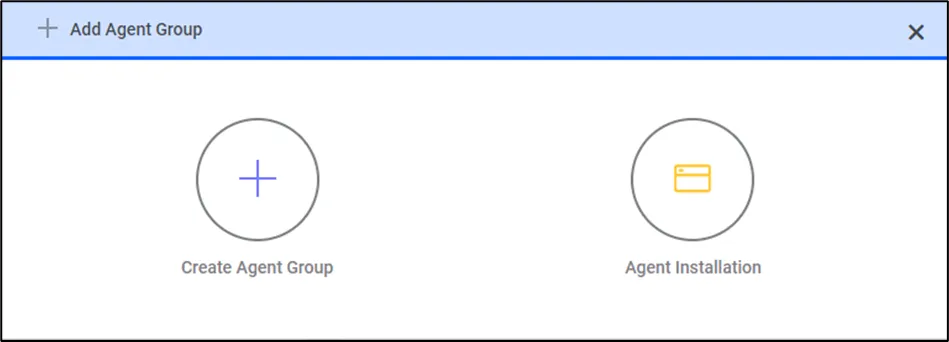
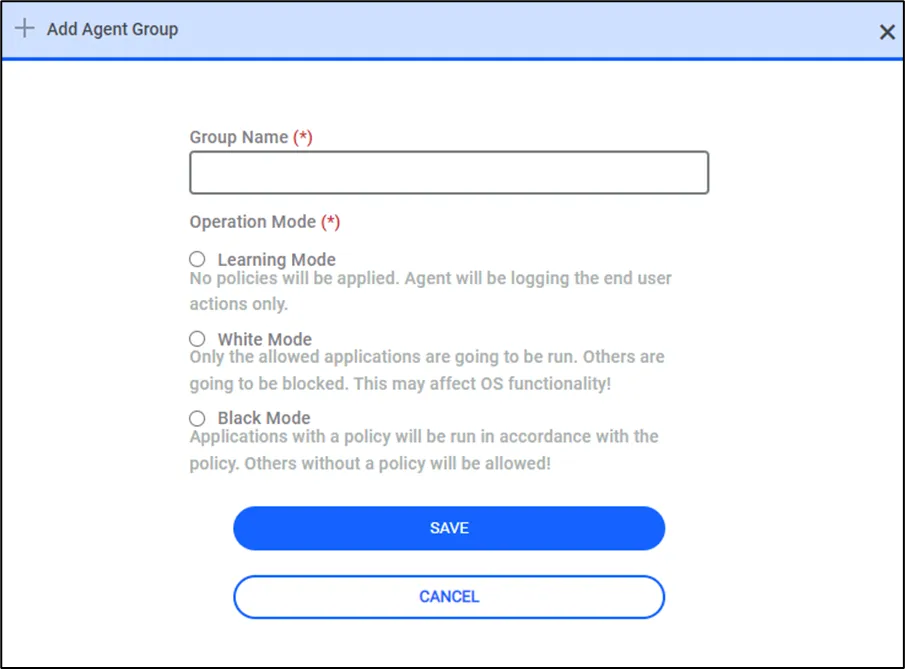
Upon clicking Create an Agent Group, Kron PAM will display the menu above to the user. The user will input a group name and then choose the operation mode.
Learning Mode: No policy enforcement, only logging functionality is active.
White Mode: Only allowed applications will be permitted; any other application will be blocked. The white mode should be used very carefully when this is selected as agent mode all the applications except policy are locked. So, this can cause a crash in the system.
Black Mode: Only blocked applications will be secured; any other application will be permitted.