Advance Policy for Applications
The advanced policy aims to cover desired edge cases and exceptions for system administrators. When a policy in the application catalog is configured it's generic and applies to all the selected endpoints; however, with the help of advanced policies, system admins can configure different policies for users or users for selected devices.
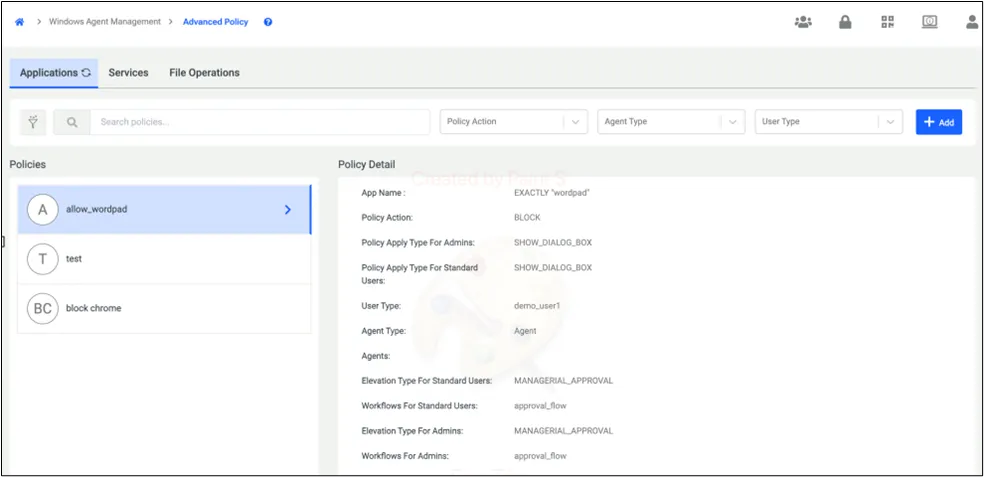
To add an advanced policy user clicks on the +Add.
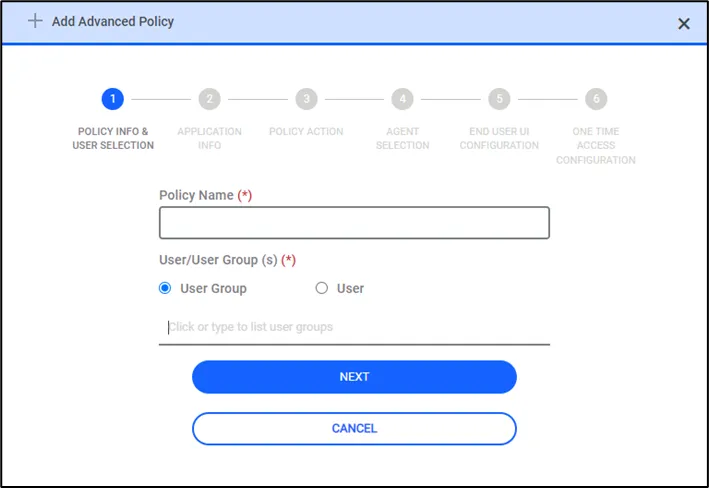
Upon clicking the Add button, Kron PAM will display a 6-step menu to configure an advanced policy. In the first step, the user is expected to name the advanced policy and select the targeted user or user group. This policy will be applied to selected users or user groups
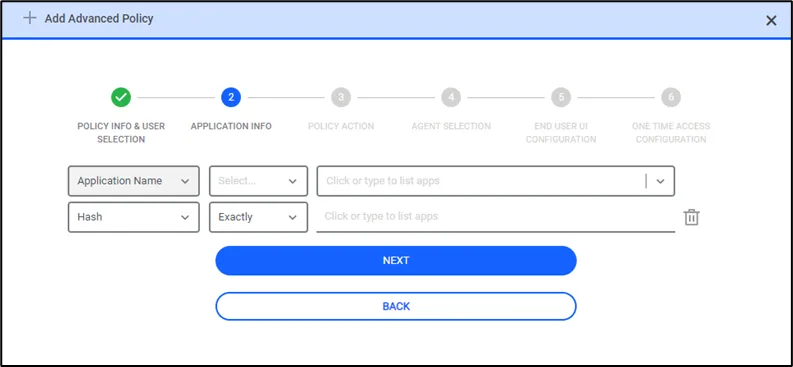
The second step is to input application info; currently, users can configure policies based on application names and application hashes. Users can input an application manually, or if the agent has already discovered the application, it can be selected from the dropdown menu. When an application is selected, the Kron PAM will also offer to select the discovered application's hash from the discovered endpoint. Selecting a hash along with the application will enforce more protection, but if the application is updated or altered in a malicious way, since its hash will also change agent will prevent the execution of that application. While selecting these attributes, users can also decide the match type, which could be configured in 3 ways. The application name can be an exact match, it could contain the given text, or it can be a regular expression.
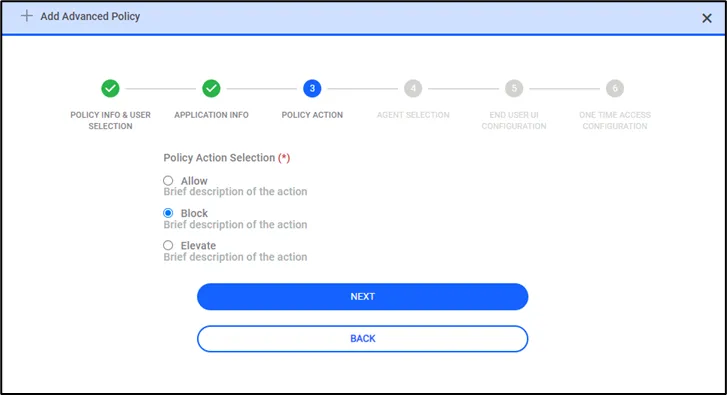
In the 3rd step user will be configuring the policy action, whether this application is expected to be allowed, blocked, or elevated. Based on this selection flow the next step will be changed.