Multi-Factor Authentication
2 min
In the agent-installed endpoint, we can add a second layer of security during the authentication. Upon providing the correct credentials users will be asked to provide an OTP from the Kron PAM mobile app to complete login.
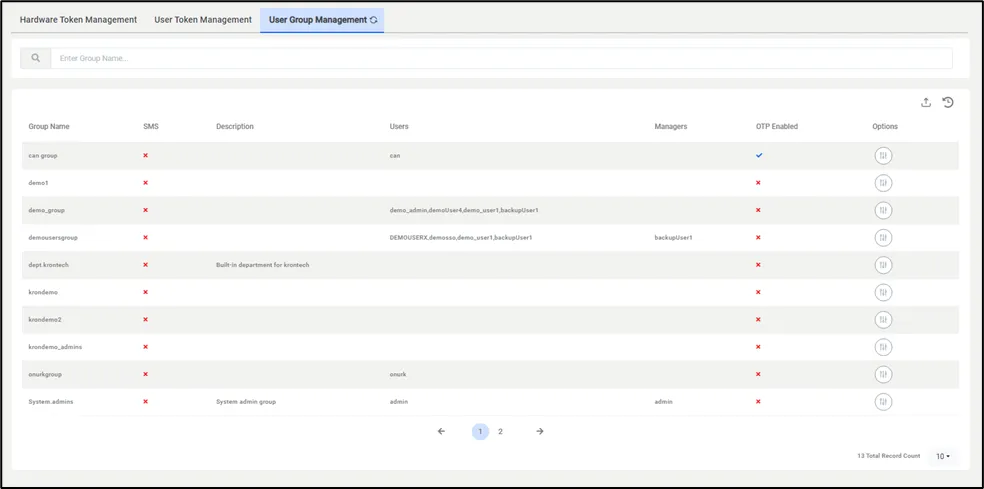
MFA User Group Management
First, users need to enable MFA for the user group from Kron PAM.
- Navigate to Administration.
- Multi-Factor Authentication > User Group Management.
From this menu enable OTP for the desired user groups.
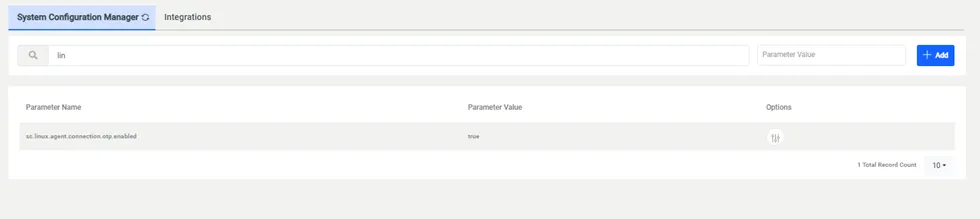
System Config Management MFA Parameter
As a second step
- Navigate to Administration > System Configuration Manager.
- Add sc.linux.agent.connection.otp.enabled parameter as true.
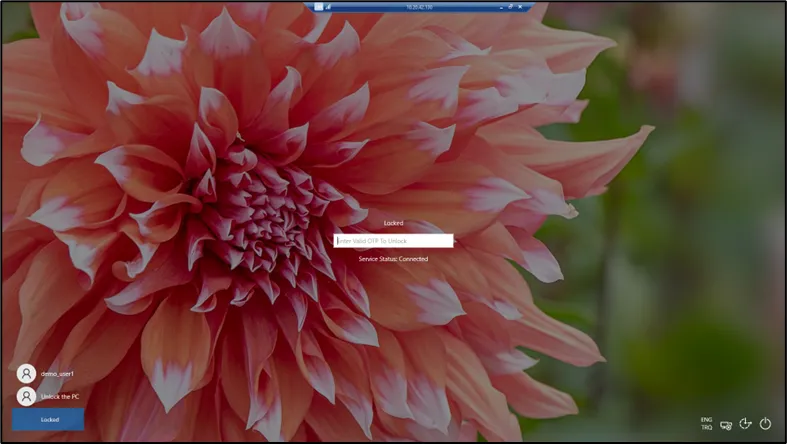
Agent MFA Login
Upon successfully configuring MFA, users will be asked to provide an OTP upon connecting to the endpoint. When a user enters the wrong OTP 3 times the agent terminates the connection.