Kron DAM Configuration for Threat Threshold Incident Response
The Severity Configurations page is used to define how detected threats are categorized based on their risk scores and behavior patterns. On this page, administrators can review and adjust the rules, thresholds, and severity levels that determine how the system classifies and prioritizes threat activity.
1. Log in to Kron DAM Web GUI.
2. Navigate to the Database Activity Monitoring > Database Threat Analytics menu.
3. Open the Severity Configurations tab.
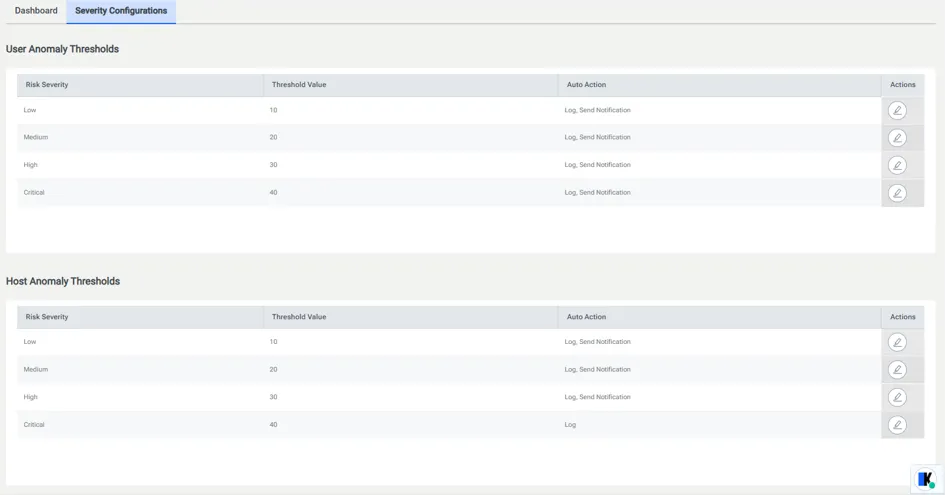
Set risk severity threshold and Auto action for severity levels.
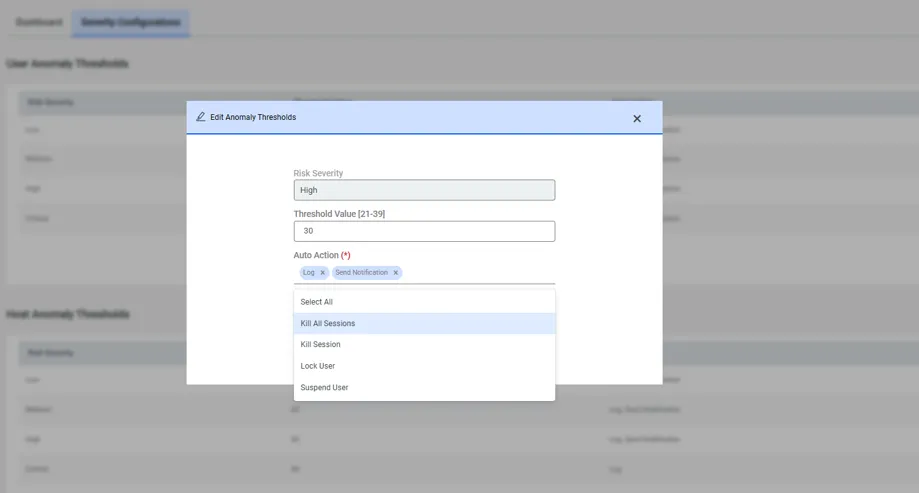
Log: To log the detected anomalies.
Kill All Sessions: Terminates all active monitored sessions of the user.
Kill Session: Terminates only the session where the anomaly is detected.
Lock User: Prevents the detected database user from initiating new monitored sessions through DAM enforcement policies.
Send Notification: Sends a notification email to recipients defined in the "sc.uba.send.detected.anomalies.mail.recipient" parameter in System Config Manager.
Suspend User: Temporarily blocks monitored database activities of the user for the duration specified in the "user.suspend.forMillis" parameter.