Report Details
2 min
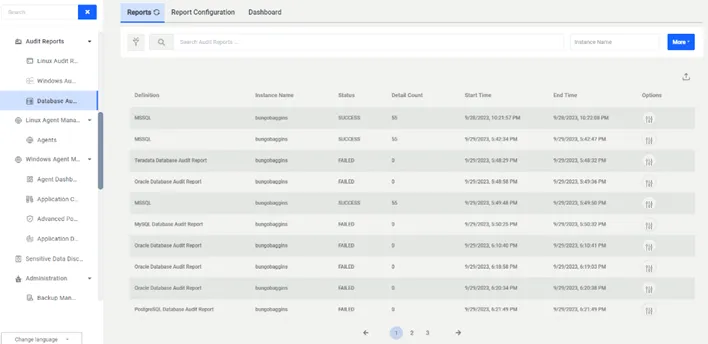
When the job finishes, reports are listed in the Reports tab. To access the reports:
- Navigate to Audit Reports > Database Audit Reports.
- Open the Reports tab.
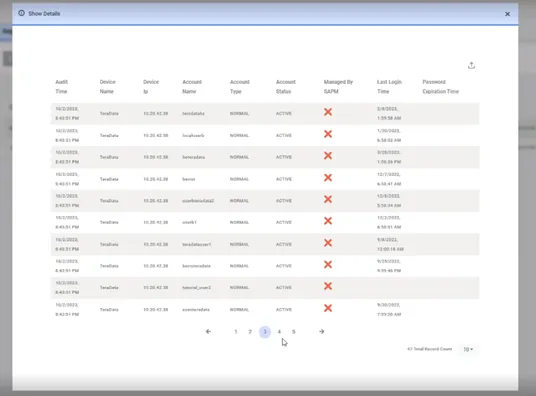
- Click the Options drop-down menu button and select Show Details.
Report details are shown in the Database Audit Report Details section:
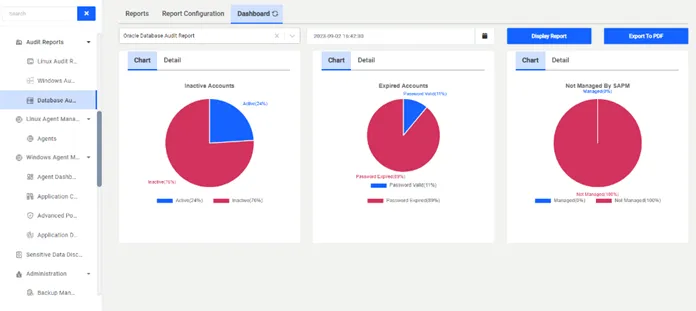
Dashboard
- Navigate to Audit Report > Database Audit Report.
- Open the Dashboard tab.
- Choose the desired fields and click the Display Reports button.